

SmartRestore-RecoveryAssistant
Michiko Dgital Tools
Scan lost photos, videos, audio, and files, then restore selected items.
- Downloads
- 5K+
- on Google Play
- Price
- Free
- No in-app purchases
- Updated
- Aug 13
- 2026 · v1.0.3
Screenshots
About SmartRestore-RecoveryAssistant
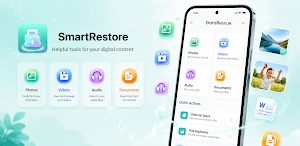
Deleted photos, videos, audio files, or important documents by mistake? SmartRestore helps you scan device storage for files that may still be recoverable, review detected results, and save selected items back to your device.
A Clear Recovery Workflow
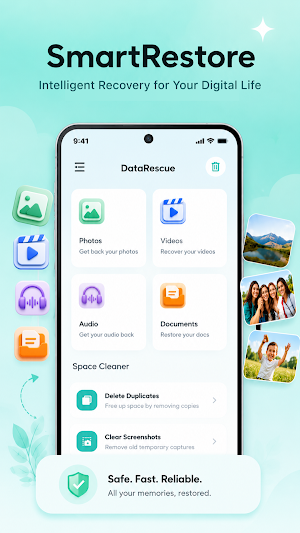
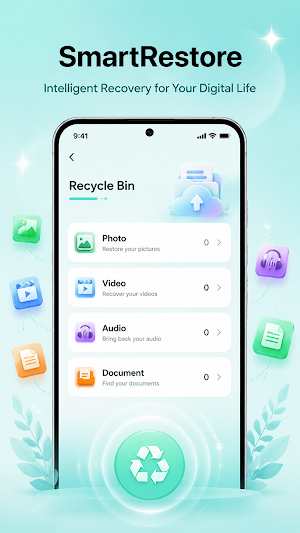
SmartRestore keeps recovery simple and user controlled. Choose the type of file you want to find, start a scan, review the available results, and select only the items you want to restore. The app does not automatically restore every detected file.
Recovery Features
- Scan device storage for potentially recoverable files
- Review detected results before restoring
- Select and save individual files
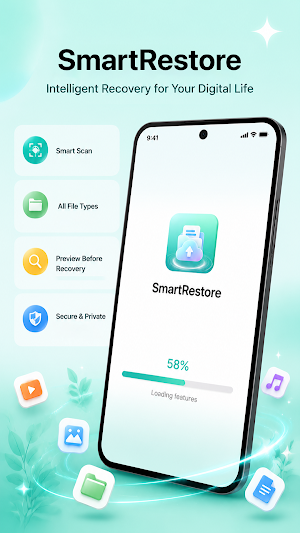
- View recovery progress while a task is running
- Receive recovery status and completion notifications
- Filter results to make files easier to review
Supported File Types May Include
- Photos: JPG, PNG, HEIC, WebP
- Videos: MP4, MOV, AVI, MKV
- Audio: MP3, WAV, AAC, FLAC
- Documents: PDF, DOC, DOCX, XLS, TXT
- Archives: ZIP, RAR
How It Works
1. Select a file category and begin scanning.
2. Review the recoverable items found on the device.
3. Choose the photos, videos, audio, documents, or other files you need.
4. Save the selected items back to device storage.
SmartRestore may be useful after accidental deletion, missing media, mistakenly removed documents, or other situations where file data may remain recoverable. Starting a scan soon after deletion can improve the chance of finding usable data because continued device use may overwrite deleted content.
Storage Access and Privacy
Scanning and recovery are performed locally on the device. Files are not uploaded for recovery. Storage access is used only for user-initiated scanning, reviewing, and restoring functions, not for unrelated personalization or advertising.
Broader storage access may be needed because standard file selection APIs only expose user-selected or indexed files and do not provide sufficient access for a device-wide recovery scan.
Recovery Status
Some scans and recovery operations may take time. SmartRestore may display a foreground notification so users can see that a user-started task is still running. Notifications are used for recovery progress and completion updates.
Recovery results depend on device storage conditions, how long ago a file was deleted, and whether its data has been overwritten. SmartRestore cannot guarantee that every deleted file can be detected or restored.
A Clear Recovery Workflow
SmartRestore keeps recovery simple and user controlled. Choose the type of file you want to find, start a scan, review the available results, and select only the items you want to restore. The app does not automatically restore every detected file.
Recovery Features
- Scan device storage for potentially recoverable files
- Review detected results before restoring
- Select and save individual files
- View recovery progress while a task is running
- Receive recovery status and completion notifications
- Filter results to make files easier to review
Supported File Types May Include
- Photos: JPG, PNG, HEIC, WebP
- Videos: MP4, MOV, AVI, MKV
- Audio: MP3, WAV, AAC, FLAC
- Documents: PDF, DOC, DOCX, XLS, TXT
- Archives: ZIP, RAR
How It Works
1. Select a file category and begin scanning.
2. Review the recoverable items found on the device.
3. Choose the photos, videos, audio, documents, or other files you need.
4. Save the selected items back to device storage.
SmartRestore may be useful after accidental deletion, missing media, mistakenly removed documents, or other situations where file data may remain recoverable. Starting a scan soon after deletion can improve the chance of finding usable data because continued device use may overwrite deleted content.
Storage Access and Privacy
Scanning and recovery are performed locally on the device. Files are not uploaded for recovery. Storage access is used only for user-initiated scanning, reviewing, and restoring functions, not for unrelated personalization or advertising.
Broader storage access may be needed because standard file selection APIs only expose user-selected or indexed files and do not provide sufficient access for a device-wide recovery scan.
Recovery Status
Some scans and recovery operations may take time. SmartRestore may display a foreground notification so users can see that a user-started task is still running. Notifications are used for recovery progress and completion updates.
Recovery results depend on device storage conditions, how long ago a file was deleted, and whether its data has been overwritten. SmartRestore cannot guarantee that every deleted file can be detected or restored.
What’s new
Version 1.0.3 · Updated August 13, 2026
fix bugs
Alternatives to SmartRestore-RecoveryAssistant
Looking for apps like SmartRestore-RecoveryAssistant? Here are 6 similar Android apps on Google Play. The highest rated is Save Status - Download Status (4.5/5), and all 6 are free to download.
-
Save Status - Download Status 4.5
-
Photo & Video Recovery 3.7
-
MobiSaver: Data&Photo Recovery 2.1
-
Recover Athletics 4.4
-
PDF Reader Zone 3.9
-
Nested Folder Notes - Folino 4.2
| App | Rating | Price | Installs | Last updated | Compare |
|---|---|---|---|---|---|
| SmartRestore-RecoveryAssistant | – | Free | 5,000+ | Aug 13, 2026 | |
| Save Status - Download Status | 4.5 / 5 | Free | 10,000,000+ | Nov 4, 2025 | Compare |
| Photo & Video Recovery | 3.7 / 5 | Free | 1,000,000+ | Sep 5, 2026 | Compare |
| MobiSaver: Data&Photo Recovery | 2.1 / 5 | Free | 10,000,000+ | Sep 1, 2026 | Compare |
| Recover Athletics | 4.4 / 5 | Free | 500,000+ | Oct 8, 2025 | Compare |
| PDF Reader Zone | 3.9 / 5 | Free | 10,000,000+ | Sep 11, 2026 | Compare |
| Nested Folder Notes - Folino | 4.2 / 5 | Free | 50,000+ | Oct 20, 2026 | Compare |