
Voicera: AI Text to Speech
Mee Game Inc Productivity In-app purchases Contains ads
Powerful AI Text to Speech app to read text out loud and scan text to speak
- Downloads
- 310K+
- on Google Play
- Price
- Free
- In-app purchases
- Updated
- Jul 30
- 2026
Screenshots



About Voicera: AI Text to Speech
Sometimes you want to read, but your eyes are too tired. With Voicera: AI Text to Speech, you can simply listen instead. The AI voice app turns written content into natural audio so you can enjoy information anytime, anywhere.
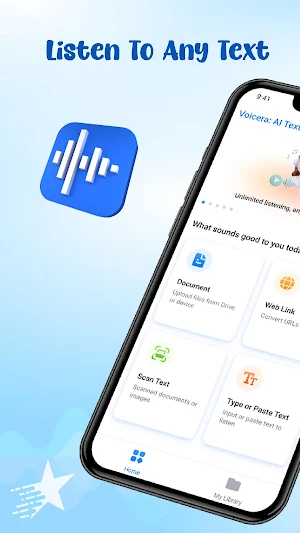
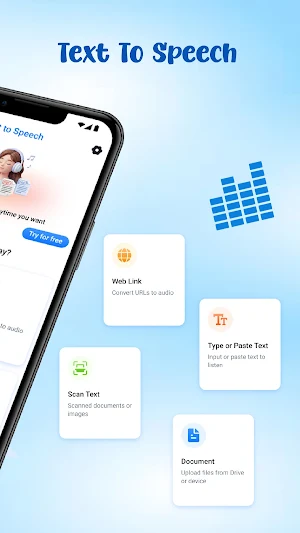
Voicera is a smart AI text to speech application that helps convert written content into clear audio. Whether you want to read text out loud, listen to articles, or follow documents hands-free, this AI voice app makes it simple. Just press play and let the text to voice feature transform your content into speech.
🎙️ Natural AI Voice Experience
Voicera offers a range of natural AI voices designed for comfortable listening. You can choose different voice styles, adjust speed, and personalize how your AI voice text to speech experience sounds.
Whether you want to read aloud text from an article or listen to study materials, the AI Text to Speech helps turn written information into clear audio that is easy to follow.
📄 Read Documents and PDF Files
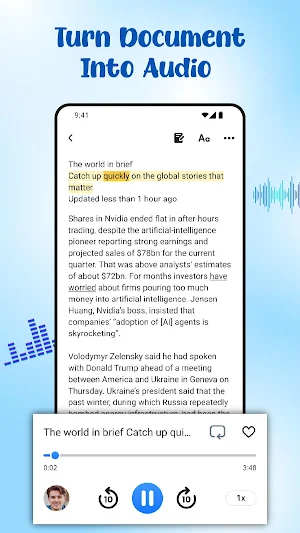
Voicera also works as a smart document reader. Upload PDF files, ebooks, or text files and Voicera will instantly convert them using text to speech technology.
The read aloud text feature helps you listen to study materials, reports, or notes while focusing on other tasks.
🌐 Web Page Reader for Articles
With the built-in web page reader, Voicera can convert online content into audio. Simply paste a link and the app will transform the article into speech.
This allows you to listen to AI text to speech content from blogs, news websites, or research pages, turning them into a personal listening experience similar to a podcast.
📷 Scan Text and Speak
Voicera can scan text and speak from printed materials. Capture text from books, notes, or documents with your camera and the AI Text to Speech will convert it into audio.
This type-to-speak and scan feature makes it easier to turn real-world text into digital speech you can listen to instantly.
🎧 Export Audio and Listen Offline
Voicera allows you to convert written content into audio files. After converting text to speech, you can save the audio and listen offline whenever you want.
This makes it easy to keep important information available for listening later.
Who Can Use Voicera?
📚 Students – listen to study materials and PDF documents using read aloud text features
🚶 Busy people – follow articles while commuting
💼 Office workers – listen to reports and messages hands-free
♿ Accessibility support – helpful for users who prefer listening to written content through AI text to speech
Voicera introduces a new way to experience information. Instead of reading everything on screen, you can simply listen.
Download Voicera: AI Text to Speech and start turning written content into natural voice.
Voicera is a smart AI text to speech application that helps convert written content into clear audio. Whether you want to read text out loud, listen to articles, or follow documents hands-free, this AI voice app makes it simple. Just press play and let the text to voice feature transform your content into speech.
🎙️ Natural AI Voice Experience
Voicera offers a range of natural AI voices designed for comfortable listening. You can choose different voice styles, adjust speed, and personalize how your AI voice text to speech experience sounds.
Whether you want to read aloud text from an article or listen to study materials, the AI Text to Speech helps turn written information into clear audio that is easy to follow.
📄 Read Documents and PDF Files
Voicera also works as a smart document reader. Upload PDF files, ebooks, or text files and Voicera will instantly convert them using text to speech technology.
The read aloud text feature helps you listen to study materials, reports, or notes while focusing on other tasks.
🌐 Web Page Reader for Articles
With the built-in web page reader, Voicera can convert online content into audio. Simply paste a link and the app will transform the article into speech.
This allows you to listen to AI text to speech content from blogs, news websites, or research pages, turning them into a personal listening experience similar to a podcast.
📷 Scan Text and Speak
Voicera can scan text and speak from printed materials. Capture text from books, notes, or documents with your camera and the AI Text to Speech will convert it into audio.
This type-to-speak and scan feature makes it easier to turn real-world text into digital speech you can listen to instantly.
🎧 Export Audio and Listen Offline
Voicera allows you to convert written content into audio files. After converting text to speech, you can save the audio and listen offline whenever you want.
This makes it easy to keep important information available for listening later.
Who Can Use Voicera?
📚 Students – listen to study materials and PDF documents using read aloud text features
🚶 Busy people – follow articles while commuting
💼 Office workers – listen to reports and messages hands-free
♿ Accessibility support – helpful for users who prefer listening to written content through AI text to speech
Voicera introduces a new way to experience information. Instead of reading everything on screen, you can simply listen.
Download Voicera: AI Text to Speech and start turning written content into natural voice.
Alternatives to Voicera: AI Text to Speech
Looking for apps like Voicera: AI Text to Speech? Here are 6 similar Android apps on Google Play. The highest rated is Gaminik: Auto Screen Translate (4.5/5), and all 6 are free to download.
-
AI Novel Writer - Write Novels 4.3
-
NaturalReader - Text to Speech 4.3
-
Gaminik: Auto Screen Translate 4.5
-
Mind Power: manifest wish 4.4
-
Transkriptor - Speech to Text 4.4
-
Howtotalk: Practical Parenting 4.2
| App | Rating | Price | Installs | Last updated | Compare |
|---|---|---|---|---|---|
| Voicera: AI Text to Speech | – | Free | 100,000+ | Jul 30, 2026 | |
| AI Novel Writer - Write Novels | 4.3 / 5 | Free | 50,000+ | Oct 13, 2026 | Compare |
| NaturalReader - Text to Speech | 4.3 / 5 | Free | 5,000,000+ | Oct 30, 2026 | Compare |
| Gaminik: Auto Screen Translate | 4.5 / 5 | Free | 500,000+ | Sep 17, 2026 | Compare |
| Mind Power: manifest wish | 4.4 / 5 | Free | 100,000+ | Aug 14, 2025 | Compare |
| Transkriptor - Speech to Text | 4.4 / 5 | Free | 5,000,000+ | Oct 6, 2026 | Compare |
| Howtotalk: Practical Parenting | 4.2 / 5 | Free | 10,000+ | Jan 16, 2023 | Compare |
Similar apps on Google Play
- AI Novel Writer - Write Novels
- NaturalReader - Text to Speech
- Gaminik: Auto Screen Translate
- Mind Power: manifest wish
- Transkriptor - Speech to Text
- Howtotalk: Practical Parenting
- AI Transcribe Speech to Text
- Talk & Translate AI Translator
- Grammarly-AI Writing Assistant
- Talking Translator - Languages
- Lingomy: Pro Learn Languages
- Quillbot: AI Writing Assistant
- Listen AI: Text to Speech
- Jasper AI Copy Content Writer
- OtterAI Transcribe Voice Notes
- Speechify – Text to Speech
- AI Voice: Text to Speech TTS
- Readwise Reader
- Answer.AI - Your AI tutor
- Letterly: Write by Voice & AI
- Listening: Text to Speech
- Vocal Image: Speaking Coach
- Offtop Rap Studio & Song Maker
- BoldVoice - Accent Training
- Daily AI Writer: Email, Letter
- CELPIP Speaking AI Practice
- Smart Noter - AI Note Taker
- TicNote: AI Recorder & Agent
- Natulang - Language Learning
- Anyplay: Audiobooks Reading
- MagPie - Native speech
- AI Grammar Checker App
- ChMeetings
- ElevenReader: Read Books Aloud
- Spoken – Tap to Talk AAC
- Speech Assistant AAC
- CraftNote – AI Note Taker
- Dolphin EasyReader
- Ava: Transcribe Voice to Text
- JustSpeak AI
- ideaShell: AI Voice Notes
- Voice Memo: Braindump
- Notta-Transcribe Audio to Text
- RealLife: Speak, Learn English
- Podcast Guru - Podcast App
- Language Learning | Jumpspeak
- AlgoApp - Flashcards
- AcadAI
- Hedy: AI Meeting Coach & Notes
- Sider: AI GPT Deep Chat
- AI Grammar Checker for English
- fondi: Talk in a virtual space
- ElevenLabs: AI Voice Generator
- AI Transcribe. Speech to Text
- SCRIBZEE®
- NoveFic - Web Novel & Stories
- Krisp AI Meeting Note Taker
- Kajabi
- FluentPal: Get fluent faster
- VoiceTra(Voice Translator)
- Quantic School of Business