

VMOS - Android virtual machine
Minical Tools
Run a complete Android system inside your phone, no root required.
- Rating
- 2.5
- 322 ratings
- Downloads
- 118K+
- on Google Play
- Price
- Free
- No in-app purchases
- Updated
- Jul 3
- 2026 · v2.0.0-alpha13
Screenshots

About VMOS - Android virtual machine
VMOS lets you run a complete Android system as a regular app on your phone. No root, no rebooting, no separate device. Use it to keep multiple sign-ins, isolate untrusted apps, or work in a clean sandbox.
FREE. NO ADS.
No banner ads, no interstitials, no paywalls on core features.
WHAT YOU GET
- A self-contained Android 9 environment running on your device
- Sign into the same app twice with full account separation
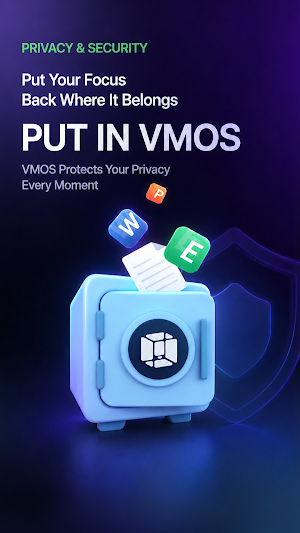
- Sandbox to install or evaluate APKs without touching your main system
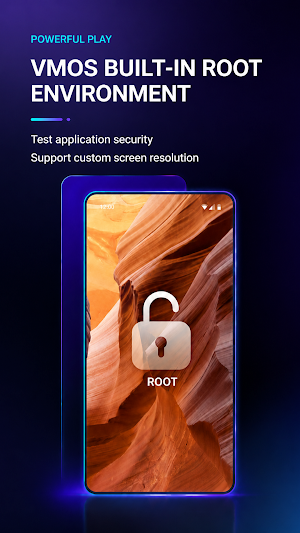
- Built-in root inside the guest Android only — your phone stays unmodified
- Two-way file transfer between your phone and the VM
- Granular hardware passthrough: camera, microphone, gyroscope, c lipboard, and storage are off by default and toggled per feature in settings
- Custom resolution, DPI, and frame rate to match your hardware
OFFLINE BY DESIGN
VMOS runs the guest Android entirely on your phone using our Ylinker virtualization engine. There is no remote server and no cloud streaming. Your VM data does not leave your device.
PERMISSIONS
- Storage: required to install APKs and store VM data
- Camera, microphone, location: optional, off by default, only used when you enable them
REQUIREMENTS
- Android 7.0 or later
- 4 GB RAM minimum (6 GB+ recommended)
- 3 GB free storage
- ARM 64-bit processor
SUPPORT
Email: [email protected]
Website: https://www.vmos.com/
VMOS is developed by Hunan XiaoSuan Technology Co., Ltd. "VMOS" is a registered trademark of our company.
FREE. NO ADS.
No banner ads, no interstitials, no paywalls on core features.
WHAT YOU GET
- A self-contained Android 9 environment running on your device
- Sign into the same app twice with full account separation
- Sandbox to install or evaluate APKs without touching your main system
- Built-in root inside the guest Android only — your phone stays unmodified
- Two-way file transfer between your phone and the VM
- Granular hardware passthrough: camera, microphone, gyroscope, c lipboard, and storage are off by default and toggled per feature in settings
- Custom resolution, DPI, and frame rate to match your hardware
OFFLINE BY DESIGN
VMOS runs the guest Android entirely on your phone using our Ylinker virtualization engine. There is no remote server and no cloud streaming. Your VM data does not leave your device.
PERMISSIONS
- Storage: required to install APKs and store VM data
- Camera, microphone, location: optional, off by default, only used when you enable them
REQUIREMENTS
- Android 7.0 or later
- 4 GB RAM minimum (6 GB+ recommended)
- 3 GB free storage
- ARM 64-bit processor
SUPPORT
Email: [email protected]
Website: https://www.vmos.com/
VMOS is developed by Hunan XiaoSuan Technology Co., Ltd. "VMOS" is a registered trademark of our company.
What’s new
Version 2.0.0-alpha13 · Updated July 3, 2026
This update improves compliance and user safety. We removed external feedback, sharing, tutorial, and promotional links from the app, cleaned fallback web links in local configuration, and reduced child-policy review risk. Contact information remains available through the in-app Contact us section.
User reviews

Good

nice 👍👍👍👍👍

just using it for game guardian 😅

bro this is the freaking greatest android emulator in the whole earth please keep this emulator alive 😁😁😁

The emulator starts perfectly fine on an android 16 device and runs smoothly. The emulator itself runs android 9. The only problem I had was some apps, for example chrome and some other games I wanted to test, didn't install. Other apps like Firefox or F-Droid work though.

please make android 16
Alternatives to VMOS - Android virtual machine
Looking for apps like VMOS - Android virtual machine? Here are 6 similar Android apps on Google Play. The highest rated is Remote Mouse (4.2/5), and all 6 are free to download.
-
RealVNC Viewer: Remote Desktop 3.9
-
Virtual Master - Android Clone 3.4
-
Lemur Browser - Extensions 3.7
-
Webex Canary
-
Building Tools 4.0
-
Remote Mouse 4.2
| App | Rating | Price | Installs | Last updated | Compare |
|---|---|---|---|---|---|
| VMOS - Android virtual machine | 2.5 / 5 | Free | 100,000+ | Jul 3, 2026 | |
| RealVNC Viewer: Remote Desktop | 3.9 / 5 | Free | 5,000,000+ | – | Compare |
| Virtual Master - Android Clone | 3.4 / 5 | Free | 5,000,000+ | Oct 1, 2026 | Compare |
| Lemur Browser - Extensions | 3.7 / 5 | Free | 1,000,000+ | Oct 22, 2026 | Compare |
| Webex Canary | – | Free | 5,000+ | – | Compare |
| Building Tools | 4.0 / 5 | Free | 10,000+ | – | Compare |
| Remote Mouse | 4.2 / 5 | Free | 10,000,000+ | – | Compare |
Similar apps on Google Play
- RealVNC Viewer: Remote Desktop
- Virtual Master - Android Clone
- Lemur Browser - Extensions
- Webex Canary
- Building Tools
- Remote Mouse
- Zoiper IAX SIP VOIP Softphone
- Elgato Stream Deck Mobile
- Fing - Network Tools
- Linksys
- Pushbullet: SMS on PC and more
- Twilio Authy Authenticator
- MacroDroid - Device Automation
- Firefox Nightly for Developers
- IFTTT - Automate work and home
- MediaFire
- Explorer
- Multi App: Dual Space
- Proton Mail: Encrypted Email
- Thunderbird Beta for Testers
- WiFiman
- Wi-Fi Toolkit
- UserLAnd - Linux on Android
- WeCom
- NETGEAR Orbi – WiFi System App
- Swift Backup
- DeskIn Remote Desktop
- Automate
- Replit: Vibe Code with AI Fast
- AirDroid: File & Remote Access
- Macrorify - Image Auto Clicker
- TrebEdit - Mobile HTML Editor
- Lumo by Proton
- pCloud: Cloud Storage
- MERCUSYS
- Deye Cloud
- eero wifi system
- Fig - AI Agents & Automation
- Quo (formerly OpenPhone)
- 2FA Authenticator (2FAS)
- Learn C++
- Proton Pass: Password Manager
- Taskbar
- Termius - Modern SSH Client
- TP-Link Omada
- TeamViewer Remote Control
- Zoho Creator:Low-code Platform
- Microsoft Edge Canary
- Code Studio
- Microsoft Azure
- Shizuku
- Fortect Mobile Security
- Linkfly - Build link site tree
- AppDash: App Manager & Backup
- Confluence Cloud
- Windows App
- Virtual SIM
- Sesame Search & Shortcuts
- Simpro Mobile
- Multi App-Space
- FlexiRoam: eSIM & Data Plans
- Bria Mobile: VoIP Softphone
- Spck Editor / Git Client
- Solid Explorer File Manager
- Groundwire: VoIP SIP Softphone
- Anti-virus Dr.Web Light
- Avira Security Antivirus & VPN
- Medal - Gaming Clips
- TP-Link Tether
- SMS Virtual - Receive SMS
- Super File Manager Explorer
- Multiple Accounts - Assist
- RoboForm Password Manager
- Trend Micro ID Protection
- Email Aqua Mail - Fast, Secure
- EasyShare
- Android System WebView Dev
- Next Spaceflight
- Microsoft 365 Admin
- OPPO Clone Phone
- Anti Spy Detector - Spyware
- SleekFlow
- RAR
- Vibe by Mistral (ex-Le Chat)
- MEGA VPN - Privacy Online
- Boxer - Workspace ONE
- Friday: AI E-mail Assistant
- ScreenStream
- Tor Browser (Alpha)
- AdGuard: Content Blocker
- Nextcloud
- Total Drive - Cloud Storage
- FastField: Field Service Forms