

3D ProBox
3D ProBox Technology Productivity
Produce High quality 3D Models by scanning objects
- Downloads
- 100+
- on Google Play
- Price
- Free
- No in-app purchases
- Updated
- Feb 17
- 2022 · v1.0.6 - Beta
Screenshots
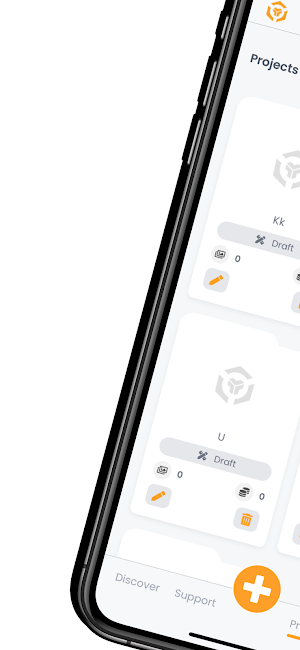
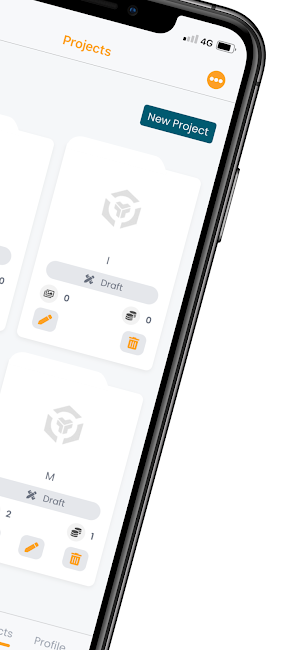
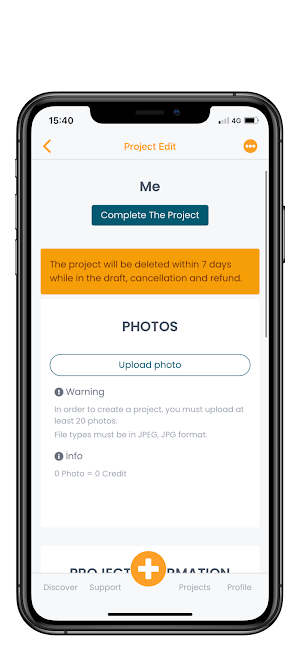
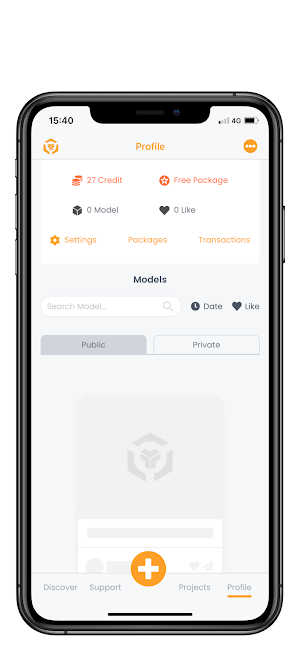


About 3D ProBox
- Create High quality 3D Models by scanning objects without the need for an extra feature and mechanism.
- Access your 3D Models on our mobile app and website.
- You can publish your 3D models and share them on any website and download them along with texture files.
FEATURES
-Produce 3d models at a precise scale and accurate image quality.
- Produce realistic 3d models.
- Share produced models on any website.
- Download your models with texture files in Obj or glb format and use them in your special projects.
- WhatsApp, facebook, LinkedIn etc. publish on web sites.
- Publish your 3D Models on any website using embed code.
- Hide your personal models and share them with whoever you want.
- Like other users' 3d models.
- No need to use lidar enabled phones.
- You can use front and rear cameras.
- Produce 3d by uploading photos taken from professional cameras and drones from our website (www.3dprobox.com).
- Use your 3D models on our website.
WORKFLOW
- Scan
- Upload
- Processing
- Edit
- Publish
- Download
- Share
AREAS OF APPLİCATİON
- E-commerce
- Game developers
- Animation producers
- Designers
- Archaeology
- Education
- 3D Printing
- Real estate
- Fun
NOTE
- Production of high quality 3d models takes time. This time interval differs according to the number of photographs used.
- The objects you want to scan should not be transparent, shiny or moving.
- Continue shooting without losing context after starting the shooting moment.
- If you want to improve image quality, you should use devices that are closer and have higher pixel quality.
- Take photos at normal speed.
- Do not keep the overlay ratios low between two consecutive photos.
- You must shoot from all surfaces of the object that you want to be scanned.
- Access your 3D Models on our mobile app and website.
- You can publish your 3D models and share them on any website and download them along with texture files.
FEATURES
-Produce 3d models at a precise scale and accurate image quality.
- Produce realistic 3d models.
- Share produced models on any website.
- Download your models with texture files in Obj or glb format and use them in your special projects.
- WhatsApp, facebook, LinkedIn etc. publish on web sites.
- Publish your 3D Models on any website using embed code.
- Hide your personal models and share them with whoever you want.
- Like other users' 3d models.
- No need to use lidar enabled phones.
- You can use front and rear cameras.
- Produce 3d by uploading photos taken from professional cameras and drones from our website (www.3dprobox.com).
- Use your 3D models on our website.
WORKFLOW
- Scan
- Upload
- Processing
- Edit
- Publish
- Download
- Share
AREAS OF APPLİCATİON
- E-commerce
- Game developers
- Animation producers
- Designers
- Archaeology
- Education
- 3D Printing
- Real estate
- Fun
NOTE
- Production of high quality 3d models takes time. This time interval differs according to the number of photographs used.
- The objects you want to scan should not be transparent, shiny or moving.
- Continue shooting without losing context after starting the shooting moment.
- If you want to improve image quality, you should use devices that are closer and have higher pixel quality.
- Take photos at normal speed.
- Do not keep the overlay ratios low between two consecutive photos.
- You must shoot from all surfaces of the object that you want to be scanned.
What’s new
Version 1.0.6 - Beta · Updated February 17, 2022
UI Improvements Bug Fixes
Alternatives to 3D ProBox
Looking for apps like 3D ProBox? Here are 6 similar Android apps on Google Play. The highest rated is WIDAR - 3D Scan & Edit (4.3/5), and all 6 are free to download.
-
WIDAR - 3D Scan & Edit 4.3
-
Polycam - 3D Scanner 4.2
-
Nomad Sculpt 4.0
-
Onshape 3D CAD 3.8
-
3D Modeling App: Sculpt & Draw
-
HOVER - Measurements in 3D 3.6
| App | Rating | Price | Installs | Last updated | Compare |
|---|---|---|---|---|---|
| 3D ProBox | – | Free | 100+ | Feb 17, 2022 | |
| WIDAR - 3D Scan & Edit | 4.3 / 5 | Free | 500+ | Mar 18, 2022 | Compare |
| Polycam - 3D Scanner | 4.2 / 5 | Free | 1,000,000+ | – | Compare |
| Nomad Sculpt | 4.0 / 5 | Free | 1,000,000+ | Oct 23, 2026 | Compare |
| Onshape 3D CAD | 3.8 / 5 | Free | 1,000,000+ | Sep 18, 2026 | Compare |
| 3D Modeling App: Sculpt & Draw | – | Free | 10,000,000+ | Sep 15, 2026 | Compare |
| HOVER - Measurements in 3D | 3.6 / 5 | Free | 1,000,000+ | Sep 18, 2026 | Compare |
Compare 3D ProBox with the top alternatives: ratings, updates, ASO score and keyword gaps →