

ColorCanvas: Draw & Paint
Art & Design In-app purchases Contains ads
Offline AR sketch & trace. Unleash your inner artist with ColorCanvas!
- Downloads
- 4.5K+
- on Google Play
- Price
- Free
- In-app purchases
- Updated
- Nov 4
- 2026 · v2.0.0
Screenshots

About ColorCanvas: Draw & Paint
Welcome to a world of endless creativity! ColorCanvas: Draw & Paint is the ultimate tool that helps anyone become an artist, even if you have never taken a drawing class before.
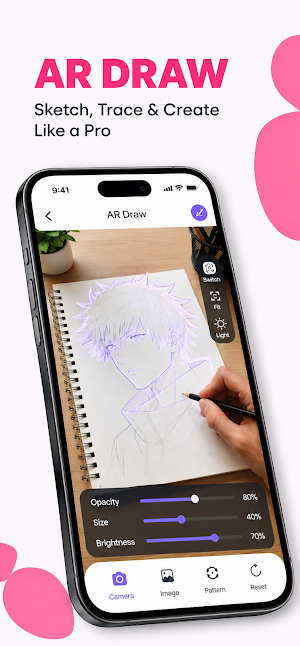
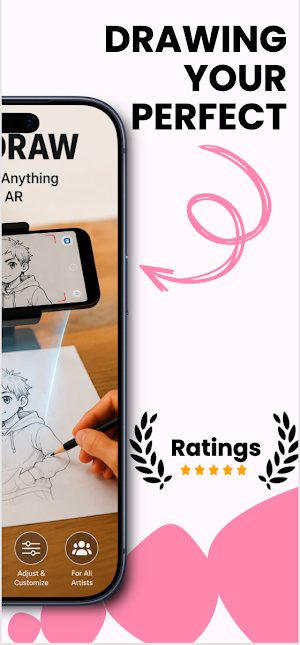
Our app utilizes smart AR (Augmented Reality) technology, allowing you to project images onto paper via your phone's camera to trace and sketch with absolute precision.
🚀 KEY FEATURES:
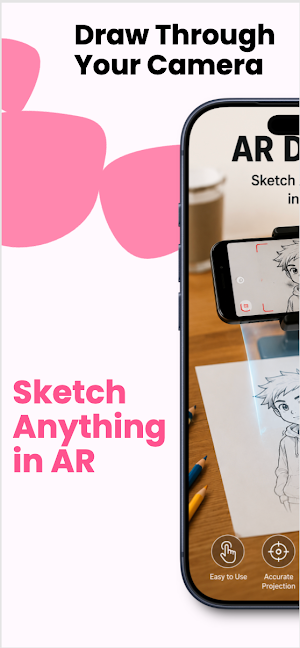
🎨 AR Draw & Trace: Use your phone camera to project and trace images onto real paper. Just secure your phone, pick an image, and start drawing!
📶 100% Offline Mode: Enjoy sketching and painting anytime, anywhere without needing an internet connection.
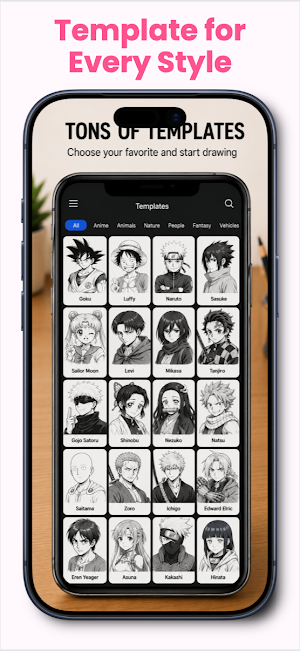
📚 Diverse Template Library: Hundreds of built-in sketch templates covering various popular themes: Anime, Animals, Flowers, Nature, Vehicles, and more.
🖍️ Unlimited Creativity: Combine with coloring tools to finish your artwork in your own unique style.
📹 Timelapse Video Recording: Easily record the process of your artwork coming to life. Your videos are saved safely and privately right on your device's local storage.
🔦 Built-in Flashlight: Turn on your phone's flash directly from the app to draw comfortably even in low-light conditions.
👨🎨 HOW TO USE:
Place your phone on a steady object like a cup or a stand, and prepare your paper and pen.
Open the app and select your favorite image from our library (or choose one from your own gallery).
Align the phone camera so the projected image fits perfectly on your paper.
Adjust the image opacity on the screen for better visibility and start tracing the lines.
Save your masterpiece or the drawing timelapse video directly to your phone!
🌟 WHY CHOOSE THIS APP?
Whether you are a beginner looking to improve your drawing skills, or an art lover seeking a relaxing activity, this app is the perfect choice. It is not just a drawing tool, but a great way to relieve stress and awaken your creative potential.
Developed with passion to bring the smoothest and most intuitive art experience, MW Infinite is dedicated to accompanying your creative journey.
Download ColorCanvas: Draw & Paint today to turn your imagination into stunning artworks! If you enjoy using our app, please don't forget to leave us a 5-star review to support the development team!
Does this look good to go for your Play Store listing, or would you like to adjust the tone to be a bit more playful or professional?
Our app utilizes smart AR (Augmented Reality) technology, allowing you to project images onto paper via your phone's camera to trace and sketch with absolute precision.
🚀 KEY FEATURES:
🎨 AR Draw & Trace: Use your phone camera to project and trace images onto real paper. Just secure your phone, pick an image, and start drawing!
📶 100% Offline Mode: Enjoy sketching and painting anytime, anywhere without needing an internet connection.
📚 Diverse Template Library: Hundreds of built-in sketch templates covering various popular themes: Anime, Animals, Flowers, Nature, Vehicles, and more.
🖍️ Unlimited Creativity: Combine with coloring tools to finish your artwork in your own unique style.
📹 Timelapse Video Recording: Easily record the process of your artwork coming to life. Your videos are saved safely and privately right on your device's local storage.
🔦 Built-in Flashlight: Turn on your phone's flash directly from the app to draw comfortably even in low-light conditions.
👨🎨 HOW TO USE:
Place your phone on a steady object like a cup or a stand, and prepare your paper and pen.
Open the app and select your favorite image from our library (or choose one from your own gallery).
Align the phone camera so the projected image fits perfectly on your paper.
Adjust the image opacity on the screen for better visibility and start tracing the lines.
Save your masterpiece or the drawing timelapse video directly to your phone!
🌟 WHY CHOOSE THIS APP?
Whether you are a beginner looking to improve your drawing skills, or an art lover seeking a relaxing activity, this app is the perfect choice. It is not just a drawing tool, but a great way to relieve stress and awaken your creative potential.
Developed with passion to bring the smoothest and most intuitive art experience, MW Infinite is dedicated to accompanying your creative journey.
Download ColorCanvas: Draw & Paint today to turn your imagination into stunning artworks! If you enjoy using our app, please don't forget to leave us a 5-star review to support the development team!
Does this look good to go for your Play Store listing, or would you like to adjust the tone to be a bit more playful or professional?
What’s new
Version 2.0.0 · Updated November 4, 2026
Update performance
Alternatives to ColorCanvas: Draw & Paint
Looking for apps like ColorCanvas: Draw & Paint? Here are 6 similar Android apps on Google Play. All of them are free to download.
-
Time Planner: Reminders
-
Documents: Reader & Converter
-
App Locker - Fingerprint Lock
-
Game Finder Assistant
-
Smart Life Assistant
-
Quick Sites Browser
| App | Rating | Price | Installs | Last updated | Compare |
|---|---|---|---|---|---|
| ColorCanvas: Draw & Paint | – | Free | 1,000+ | Nov 4, 2026 | |
| Time Planner: Reminders | – | Free | 1+ | Aug 27, 2026 | Compare |
| Documents: Reader & Converter | – | Free | 5,000+ | – | Compare |
| App Locker - Fingerprint Lock | – | Free | 1,000+ | Oct 6, 2026 | Compare |
| Game Finder Assistant | – | Free | 100+ | Aug 4, 2026 | Compare |
| Smart Life Assistant | – | Free | 1,000+ | Aug 2, 2026 | Compare |
| Quick Sites Browser | – | Free | 100,000+ | Oct 8, 2026 | Compare |