
App Locker - Fingerprint Lock
Productivity Contains ads
Secure apps with Fingerprint Lock, PIN, Pattern and private Photo Vault.
- Downloads
- 10+
- on Google Play
- Price
- Free
- No in-app purchases
- Updated
- Aug 28
- 2026 · v1.0.6
Screenshots
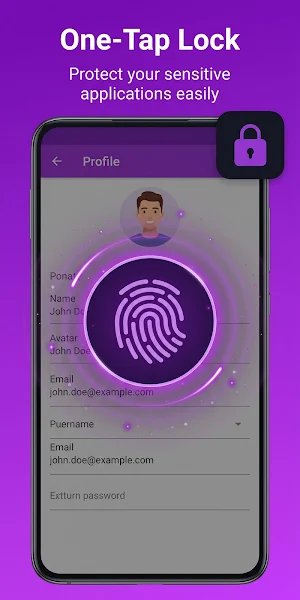
About App Locker - Fingerprint Lock
"🔐 **App Locker - Fingerprint Lock**
Protect your personal apps and private content with **App Locker - Fingerprint Lock**. Use **Fingerprint Lock, PIN Lock or Pattern Lock** to prevent unwanted access to social apps, Gallery, messages, settings and more.
With this easy-to-use **App Lock**, you can **lock apps with password**, hide private photos and videos, detect intruders and customize your lock experience.
🛡️ **Your Privacy Toolkit**
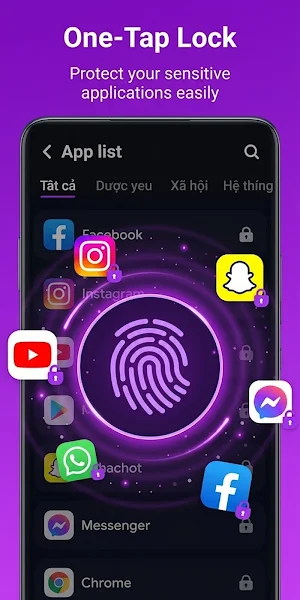
🔒 **App Lock**
Choose any app you want to protect, including Facebook, WhatsApp, Messenger, Gmail, Gallery, Contacts, Settings and other installed apps.
👆 **Fingerprint Lock**
Unlock your protected apps quickly with fingerprint recognition on supported Android devices.
🔢 **PIN & Pattern**
Choose between PIN Lock and Pattern Lock depending on how you prefer to secure your apps.
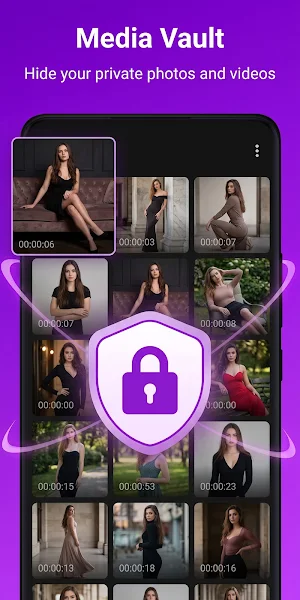
📸 **Private Photo Vault**
Hide photos and videos from your normal Gallery and keep your personal media protected inside a private vault.
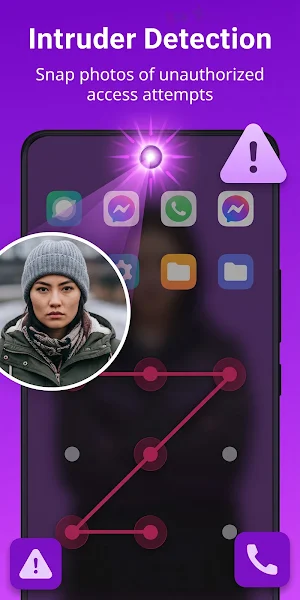
🕵️ **Intruder Selfie**
App Locker can capture a photo when someone enters an incorrect password while trying to open your protected apps.
✨ **Smart Protection Features**
⚡ **Instant App Protection**
Lock selected apps when they are opened to reduce unauthorized access.
📲 **New App Detection**
Detect newly installed applications and quickly add protection when needed.
⏱️ **Custom Re-Lock**
Choose when App Locker should ask for your password again after an app has been unlocked.
⌨️ **Random PIN Keyboard**
Randomize the PIN keyboard layout to make it harder for others to guess your password.
🔔 **Notification Privacy**
Hide sensitive notification previews to reduce the chance of private messages being seen by others.
🔒 **Lock Screen**
Add another privacy layer with PIN Lock or Pattern Lock protection.
🌈 **Make App Locker Yours**
🎨 Choose from multiple lock screen themes
🔷 Customize Pattern Lock appearance
🔢 Personalize your PIN Lock screen
🔘 Change supported App Locker appearance options
App Locker combines privacy protection with a simple and customizable interface.
🌐 **Privacy Browser**
Browse websites with additional privacy using the built-in **Privacy Browser**. Supported private browsing features help reduce browsing traces and unwanted tracking.
⚙️ **Permissions**
App Locker may require certain Android permissions to provide its core features:
• **Usage Access / Accessibility** – helps detect when protected apps are opened and improves App Lock functionality.
• **File or Storage Access** – used when you choose to hide photos and videos with Photo Vault.
These permissions are used to provide the related app protection features.
❓ **Quick FAQ**
**How do I use Fingerprint Lock?**
Open App Locker settings and enable Fingerprint Lock. Your Android device must support fingerprint recognition.
**Can I change my PIN or Pattern?**
Yes. Open App Locker settings and select the password or lock settings option to create a new PIN or Pattern.
**What if I forget my password?**
Use the available password recovery feature in App Locker to reset your lock credentials.
🔐 **App Lock & App Locker**
Looking for an **App Lock** to protect your private applications? App Locker lets you quickly choose which apps should require authentication.
👆 **App Lock Fingerprint**
Use **App Lock Fingerprint** for faster access to your protected apps on compatible devices.
🔑 **Lock Apps With Password**
Use **lock apps with password** protection for social media, Gallery, messages, settings and other personal applications.
📱 **Fingerprint Lock, PIN Lock & Pattern Lock**
Choose your favorite security method and keep your private apps protected with **App Locker - Fingerprint Lock**.
📧 Contact us: [[email protected]](mailto:[email protected])
"
Protect your personal apps and private content with **App Locker - Fingerprint Lock**. Use **Fingerprint Lock, PIN Lock or Pattern Lock** to prevent unwanted access to social apps, Gallery, messages, settings and more.
With this easy-to-use **App Lock**, you can **lock apps with password**, hide private photos and videos, detect intruders and customize your lock experience.
🛡️ **Your Privacy Toolkit**
🔒 **App Lock**
Choose any app you want to protect, including Facebook, WhatsApp, Messenger, Gmail, Gallery, Contacts, Settings and other installed apps.
👆 **Fingerprint Lock**
Unlock your protected apps quickly with fingerprint recognition on supported Android devices.
🔢 **PIN & Pattern**
Choose between PIN Lock and Pattern Lock depending on how you prefer to secure your apps.
📸 **Private Photo Vault**
Hide photos and videos from your normal Gallery and keep your personal media protected inside a private vault.
🕵️ **Intruder Selfie**
App Locker can capture a photo when someone enters an incorrect password while trying to open your protected apps.
✨ **Smart Protection Features**
⚡ **Instant App Protection**
Lock selected apps when they are opened to reduce unauthorized access.
📲 **New App Detection**
Detect newly installed applications and quickly add protection when needed.
⏱️ **Custom Re-Lock**
Choose when App Locker should ask for your password again after an app has been unlocked.
⌨️ **Random PIN Keyboard**
Randomize the PIN keyboard layout to make it harder for others to guess your password.
🔔 **Notification Privacy**
Hide sensitive notification previews to reduce the chance of private messages being seen by others.
🔒 **Lock Screen**
Add another privacy layer with PIN Lock or Pattern Lock protection.
🌈 **Make App Locker Yours**
🎨 Choose from multiple lock screen themes
🔷 Customize Pattern Lock appearance
🔢 Personalize your PIN Lock screen
🔘 Change supported App Locker appearance options
App Locker combines privacy protection with a simple and customizable interface.
🌐 **Privacy Browser**
Browse websites with additional privacy using the built-in **Privacy Browser**. Supported private browsing features help reduce browsing traces and unwanted tracking.
⚙️ **Permissions**
App Locker may require certain Android permissions to provide its core features:
• **Usage Access / Accessibility** – helps detect when protected apps are opened and improves App Lock functionality.
• **File or Storage Access** – used when you choose to hide photos and videos with Photo Vault.
These permissions are used to provide the related app protection features.
❓ **Quick FAQ**
**How do I use Fingerprint Lock?**
Open App Locker settings and enable Fingerprint Lock. Your Android device must support fingerprint recognition.
**Can I change my PIN or Pattern?**
Yes. Open App Locker settings and select the password or lock settings option to create a new PIN or Pattern.
**What if I forget my password?**
Use the available password recovery feature in App Locker to reset your lock credentials.
🔐 **App Lock & App Locker**
Looking for an **App Lock** to protect your private applications? App Locker lets you quickly choose which apps should require authentication.
👆 **App Lock Fingerprint**
Use **App Lock Fingerprint** for faster access to your protected apps on compatible devices.
🔑 **Lock Apps With Password**
Use **lock apps with password** protection for social media, Gallery, messages, settings and other personal applications.
📱 **Fingerprint Lock, PIN Lock & Pattern Lock**
Choose your favorite security method and keep your private apps protected with **App Locker - Fingerprint Lock**.
📧 Contact us: [[email protected]](mailto:[email protected])
"
What’s new
Version 1.0.6 · Updated August 28, 2026
Welcome to AppLocker
Alternatives to App Locker - Fingerprint Lock
Looking for apps like App Locker - Fingerprint Lock? Here are 6 similar Android apps on Google Play. The highest rated is Smart Calc: Daily Calculator (4.8/5), and 5 of the 6 are free to download.
-
Smart Calc: Daily Calculator 4.8
-
LockMyPix Photo Vault PREMIUM 4.5
-
LockTrip 4.5
-
My Diary Lock - Hidden Photos 4.5
-
KiWi Vault: Hide Photos, Video
-
Calculator Lock - Hide Photo 4.5
| App | Rating | Price | Installs | Last updated | Compare |
|---|---|---|---|---|---|
| App Locker - Fingerprint Lock | – | Free | 10+ | Aug 28, 2026 | |
| Smart Calc: Daily Calculator | 4.8 / 5 | Free | 500,000+ | Sep 22, 2026 | Compare |
| LockMyPix Photo Vault PREMIUM | 4.5 / 5 | 149.99 USD | 100,000+ | – | Compare |
| LockTrip | 4.5 / 5 | Free | 50,000+ | Aug 12, 2026 | Compare |
| My Diary Lock - Hidden Photos | 4.5 / 5 | Free | 1,000,000+ | – | Compare |
| KiWi Vault: Hide Photos, Video | – | Free | 10,000+ | Sep 28, 2026 | Compare |
| Calculator Lock - Hide Photo | 4.5 / 5 | Free | 1,000,000+ | Oct 1, 2026 | Compare |
Similar apps on Google Play
- Smart Calc: Daily Calculator
- LockMyPix Photo Vault PREMIUM
- LockTrip
- My Diary Lock - Hidden Photos
- KiWi Vault: Hide Photos, Video
- Calculator Lock - Hide Photo
- App Lock - AppLock VIP
- LockMyPix Safe Photo Vault
- PRIVARY Secure Photo Vault
- App Lock: Fingerprint, Pattern
- My Folder : Safe Secure Hidden
- Sleep Tracker - Sleep Cycle
- AppLock - Fingerprint
- App Locker - Lock App
- Hide Photo Vault &Videos
- Sportvibez