

Samsung Classroom Management
Tabnova Business
This app helps the school to run courses both in school and remote settings.
- Downloads
- 1K+
- on Google Play
- Price
- Free
- No in-app purchases
- Updated
- Sep 1
- 2026 · v3.1.4
Screenshots

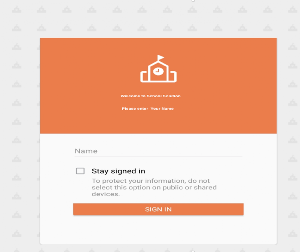
About Samsung Classroom Management
Digital education is possible using the Samsung Classroom management app. The teacher and student can interact using their tablet devices.
There are 2 modes in the app:
CLASS MODE: The teacher and students are connected over same WiFi
MIXED MODE: The teacher and student are located remotely and are connected over internet.
CLASS MODE FEATURES:
• Use the Note tool to draw on the tablet screen.
• Capture and send screen shots to students.
• Media sharing and control.
• Launch applications on students screen.
• Launch websites on student screen.
• Whitelist applications that are allowed during the course.
• View students messages to the teacher.
• Block hardware keys.
• Apply wallpaper on the student device.
• Lock student screen.
• Mute student devices.
• Logout students.
• Monitor student screen.
• Clear data from student devices during logout.
MIXED MODE FEATURES:
• All functions from CLASS MODE is available
• Teacher can start a conference call and students can join and participate
• Teacher can create advanced course contents such an Exams, Polls and Assignments
• Exams are automatically graded
• Calendar function is available to inform students about the key dates
• Teacher and students can login from any device using a browser or using the APP
For more details, please visit: https://www.tabnova.com/education/
There are 2 modes in the app:
CLASS MODE: The teacher and students are connected over same WiFi
MIXED MODE: The teacher and student are located remotely and are connected over internet.
CLASS MODE FEATURES:
• Use the Note tool to draw on the tablet screen.
• Capture and send screen shots to students.
• Media sharing and control.
• Launch applications on students screen.
• Launch websites on student screen.
• Whitelist applications that are allowed during the course.
• View students messages to the teacher.
• Block hardware keys.
• Apply wallpaper on the student device.
• Lock student screen.
• Mute student devices.
• Logout students.
• Monitor student screen.
• Clear data from student devices during logout.
MIXED MODE FEATURES:
• All functions from CLASS MODE is available
• Teacher can start a conference call and students can join and participate
• Teacher can create advanced course contents such an Exams, Polls and Assignments
• Exams are automatically graded
• Calendar function is available to inform students about the key dates
• Teacher and students can login from any device using a browser or using the APP
For more details, please visit: https://www.tabnova.com/education/
What’s new
Version 3.1.4 · Updated September 1, 2026
fixes and updates
User reviews

Wow screen share is excellent

Great app. Impressive and recommending to the teaching sector to conduct classes and the features are really good. Please don't remove this app. Really helpful.

I have to say that I am very impressed with the samsung classroom management app, with the current state of everyone being home using of online work classroom management app are the best with the great features, the great thing is that it's accessible on PC and mobile, it's big advance for learner and student..

JOURNEYRILEY091!2

Excellent app in the classroom better than iOS solutions

Excellent app in classroom, I am able to do screen share with 30 students seamlessly. Note tool and screen recording are very nice
Alternatives to Samsung Classroom Management
Looking for apps like Samsung Classroom Management? Here are 4 similar Android apps on Google Play. The highest rated is Class management (4.0/5), and all 4 are free to download.
-
Class management 4.0
-
Fun English: Alphabet Learning
-
Parental Control App with Kid 3.1
-
Parental Control App - Mobicip 2.2
| App | Rating | Price | Installs | Last updated | Compare |
|---|---|---|---|---|---|
| Samsung Classroom Management | – | Free | 1,000+ | Sep 1, 2026 | |
| Class management | 4.0 / 5 | Free | 50,000+ | Mar 19, 2026 | Compare |
| Fun English: Alphabet Learning | – | Free | 100+ | Oct 14, 2020 | Compare |
| Parental Control App with Kid | 3.1 / 5 | Free | 10,000+ | Jun 29, 2020 | Compare |
| Parental Control App - Mobicip | 2.2 / 5 | Free | 100,000+ | Sep 27, 2026 | Compare |