

JustPhone™ Hands-free calling
Simple Automations, Inc. Communication
Voice-based app for seniors with low vision or blind
- Downloads
- 3K+
- on Google Play
- Price
- Free
- No in-app purchases
- Updated
- Oct 26
- 2026 · v26.10.194
Screenshots


About JustPhone™ Hands-free calling
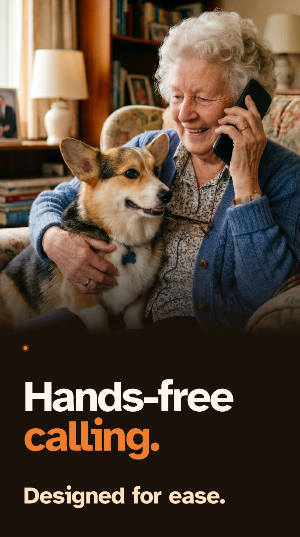
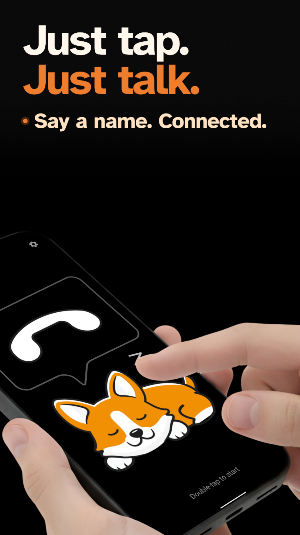
JustPhone™ turns your Android phone into a voice-first telephone. No home screen. No apps to get lost in. Just double-tap, say who you want to call, and you're connected.
How it works:
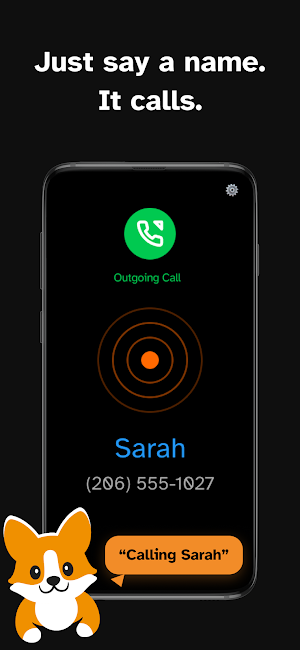
Double-tap to activate. Say a name — "Call Mom," "Call the pharmacy," "Call 555-1234." JustPhone dials for you. Double-tap to hang up. Most calls happen this way — but there's more: find businesses, save contacts by voice, check battery, access voicemail, and ask for help anytime.
A voice that sounds like a real person:
JustPhone speaks in a natural, human-like voice — warm, clear, easy to understand. Not a robot.
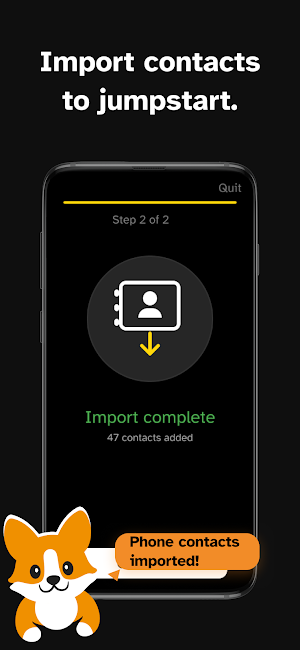
Import your contacts to jump-start the Voice Phonebook™:
Import existing contacts with one tap. From there, the Voice Phonebook evolves as you use it — add new contacts with full names, nicknames, multiple numbers (mobile, home, work), and addresses, all by voice. Save businesses with their address to tell apart same-name locations. No typing, ever.
The Voice Phonebook learns how you talk:
The patented Voice Phonebook gets smarter with use — it can learn nicknames, pronunciation variants, and shortcuts over time. The more you use it, the better it knows who you mean.
Missed a call? Just ask:
JustPhone tells you about missed calls when you start your next session — and offers to call back. After a call from a new number, it can offer to save that contact. No call log to check, no screen to read.
Navigate phone menus by drawing:
Hear "press 1 for English"? Draw the number on screen with your finger. Banking, doctor's offices, customer service — no tiny buttons to find.
Built for:
→ Blind or low vision users — designed voice-first, not retrofitted
→ Families looking for a simple phone for elderly parents — full screen, nothing to get lost in
→ Anyone who wants their phone to just be a phone — no distractions, just calls
What makes it different:
→ Natural, human-like voice — not robotic
→ Voice Phonebook — patented, learns and improves with every call
→ Full-screen — no other apps, no menus, nothing to get lost in
→ Import contacts to jump-start, then add and adjust by voice
→ Add contacts by voice — names, nicknames, multiple numbers, addresses
→ Finds businesses by voice — "Call the nearest pharmacy" just works
→ Missed call notification and callback — by voice, no call log needed
→ Draw touch tones on screen — navigate phone menus by drawing
→ Auto speaker/earphone switching — just pick up or put down the phone
→ Optional caller announcement — hear who's calling without looking
→ Built-in voice tutorial — just ask how to use the app
→ Works on this phone — no new hardware needed
Perfect for caregivers:
Buying a phone for Mom or Dad? Pick any affordable Android. Install JustPhone. Import their contacts. Hand it over. They double-tap, say "Call my daughter," and you pick up. That's it. No settings to configure. No apps to hide. No manual. The Voice Phonebook learns how they say names — so it gets easier every day, not harder.
Accessibility without compromise:
JustPhone was built voice-first from day one for blind and low vision users. The screen is secondary. Your voice is the interface. Our type is set in Atkinson Hyperlegible — a typeface designed by the Braille Institute for maximum legibility among low-vision readers.
JustPhone™ and Voice Phonebook™ are trademarks of Simple Automations, Inc.
How it works:
Double-tap to activate. Say a name — "Call Mom," "Call the pharmacy," "Call 555-1234." JustPhone dials for you. Double-tap to hang up. Most calls happen this way — but there's more: find businesses, save contacts by voice, check battery, access voicemail, and ask for help anytime.
A voice that sounds like a real person:
JustPhone speaks in a natural, human-like voice — warm, clear, easy to understand. Not a robot.
Import your contacts to jump-start the Voice Phonebook™:
Import existing contacts with one tap. From there, the Voice Phonebook evolves as you use it — add new contacts with full names, nicknames, multiple numbers (mobile, home, work), and addresses, all by voice. Save businesses with their address to tell apart same-name locations. No typing, ever.
The Voice Phonebook learns how you talk:
The patented Voice Phonebook gets smarter with use — it can learn nicknames, pronunciation variants, and shortcuts over time. The more you use it, the better it knows who you mean.
Missed a call? Just ask:
JustPhone tells you about missed calls when you start your next session — and offers to call back. After a call from a new number, it can offer to save that contact. No call log to check, no screen to read.
Navigate phone menus by drawing:
Hear "press 1 for English"? Draw the number on screen with your finger. Banking, doctor's offices, customer service — no tiny buttons to find.
Built for:
→ Blind or low vision users — designed voice-first, not retrofitted
→ Families looking for a simple phone for elderly parents — full screen, nothing to get lost in
→ Anyone who wants their phone to just be a phone — no distractions, just calls
What makes it different:
→ Natural, human-like voice — not robotic
→ Voice Phonebook — patented, learns and improves with every call
→ Full-screen — no other apps, no menus, nothing to get lost in
→ Import contacts to jump-start, then add and adjust by voice
→ Add contacts by voice — names, nicknames, multiple numbers, addresses
→ Finds businesses by voice — "Call the nearest pharmacy" just works
→ Missed call notification and callback — by voice, no call log needed
→ Draw touch tones on screen — navigate phone menus by drawing
→ Auto speaker/earphone switching — just pick up or put down the phone
→ Optional caller announcement — hear who's calling without looking
→ Built-in voice tutorial — just ask how to use the app
→ Works on this phone — no new hardware needed
Perfect for caregivers:
Buying a phone for Mom or Dad? Pick any affordable Android. Install JustPhone. Import their contacts. Hand it over. They double-tap, say "Call my daughter," and you pick up. That's it. No settings to configure. No apps to hide. No manual. The Voice Phonebook learns how they say names — so it gets easier every day, not harder.
Accessibility without compromise:
JustPhone was built voice-first from day one for blind and low vision users. The screen is secondary. Your voice is the interface. Our type is set in Atkinson Hyperlegible — a typeface designed by the Braille Institute for maximum legibility among low-vision readers.
JustPhone™ and Voice Phonebook™ are trademarks of Simple Automations, Inc.
What’s new
Version 26.10.194 · Updated October 26, 2026
Call through TextNow, Google Voice or WhatsApp. Sign in with Google. Choose whether to get JustPhone news by email.
Alternatives to JustPhone™ Hands-free calling
Looking for apps like JustPhone™ Hands-free calling? Here are 6 similar Android apps on Google Play. The highest rated is SmartRent (4.5/5), and all 6 are free to download.
-
SmartRent 4.5
-
FreeTone Calls & Texting 4.1
-
CallHub 4.4
-
Text Free: Second Phone Number 4.4
-
Vivint 4.3
-
Protection 360® 4.4
| App | Rating | Price | Installs | Last updated | Compare |
|---|---|---|---|---|---|
| JustPhone™ Hands-free calling | – | Free | 1,000+ | Oct 26, 2026 | |
| SmartRent | 4.5 / 5 | Free | 500,000+ | Sep 22, 2026 | Compare |
| FreeTone Calls & Texting | 4.1 / 5 | Free | 10,000,000+ | Oct 20, 2026 | Compare |
| CallHub | 4.4 / 5 | Free | 10,000+ | Oct 14, 2026 | Compare |
| Text Free: Second Phone Number | 4.4 / 5 | Free | 50,000,000+ | Oct 12, 2026 | Compare |
| Vivint | 4.3 / 5 | Free | 1,000,000+ | Oct 16, 2026 | Compare |
| Protection 360® | 4.4 / 5 | Free | 1,000,000+ | Sep 30, 2026 | Compare |
Similar apps on Google Play
- SmartRent
- FreeTone Calls & Texting
- CallHub
- Text Free: Second Phone Number
- Vivint
- Protection 360®
- Robokiller - Spam Call Blocker
- AT&T Personal Cloud
- Text Free: Calling & Texting
- Drive Smarter
- Verizon Home
- Smart Home Manager
- ebtEDGE
- Credit Union 1 Mobile Banking
- Phone Call App & WiFi Call Any
- Procare: Childcare App
- GettingOut Visits
- U-Haul: Moving Made Easier®
- USAA Mobile
- Mobile Link for Generators
- Verizon Call Filter
- Spectrum News: Local Stories
- My CenturyLink
- Gopher Request
- Rite Aid Pharmacy
- Priceline: Hotel, Flight & Car
- MyToast
- Flex - Rent On Your Schedule
- Progressive
- Halter
- Travelers Mobile
- Marco Polo - Video Messenger
- Travelocity Hotels & Flights
- MyBlock: Tax Docs & Refund
- Americor
- Benefits Pro
- Sheetz Food Delivery & Rewards
- SECU
- Nextplus: Phone # Text + Call
- YouMail: Spam Call Blocker
- Paychex Flex
- RingCentral
- Farmers Insurance Inc.
- My Firestone
- Babylist Baby Registry
- Chargeway
- State Farm®
- MyFrontier
- ExpertVoice
- Ford Credit
- My Tracfone: Account Manager
- At Home Stores
- Telz: International Calling
- dotloop
- Grifols Plasma Donor Hub
- Cloaked: Protect your privacy
- Publix
- Lyft Direct powered by Payfare
- My Verizon For Business
- Docket®
- Goosehead Insurance
- Ventra
- International Calling・Talk360
- Postmates - Food Delivery
- Tilt: Cash Advance & Credit
- Halo Collar
- Cleo AI: Cash Advance & Money
- Credit Sesame: Grow your score