
Scanner PDF Editor
Gowalk Productivity In-app purchases
Scan, edit, sign and convert documents with a full-access subscription.
- Downloads
- 11+
- on Google Play
- Price
- Free
- In-app purchases
- Updated
- Sep 11
- 2026 · v1.8.0
Screenshots


About Scanner PDF Editor
Scanner PDF Editor brings scanning, meaningful PDF editing, signing, organization and conversion into one document workflow. An active subscription or valid existing paid purchase is required to use app features. You can finish onboarding, close the offer and explore the app interface before purchasing.
CAPTURE AND ORGANIZE
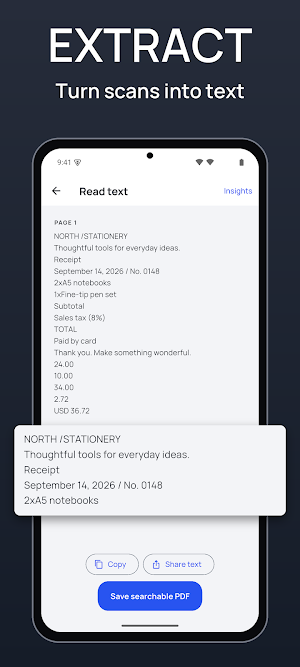
Scan pages with automatic edge detection, adjust the crop and improve readability. Import PDFs and photos, search recognized text, and organize documents with folders, tags and pinned items.
EDIT THE DOCUMENT ITSELF
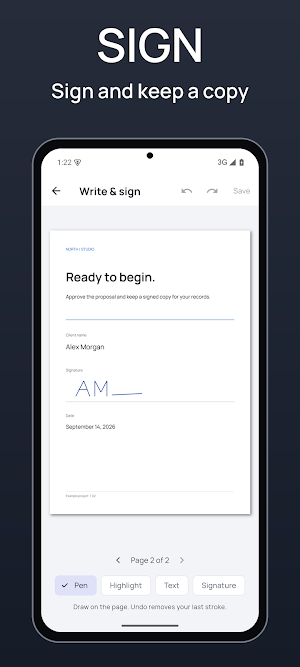
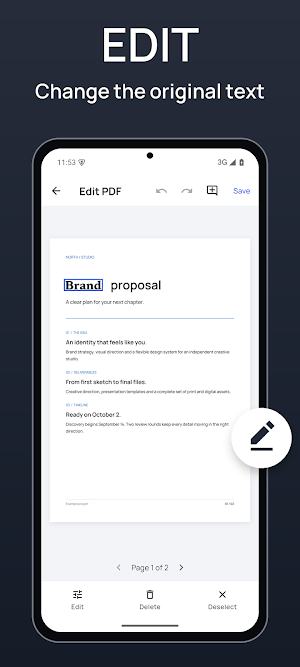
Change existing PDF text and images. Move text, resize images, add notes and links, fill supported forms, and add a drawn signature, ink or highlights. Reorder, duplicate, rotate, crop, add or remove pages. Combine documents or save selected pages separately. Save revisions while preserving your original work.
PREPARE THE RIGHT FILE
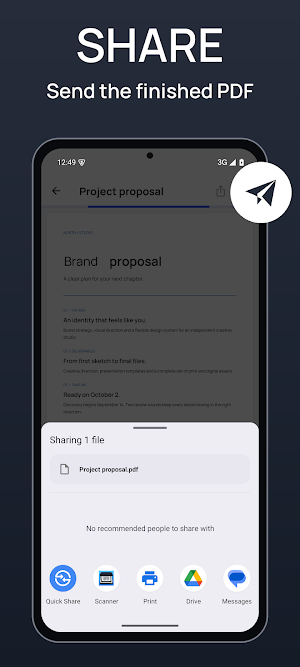
Share PDF, JPG, PNG or text. Convert suitable PDFs to editable Word, Excel or PowerPoint files, and turn Office files into PDFs. Review converted output before saving; complex layouts may differ from the original. Create password-protected copies, reduce file size, or redact sensitive areas into a flattened copy that removes the covered content.
UNDERSTAND WHAT YOU SCANNED
On-device OCR makes image scans searchable. Optional AI helps summarize selected document text, identify receipt details and organize action items with page references. Check the source and edit the result before sharing. AI can make mistakes and does not replace your review.
YOUR FILES, CLEAR CHOICES
Your library is stored locally. AI and Office conversion require an internet connection and your consent before selected text or files are sent for remote processing. These online features have usage limits. Local document tools work on the device while your paid access remains valid.
FULL ACCESS
Choose from the plans and prices shown by your store. Subscriptions renew automatically unless canceled through store settings. Restore purchases is available. Valid existing lifetime purchases and subscriptions continue to unlock the app; you do not need to buy again. Any trial is shown only when your store confirms eligibility.
Privacy Policy: https://scanner-ios-mlwl.pages.dev/p/scanner-ios/privacy
Terms: https://scanner-ios-mlwl.pages.dev/p/scanner-ios/terms
Support: https://scanner-ios-mlwl.pages.dev/p/scanner-ios/support
What’s new
Version 1.8.0 · Updated September 11, 2026
Scanner PDF Editor is rebuilt from the ground up. • Scan with edge detection, crop, rotate, filters and OCR • Edit PDF text and images directly on the page • Organize, merge, extract and rotate pages • Fill forms, sign, redact and watermark • Password-protect files and open protected ones • Convert to Word, Excel, PowerPoint, JPG, PNG and text • AI document insights, page by page, with your consent • Wi-Fi transfer, printing and sharing Your existing documents and purchases carry over.
Alternatives to Scanner PDF Editor
Looking for apps like Scanner PDF Editor? Here are 6 similar Android apps on Google Play. All of them are free to download.
-
Vocabulary Coach
-
Screen Mirroring: Cast TV
-
Invoice Maker Manager On Fly
-
Hearing Aid Ear Booster Loud
-
AI Resume: CV Builder
-
Foundy: Find Lost Bluetooth
| App | Rating | Price | Installs | Last updated | Compare |
|---|---|---|---|---|---|
| Scanner PDF Editor | – | Free | 10+ | Sep 11, 2026 | |
| Vocabulary Coach | – | Free | 10+ | Sep 17, 2026 | Compare |
| Screen Mirroring: Cast TV | – | Free | 50+ | Sep 11, 2026 | Compare |
| Invoice Maker Manager On Fly | – | Free | 1+ | Sep 11, 2026 | Compare |
| Hearing Aid Ear Booster Loud | – | Free | 50+ | Sep 10, 2026 | Compare |
| AI Resume: CV Builder | – | Free | 5+ | – | Compare |
| Foundy: Find Lost Bluetooth | – | Free | 5+ | – | Compare |
Compare Scanner PDF Editor with the top alternatives: ratings, updates, ASO score and keyword gaps →
Similar apps on Google Play
- Vocabulary Coach
- Screen Mirroring: Cast TV
- Invoice Maker Manager On Fly
- Hearing Aid Ear Booster Loud
- AI Resume: CV Builder
- Foundy: Find Lost Bluetooth
- Waterline
- PulseBreath: Breathe & Focus
- DWG CAD Viewer: DXF, STL
- TradePrep: Trade License Prep
- Learn Python: Coding Lessons
- AquaTrack: Water Reminder
- Quick Poll: Ask & Vote
- Все Заправки: АЗС, бензин, ДТ
- Gowalk: Otobüsüm Nerede Canlı
- AutoDoctor: OBD2 Car Scanner
- Svyaz
- Stickr: AI Sticker Maker
- Home AI Interior Design
- GoVolt: EV Charging Stations
- Hearing Aid - Sound Amplifier
- AI Calorie: AI Tracker Cal
- Air Translate: Real-Time AI
- CreateX: Create & Earn
- FITAI : Virtual Try on Clothes
- Boat Rush
- MoveRadar: Russia Carsharing
- All Cabs: compare ride price a