Screen Mirroring: Cast TV
Cast your media, build a playback queue and control a compatible paired TV.
About Screen Mirroring: Cast TV
Your photos, videos and music, ready for a bigger screen. Keep a saved media library, arrange playback and control a paired TV from one place.
A subscription is required to use app features. You can complete the introduction, close the offer and browse the app before subscribing. Purchase, restore, legal information and support remain accessible.
SHARE YOUR COLLECTION
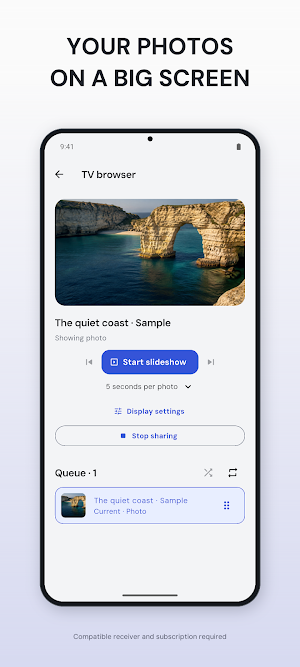
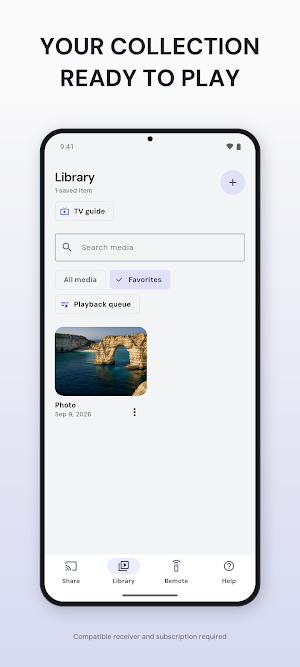
Choose photos, videos, audio or supported files from your device. Capture a new photo or video, preview local media, save favorites and organize a playback queue with reorder, repeat and shuffle. Add supported media links and playlists without uploading your Library to our servers.
CONTROL A PAIRED TV
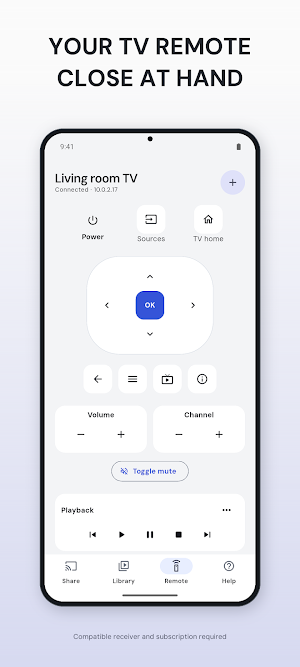
Discover compatible TVs, follow their on-screen pairing steps and return to saved devices. Available controls depend on the TV: navigation, volume, channels, playback, inputs, text and app shortcuts. Supported Android TV remotes can also receive push-to-talk voice while you hold the microphone control. Pairing information stays protected on your device.
CHOOSE THE RIGHT RECEIVER
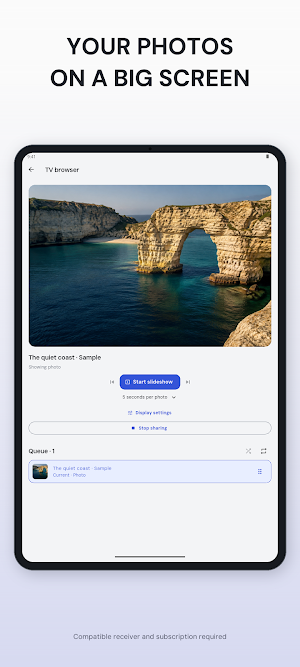
Use Google Cast or DLNA on compatible receivers, or pair an available TV browser with the app's receiver. Browser playback includes photo slideshows, picture fit, rotation and selected SRT/VTT captions. Android screen sharing to the paired browser requires system capture consent. Phones with a built-in infrared emitter can also send supported, sourced TV commands; phones without an emitter cannot use infrared.
GET SETUP HELP
Search compatibility guidance, view the available TV guide and get AI-assisted troubleshooting for your connection problem. You choose the details and optional error image to share, with explicit consent before each request. AI suggestions may be incorrect; network access and usage limits apply.
COMPATIBILITY MATTERS
Keep your phone and receiver on a network that allows them to communicate. TV model, operating system, enabled services and media format determine what works. Casting, screen sharing and remote control are different capabilities. This app does not add unsupported TV functions, bypass protected video or guarantee a fixed delay. Screen sharing and audio availability depend on the platform and receiver. No TV hardware is included.
SUBSCRIPTIONS
The store shows the available plans, localized price, payment schedule and any eligible trial before purchase. Subscriptions renew automatically unless canceled in your store account settings. Manage or cancel there; restore an existing eligible purchase in the app. An active subscription does not make an incompatible receiver compatible.
This app is independent and is not affiliated with the TV or platform manufacturers mentioned.
Privacy Policy: https://screen-mirroring-cast-tv-ghdk.pages.dev/p/screen-mirroring-cast-tv/privacy
Screen Mirroring: Cast TV details
Screen Mirroring: Cast TV is a free Tools app for Android with 0+ installs on Google Play and a 5.0/5 average rating from 1 rating. It was released on September 10, 2026 and last updated on September 11, 2026. It's developed by Gowalk. It requires Android 7.0 or later. The app offers in-app purchases.
- Category
- Tools
- Rating
- 5.0 / 5 (1 rating)
- Installs
- 0+
- Price
- Free
- In-app purchases
- Yes
- Ads
- No ads
- Current version
- 2.0.0
- Requires Android
- 7.0
- Content rating
- Everyone
- Released
- September 10, 2026
- Last updated
- September 11, 2026
- Developer
- Gowalk
What’s new in Screen Mirroring: Cast TV
A completely rebuilt Screen Mirroring: Cast TV. • Faster discovery for Chromecast, Google TV, Android TV, Roku, Fire TV, Samsung, LG and AirPlay • Universal remote with D-pad, voice, pointer, keyboard, apps and favorites • Infrared remote on phones with a built-in emitter • Cast photos, videos, music, playlists and subtitles • Live screen mirroring with a redesigned player • AI setup help when a TV won't connect • All-new design and smoother navigation
Version 2.0.0 · Updated September 11, 2026
Similar Apps

Vocabulary Coach
Master any language faster with your personal AI-powered vocabulary coach!

Invoice Maker Manager On Fly
Create invoices and estimates. Organize clients, expenses and payments.
Scanner PDF Editor
Scan, edit, sign and convert documents with a full-access subscription.

Hearing Aid Ear Booster Loud
Amplify speech, caption conversations, test your hearing, ease tinnitus.

AI Resume: CV Builder
Build your resume, improve it with AI, and practice for your next interview.
Foundy: Find Lost Bluetooth
Find lost earbuds, watches and tags with a warmer-colder Bluetooth radar.
