
PickBack: Recovery Photo
ANTONIO TSVETANOV MARINOV Tools Contains ads
Recover photos, videos & docs on-device. No root. Nothing uploaded.
- Downloads
- 1K+
- on Google Play
- Price
- Free
- No in-app purchases
- Updated
- Aug 14
- 2026 · v1.0.5
Screenshots

About PickBack: Recovery Photo
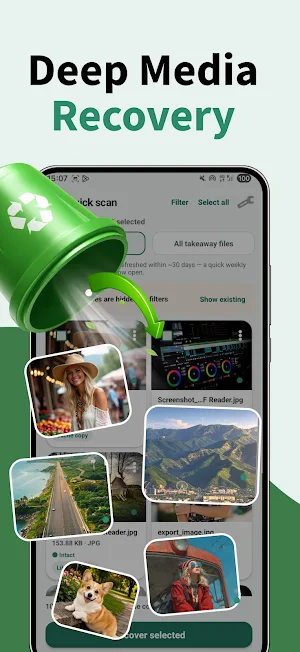
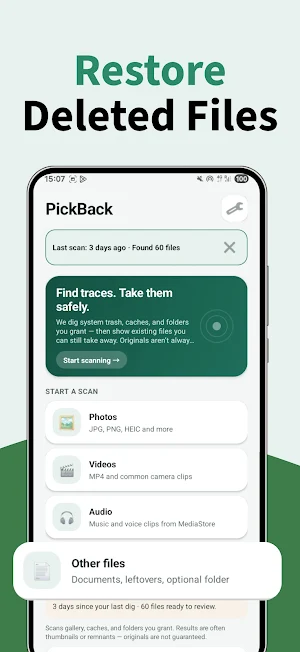
PickBack helps you find recovery traces and takeaway files still on your phone — photos, videos, audio, and documents — then share or save them safely.
How it works
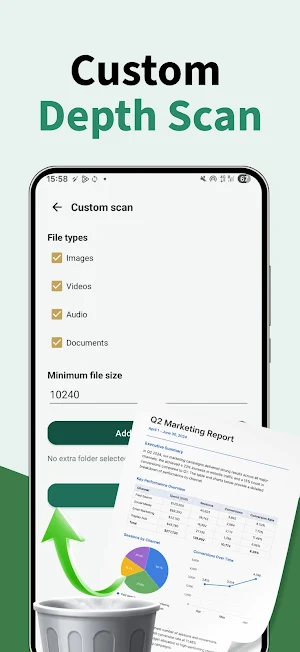
• Scan your gallery and (optionally) broader folders you authorize
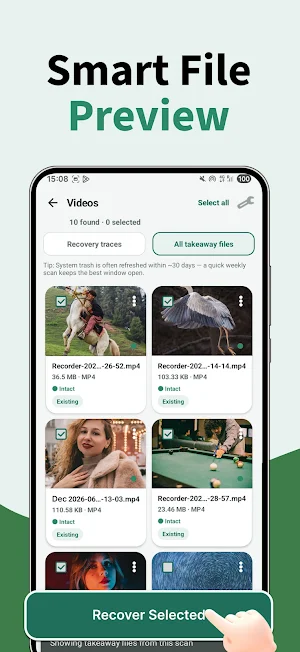
• Review likely-deleted traces, cache copies, and existing takeaway files
• Preview media, select items, then Share to another app or Save to a folder you choose
• Optional tools: scan history, favorites, duplicate cleanup, contacts backup (vCard), weekly reminder
Honest limits (please read)
• PickBack does not require root and does not carve deleted data from raw disk like forensic tools
• Results are often thumbnails, leftovers, or files that are still readable — original full-quality files are not guaranteed
• What you can find depends on Android version, OEM trash behavior, and the permissions you grant
• “All files access” is optional and unlocks deeper folder/cache traces; gallery-only access still scans MediaStore
Privacy
• Scanning and recovery stay on your device
• PickBack does not operate a backend that receives your scan results or file contents
• Files leave the app only when you use the system Share sheet or Save picker
Permissions
• Photos / videos / audio (or storage): find media and related traces
• All files access (optional): search additional folders and caches you authorize
• Contacts (optional): export contacts still on this device as vCard — not uploaded by PickBack
• Notifications (optional): weekly scan reminder if you enable it
PickBack is a local utility. No account required.
Contact: [email protected]
Privacy: https://recovery.pickbackfile.com/pickbackprivacypolicy.html
How it works
• Scan your gallery and (optionally) broader folders you authorize
• Review likely-deleted traces, cache copies, and existing takeaway files
• Preview media, select items, then Share to another app or Save to a folder you choose
• Optional tools: scan history, favorites, duplicate cleanup, contacts backup (vCard), weekly reminder
Honest limits (please read)
• PickBack does not require root and does not carve deleted data from raw disk like forensic tools
• Results are often thumbnails, leftovers, or files that are still readable — original full-quality files are not guaranteed
• What you can find depends on Android version, OEM trash behavior, and the permissions you grant
• “All files access” is optional and unlocks deeper folder/cache traces; gallery-only access still scans MediaStore
Privacy
• Scanning and recovery stay on your device
• PickBack does not operate a backend that receives your scan results or file contents
• Files leave the app only when you use the system Share sheet or Save picker
Permissions
• Photos / videos / audio (or storage): find media and related traces
• All files access (optional): search additional folders and caches you authorize
• Contacts (optional): export contacts still on this device as vCard — not uploaded by PickBack
• Notifications (optional): weekly scan reminder if you enable it
PickBack is a local utility. No account required.
Contact: [email protected]
Privacy: https://recovery.pickbackfile.com/pickbackprivacypolicy.html
Alternatives to PickBack: Recovery Photo
Looking for apps like PickBack: Recovery Photo? Here are 6 similar Android apps on Google Play. All of them are free to download.
-
Storage Cleaner:Device Manager
-
Photo Recovery:Restore Pics
-
VibeDrama: Short Reels
-
Green Cleaner: Space Saver
-
Quick Doc: PDF Tools
-
EasyDoc:PDF Edit Reader
| App | Rating | Price | Installs | Last updated | Compare |
|---|---|---|---|---|---|
| PickBack: Recovery Photo | – | Free | 1,000+ | Aug 14, 2026 | |
| Storage Cleaner:Device Manager | – | Free | 10,000+ | Sep 30, 2026 | Compare |
| Photo Recovery:Restore Pics | – | Free | 5,000+ | – | Compare |
| VibeDrama: Short Reels | – | Free | 1,000+ | Jul 21, 2026 | Compare |
| Green Cleaner: Space Saver | – | Free | 1,000+ | – | Compare |
| Quick Doc: PDF Tools | – | Free | 10,000+ | – | Compare |
| EasyDoc:PDF Edit Reader | – | Free | 1,000+ | – | Compare |