Quick Doc: PDF Tools
Read PDFs & Office files. Annotate, scan, merge, compress—on your device.
About Quick Doc: PDF Tools
QuickDoc PDF Reader helps you open documents on your phone and get common PDF tasks done without an account.
READ
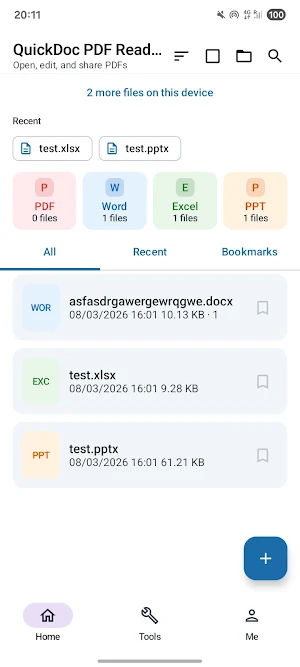
• Open PDF, Word, Excel, and PowerPoint from your device
• Single-page or continuous scrolling, zoom, and page bookmarks
• Continue reading picks up where you left off
• Search text in PDFs that contain a text layer
EDIT & MARK UP
• Draw, highlight, and underline
• Add text annotations
• Undo, redo, and save changes
• Draw a simple signature mark (not a certified electronic signature)
CREATE & CONVERT
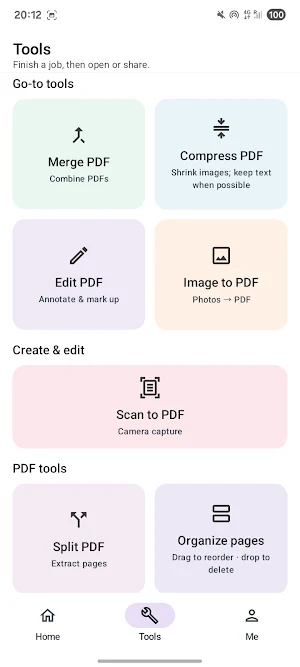
• Scan pages with your camera and save as PDF
• Turn photos into a PDF (reorder, A4 or fit layout)
• Print via your device’s print service
PDF TOOLS
• Merge, split, and compress PDFs
• Delete, rotate, or reorder pages
• Protect with a password or save an unlocked copy
• Add watermark or page numbers
• Extract text or embedded images
• Fill AcroForm fields where the PDF supports them
LIBRARY
• Keep files in a local library on your device
• Browse by format, recent files, and favorites
• Organize with folders and tags
• Share or delete selected files
PRIVACY
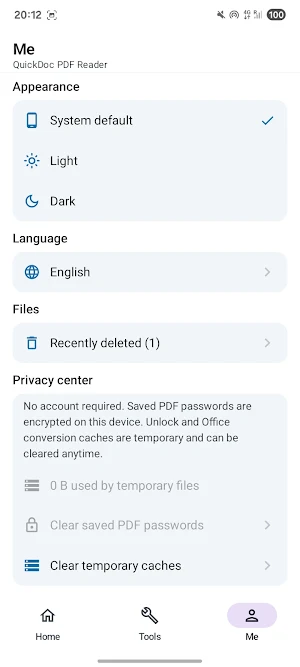
• No account required
• Documents stay on your device
• No in-app purchases or subscriptions in this app
Notes: Scanned image-only PDFs may not support text search. Signature is a drawn mark for everyday use, not a legally binding e-sign service.
