

Mallard: Notes & PDF Markup
njrapps Productivity In-app purchases
Note taking for tablets: handwriting, typed notes, PDFs and audio recordings.
- Downloads
- 8+
- on Google Play
- Price
- Free
- In-app purchases
- Updated
- Sep 14
- 2026 · v1.0.2
Screenshots


About Mallard: Notes & PDF Markup
WRITE AND DRAW NATURALLY
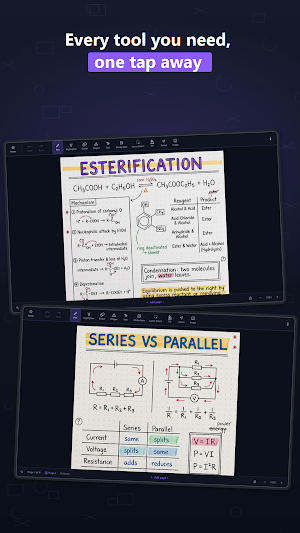
Use pens, a highlighter and an eraser to capture ideas in your own handwriting. Add shapes, text boxes and sticky notes, or select and move content with the lasso. Adjust colours, thickness and stroke styles. Smart Shapes can turn rough freehand shapes into clean lines, rectangles, triangles and ellipses.
PAPER FOR YOUR SUBJECT
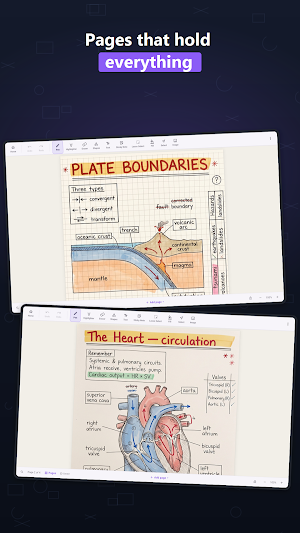
Choose page sizes and backgrounds for the way you work: ruled paper, dot and square grids, Cornell notes, music staves, isometric and hexagonal grids. Use an infinite canvas when you need more room. Customize paper colours, margins and notebook covers, with light and dark themes.
ANNOTATE PDFs
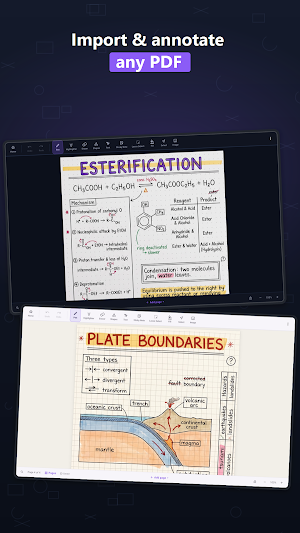
Bring lecture slides, worksheets and reading material into a notebook, then mark them up with your writing tools. Keep PDF pages alongside your own notes. Import Markdown and text files too.
TYPE FULL DOCUMENTS
Mix handwriting with formatted typed pages. Use headings, lists, alignment, indents, line spacing, text colours and highlights. Add images and equations, including fractions, integrals, roots and mathematical symbols.
RECORD AND ORGANIZE
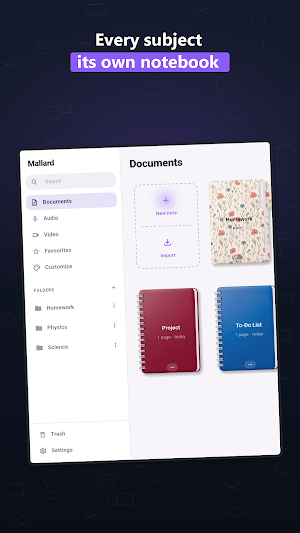
Record audio while taking notes and keep recordings in your library. Import video for playback and organize your work with folders and distinctive notebook covers. Notes save automatically on your device as you work.
EXPORT YOUR WORK
Export notebooks as PDF or PNG, with page-range and paper-background options. Share lecture notes, meeting notes or drawings in familiar formats.
FREE NOTEBOOK TOOLS, OPTIONAL CLOUD + AI
Create notebooks and pages, write, draw, type, record, and import or export without a subscription. An account is required to use Mallard on Android. After sign-in, local note taking works offline.
Optional Cloud + AI subscriptions add cloud storage and sync across supported Android devices, plus on-device transcription, handwriting-to-text and handwriting search. Choose from 5 GB, 25 GB and 100 GB plans. Current prices and availability are shown in the app.
Recognition may require a model download and depends on device support. Audio transcription is processed on your tablet; cloud plans can sync supported notes and recordings. Videos stay on their original device.
PRIVATE BY DEFAULT
Mallard has no ads or advertising ID. Analytics and crash reporting are optional and can be changed in Settings. Your account, cloud plan and device determine which information is synchronized; see the privacy policy for details.
Designed for Android tablets, including compatible Samsung S Pen devices.
Help and support: [email protected]
What’s new
Version 1.0.2 · Updated September 14, 2026
More reliable saving with a separate status and retry for each notebook. Offline Help, a short optional tour and feedback in Settings. Reusable templates, favourite tools and pen presets. PDF text selection, supported links and forms, and scanned-page recognition. Recording timestamps and linked ink, bookmarks and saved searches. Portable backups and named checkpoints for recovery. Improved portrait and landscape editing.
Alternatives to Mallard: Notes & PDF Markup
Looking for apps like Mallard: Notes & PDF Markup? Here are 6 similar Android apps on Google Play. The highest rated is Quotation Maker (4.8/5), and all 6 are free to download.
-
Fabric: your second brain 4.4
-
Geulgram - Text on Photo 4.5
-
Huion Note : Easy note-taking 4.2
-
DrawNote: Drawing Notepad Memo 4.6
-
PDFelement-PDF Editor & Reader 4.1
-
Quotation Maker 4.8
| App | Rating | Price | Installs | Last updated | Compare |
|---|---|---|---|---|---|
| Mallard: Notes & PDF Markup | – | Free | 5+ | Sep 14, 2026 | |
| Fabric: your second brain | 4.4 / 5 | Free | 100,000+ | Oct 7, 2026 | Compare |
| Geulgram - Text on Photo | 4.5 / 5 | Free | 5,000,000+ | Sep 21, 2026 | Compare |
| Huion Note : Easy note-taking | 4.2 / 5 | Free | 500,000+ | Aug 10, 2026 | Compare |
| DrawNote: Drawing Notepad Memo | 4.6 / 5 | Free | 1,000,000+ | Sep 29, 2026 | Compare |
| PDFelement-PDF Editor & Reader | 4.1 / 5 | Free | 5,000,000+ | Oct 16, 2026 | Compare |
| Quotation Maker | 4.8 / 5 | Free | 500,000+ | – | Compare |
Similar apps on Google Play
- Fabric: your second brain
- Geulgram - Text on Photo
- Huion Note : Easy note-taking
- DrawNote: Drawing Notepad Memo
- PDFelement-PDF Editor & Reader
- Quotation Maker
- pdfFiller Edit, fill, sign PDF
- YesWriter - Writing, Notes
- touchnotes
- EdrawMind: AI Mind map & Note
- UPDF - AI-Powered PDF Editor
- Invoice Maker - Simple Invoice
- Falcon PDF - Editor & Tools
- Squid: Take Notes, Markup PDFs
- MyScript Notes: AI Note Taking
- Jnotes: AI Note-taking & PDF
- SCRIBZEE®
- Rocketbook
- Flexcil Notes & PDF Reader
- GitMind: AI Mind Mapping App
- UpNote - notes, diary, journal