

Identify star in the night sky
TimeLapse Studio Education
Sky Scanner will turn your phone into a real telescope
- Downloads
- 1K+
- on Google Play
- Price
- Free
- No in-app purchases
- Updated
- Jun 9
- 2022 · v4.0.1
Screenshots
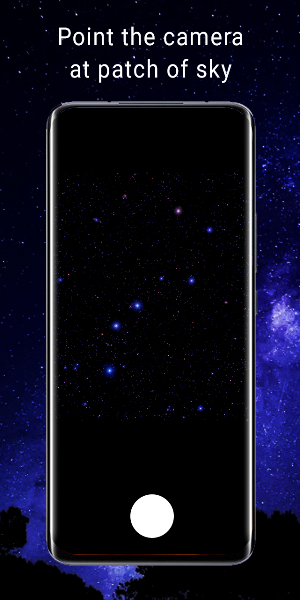
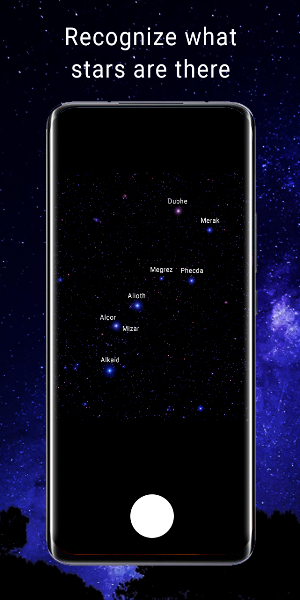
About Identify star in the night sky
Sky Scanner will turn your phone into a real telescope. If you like looking at the night sky, but in addition to beautiful views, you also want to know the names of certain stars, then this application is especially for you.
The principle of the application.
1. Make sure you have a clear night sky overhead. If there are any signs of cloudiness, then the application may not work correctly. Therefore, it is better to wait for more suitable weather conditions.
2. Launch the main screen of the Sky Scanner app.
3. Aim the sight (center of the screen) at a bright star from the region of the sky that you want to scan and find out the names of these stars.
4. You correctly aimed at the star if the crosshair turns green. Now you need to fix the phone in place so that it does not move. Thus, the image will be as clear as possible.
5. Wait a while for the stars to be recognized.
This app may not work if all conditions are met. This is due to the fact that there are a large number of different devices with different cameras and characteristics. Therefore, we are waiting for your feedback in the Google Play reviews and we apologize in advance if you are unlucky.
If you managed to successfully recognize the stars in the sky. Then write a review about it, the author of the application will be very pleased.
The principle of the application.
1. Make sure you have a clear night sky overhead. If there are any signs of cloudiness, then the application may not work correctly. Therefore, it is better to wait for more suitable weather conditions.
2. Launch the main screen of the Sky Scanner app.
3. Aim the sight (center of the screen) at a bright star from the region of the sky that you want to scan and find out the names of these stars.
4. You correctly aimed at the star if the crosshair turns green. Now you need to fix the phone in place so that it does not move. Thus, the image will be as clear as possible.
5. Wait a while for the stars to be recognized.
This app may not work if all conditions are met. This is due to the fact that there are a large number of different devices with different cameras and characteristics. Therefore, we are waiting for your feedback in the Google Play reviews and we apologize in advance if you are unlucky.
If you managed to successfully recognize the stars in the sky. Then write a review about it, the author of the application will be very pleased.
What’s new
Version 4.0.1 · Updated June 9, 2022
Bugs have been fixed
User reviews

This app sounds perfect for me. I'm always seeing stars and planets I want identified on the spot.... Now I shall find out....
Alternatives to Identify star in the night sky
Looking for apps like Identify star in the night sky? Here are 6 similar Android apps on Google Play. The highest rated is Redshift Sky Pro - Astronomy (4.7/5), and 4 of the 6 are free to download.
-
The Sky by Redshift: Astronomy 4.4
-
SkySafari 7 Pro 4.4
-
Universe Star Finder 3D 3.2
-
OSR Star Finder - Stars, Const 3.8
-
Redshift Sky Pro - Astronomy 4.7
-
Good To Stargaze 4.2
| App | Rating | Price | Installs | Last updated | Compare |
|---|---|---|---|---|---|
| Identify star in the night sky | – | Free | 1,000+ | Jun 9, 2022 | |
| The Sky by Redshift: Astronomy | 4.4 / 5 | Free | 100,000+ | Jun 13, 2025 | Compare |
| SkySafari 7 Pro | 4.4 / 5 | 19.99 USD | 10,000+ | Mar 11, 2026 | Compare |
| Universe Star Finder 3D | 3.2 / 5 | Free | 500,000+ | Oct 15, 2026 | Compare |
| OSR Star Finder - Stars, Const | 3.8 / 5 | Free | 100,000+ | Sep 23, 2026 | Compare |
| Redshift Sky Pro - Astronomy | 4.7 / 5 | 8.99 USD | 10,000+ | Jul 14, 2025 | Compare |
| Good To Stargaze | 4.2 / 5 | Free | 50,000+ | Aug 15, 2026 | Compare |