
PocketMIDI: MIDI Keyboard
JdevStudio Music & Audio In-app purchases
MIDI synthesizer & piano app for Android. Plug in USB keyboard, auto-launches.
- Rating
- 4.8
- 113 ratings
- Downloads
- 16.5K+
- on Google Play
- Price
- Free
- In-app purchases
- Updated
- Oct 2
- 2026 · v4.3.0
Screenshots


About PocketMIDI: MIDI Keyboard
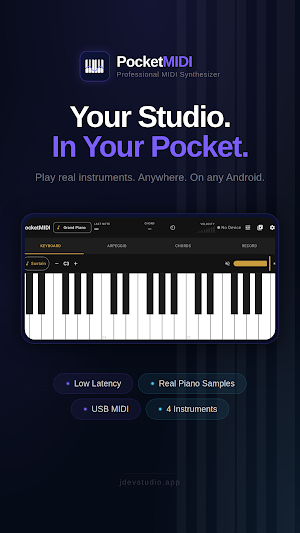
Whether you're connecting a USB MIDI keyboard on stage or playing the on-screen piano keyboard, PocketMIDI delivers studio-quality sound with a latency target of under 40 ms — fully offline, no ads, no tracking.
──────────────────────────────────────
INSTRUMENTS
──────────────────────────────────────
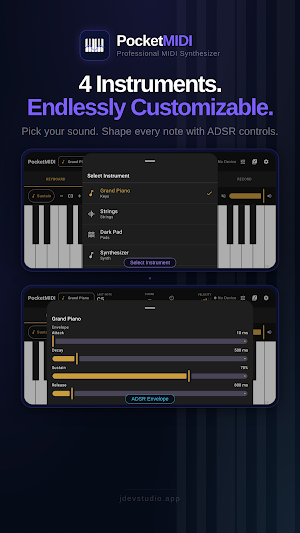
• Grand Piano — Salamander Grand Piano V3 (Alexander Holm), 30 root notes spanning the full 88-key range (A0–C8), OGG Vorbis samples.
• Strings — rich, expressive orchestral strings with natural attack and release.
• Dark Pad — lush, atmospheric pad for ambient and cinematic performance.
• Synthesizer — built-in digital synthesizer with PolyBLEP waveforms (sine, saw, square, triangle), full ADSR envelope, and a state-variable filter.
──────────────────────────────────────
USB MIDI KEYBOARD SUPPORT
──────────────────────────────────────
Connect any class-compliant USB MIDI keyboard via OTG adapter. PocketMIDI automatically detects the device and routes MIDI note on/off and sustain pedal (CC64) events directly to the audio engine with minimal overhead.
• Auto-launch when a keyboard is connected (optional)
• Full polyphony: up to 96 simultaneous voices (64 sample + 32 synth)
• Velocity sensitivity and sustain pedal support
──────────────────────────────────────
ON-SCREEN KEYBOARD
──────────────────────────────────────
• 2-octave multi-touch piano keyboard (C3–C5)
• Up to 10 simultaneous touches for polyphonic playing
• Velocity-sensitive: tap position affects note velocity
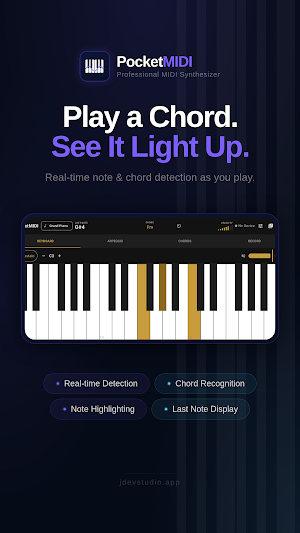
• Amber highlight on pressed keys
──────────────────────────────────────
ARPEGGIATOR
──────────────────────────────────────
• Selectable patterns, rates (including triplets), octave span, gate, and latch
• Auto-plays as you hold keys — tap Latch to keep it running hands-free
• Tap-to-type BPM input, synced with the metronome
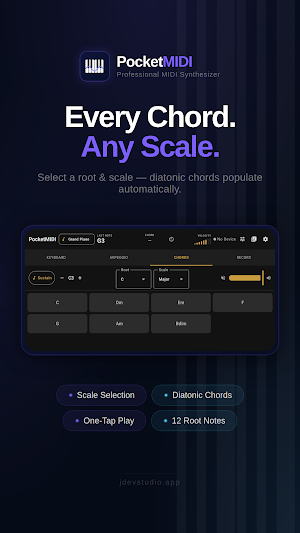
• Chord mode: tap chord buttons while playing to trigger full chords and arpeggios in real time
──────────────────────────────────────
SYNTH EDITOR
──────────────────────────────────────
When the Synthesizer instrument is selected, a full synth editor is available:
• Waveform selector: Sine, Saw, Square, Triangle
• ADSR envelope: Attack (1 ms–4 s), Decay (1 ms–4 s), Sustain (0–100%), Release (1 ms–8 s)
• Low-pass filter: Cutoff and Resonance
──────────────────────────────────────
PRESETS
──────────────────────────────────────
• Save your favourite instrument and synth settings as named presets
• Load presets instantly during a performance
• Export all presets to a JSON file and share via any app
• Import presets from a JSON file
──────────────────────────────────────
MIDI RECORDING
──────────────────────────────────────
• Record everything you play and review it in a real-time piano roll
• Fixed-timeline playback with moving playhead; pinch-to-zoom and pan
──────────────────────────────────────
METRONOME
──────────────────────────────────────
• Built-in click track: 20–300 BPM
• Time signatures: 2/4, 3/4, 4/4, 6/8, 7/8, 5/4
• Visual pulse animation on the status bar
──────────────────────────────────────
PERFORMANCE & SETTINGS
──────────────────────────────────────
• Real-time performance monitor: active voices, buffer size, sample rate, estimated latency, buffer underruns
• Fully offline — no internet connection required, no ads, no tracking
──────────────────────────────────────
TECHNICAL
──────────────────────────────────────
• Audio engine: Oboe 1.9.0 (AAudio with OpenSL ES fallback)
• Audio buffer: ~4 ms @ 192 frames, 48 kHz
• Automatic stream restart with exponential backoff
• Minimum Android 8.0 (API 26)
──────────────────────────────────────
ATTRIBUTIONS
──────────────────────────────────────
Salamander Grand Piano V3 samples by Alexander Holm are used under the Creative Commons Attribution 3.0 license (CC BY 3.0). No modifications were made to the samples.
https://creativecommons.org/licenses/by/3.0/
What’s new
Version 4.3.0 · Updated October 2, 2026
🎙️ Upgraded Recording & Metronome Header Record Button: Easily start recording right from the top bar for faster access. Tempo-Synced Count-In: Get into the groove smoothly with a built-in metronome count-in that stays perfectly synced to your tempo before recording begins. 🎛️ Quick Sound Resets Reset ADSR & Synth Filters: Instant double-tap or reset controls allow you to restore your sound envelope and filter settings back to their default state anytime.
User reviews

fantastic app i have ever come across

a very helpful app
Alternatives to PocketMIDI: MIDI Keyboard
Looking for apps like PocketMIDI: MIDI Keyboard? Here are 6 similar Android apps on Google Play. The highest rated is Splice: Make music now (4.6/5), and 4 of the 6 are free to download.
-
Splice: Make music now 4.6
-
edjing PRO - Music DJ mixer 3.7
-
Solo - Fretboard Visualization 4.5
-
Hyph: Create With Real Music 4.3
-
Songsterr Guitar Tabs & Chords 4.2
-
Chordify: Song Chords & Tuner 4.2
| App | Rating | Price | Installs | Last updated | Compare |
|---|---|---|---|---|---|
| PocketMIDI: MIDI Keyboard | 4.8 / 5 | Free | 10,000+ | Oct 2, 2026 | |
| Splice: Make music now | 4.6 / 5 | Free | 500,000+ | – | Compare |
| edjing PRO - Music DJ mixer | 3.7 / 5 | 5.99 USD | 100,000+ | Sep 9, 2026 | Compare |
| Solo - Fretboard Visualization | 4.5 / 5 | 17.99 USD | 10,000+ | Sep 2, 2026 | Compare |
| Hyph: Create With Real Music | 4.3 / 5 | Free | 500,000+ | – | Compare |
| Songsterr Guitar Tabs & Chords | 4.2 / 5 | Free | 5,000,000+ | Oct 23, 2026 | Compare |
| Chordify: Song Chords & Tuner | 4.2 / 5 | Free | 10,000,000+ | Oct 21, 2026 | Compare |
Similar apps on Google Play
- Splice: Make music now
- edjing PRO - Music DJ mixer
- Solo - Fretboard Visualization
- Hyph: Create With Real Music
- Songsterr Guitar Tabs & Chords
- Chordify: Song Chords & Tuner
- DJ Mixer - DJ Music Remix Pro
- Note Rush: Learn to Read Music
- Tonic Music: Practice & Play
- Flow : Music Therapy
- Learn Piano: Beginner Tutorial
- Koala Sampler
- smart Chords: 40 guitar tools…
- Piano Marvel
- Soundtrap: Music Making Studio
- Music Theory Companion
- Cadence: Guitar Theory
- Simpia: Learn piano by songs
- Camtronome - Pro Metronome
- EarMaster - Ear Training
- The Original Piano
- Chaos Audio: Effects & Amp AI
- Trumpet Lessons - tonestro
- iRig Guitar Amp & FX · Deplike
- LANDR - Master & Release Music
- Drum Pad - Music & Beat Maker
- Functional Ear Trainer
- DRC - Polyphonic Synthesizer
- Music Maker JAM: Beatmaker app
- flowkey: Learn piano
- Prodigies
- Chord ai - learn any song
- InstaDrum - Be a Drummer Now
- Trombone Lessons - tonestro
- Tomplay Sheet Music
- tonestro - Music Lessons
- Sunsational Swim Instructor
- Magic Piano by Smule
- n-Track Studio Pro | DAW
- DJ Mixer Pro - DJ Music Mix
- Houston Chronicle
- Flat: Music Score & Tab Editor
- Skoove: Learn Piano
- Read notes & drum notation
- Fender Play: Music Lessons
- IMSLP
- Cubasis 3 - DAW & Music Studio
- TF STUDIO
- Piano by Yousician
- Musora: The Music Lessons App
- Piano Academy - Learn Piano
- MuseScore: Music Chords & Tabs
- Offtop Rap Studio & Song Maker
- Songstats: Music Analytics