

Intent
Ravikiran B Productivity
Focus timer and screen time tracker for Android
- Downloads
- 70+
- on Google Play
- Price
- Free
- No in-app purchases
- Updated
- Sep 6
- 2026 · v2.0.0
Screenshots


About Intent
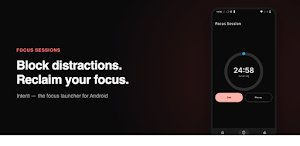
FOCUS SESSIONS
Start a timed focus session and Intent will block distracting apps
using Android's Accessibility Service. A persistent notification
keeps your session state visible even when the screen is off.
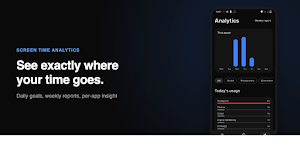
SCREEN TIME ANALYTICS
Intent reads your real screen time from Android's Usage Stats —
no approximations, no sampling. See which apps steal your time
and how you compare to last week.
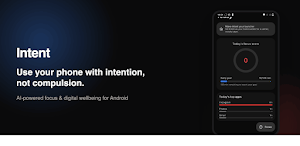
DAILY GOALS
Set a daily screen time limit. Intent tracks your progress
throughout the day and sends a gentle reminder if you're falling
behind.
MINIMAL LAUNCHER MODE (optional)
Set Intent as your home screen for a distraction-free experience.
Distracting apps require a 3-second deliberate pause before opening.
Essential apps are always one tap away.
HOME SCREEN WIDGETS
Add Intent's Focus Score widget to any home screen to see your
daily score at a glance. The Quick Focus widget lets you start a
25-minute session without even opening the app.
PRIVACY
All screen-time and focus data stays on your device. No account
required. No ads. No cloud sync in v1.0. Crash diagnostics are
collected via Firebase to keep the app stable — see our Privacy
Policy for details.
DESIGNED FOR
Students · Software Engineers · Remote Workers · ADHD users ·
Creators · Parents · Productivity enthusiasts
---
Intent requires the following permissions to work:
- Usage Access — to read your screen time (read-only, never leaves your device)
- Accessibility Service — to detect and block apps during focus sessions
- Display Over Other Apps — to show the focus blocking overlay
- Notification permission — for the session timer and daily reminders
- Battery Optimization Exemption — to keep background tracking running
These permissions are explained step by step in the onboarding flow.
What’s new
Version 2.0.0 · Updated September 6, 2026
What's new in 2.0.0: • Scheduled Focus: Sync device calendar, import events, and automate focus sessions with custom recurrence • Redesigned Focus Screen: Circular timer progress dial, multi-day picker (up to 30 days), and quick chips • Smarter Shielding: Default "Block All Apps" with persistent selection and auto background unblocking • Unified Analytics: Track daily focus time with tappable days to view session history • New themed Settings & performance improvements
Alternatives to Intent
Looking for apps like Intent? Here are 6 similar Android apps on Google Play. The highest rated is PowerTV (5.0/5), and all 6 are free to download.






| App | Rating | Price | Installs | Last updated | Compare |
|---|---|---|---|---|---|
| Intent | – | Free | 50+ | Sep 6, 2026 | |
| Movie Blast | – | Free | 1,000+ | – | Compare |
| PowerTV | 5.0 / 5 | Free | 50+ | – | Compare |
| ASTC EMP | – | Free | 500+ | – | Compare |
| MaxCut: Plano de Corte | – | Free | 1,000+ | Jul 13, 2026 | Compare |
| PMS Culture Inspection | – | Free | 10+ | Sep 22, 2026 | Compare |
| Plaza Grande Eventos | – | Free | 100+ | – | Compare |
Compare Intent with the top alternatives: ratings, updates, ASO score and keyword gaps →
Similar apps on Google Play
- Movie Blast
- PowerTV
- ASTC EMP
- MaxCut: Plano de Corte
- PMS Culture Inspection
- Plaza Grande Eventos
- Content Swarm
- StayAlert - Screen time
- OCargo Express
- Reseller Profit Tracker
- Verifyqa
- LightLens
- Live Note: Notification Center
- Pringle NOC
- RobotMotion
- GlanceHQ
- OCRNote (OCR Text Scanner)
- Notes
- HOME-I-do
- QualityControl by Cogrowers
- DCC Bench Log
- Cabsmith: Cabinet Cut List
- AlAhli Attendance
- Le PDF – Fill & Sign
- OTELI PMS—Property Management