About GlanceHQ
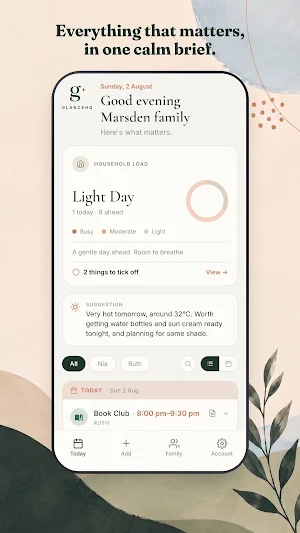
GlanceHQ turns the things schools, clubs and other parents send you into one calm brief, twice a day.
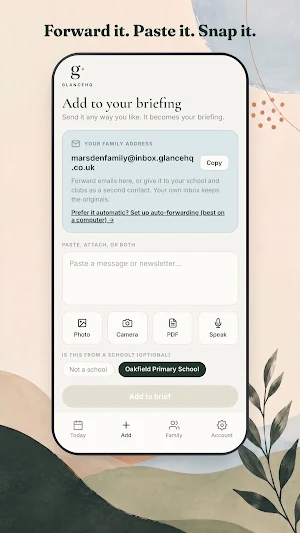
Forward a school email, paste a WhatsApp message, or photograph a paper flyer. GlanceHQ reads it, pulls out the dates, times, costs and deadlines, and works out which of your children it applies to. In the morning you open one screen and know what today needs.
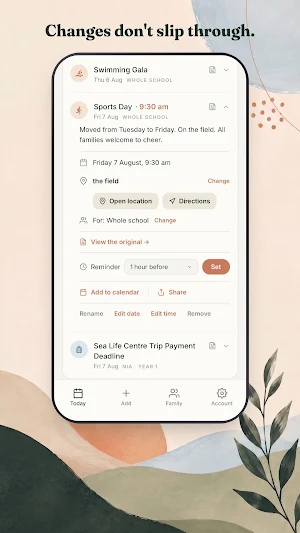
When a school moves a date, your brief moves with it, and tells you what changed.
What it does:
• Reads forwarded emails, pasted messages, photos and PDFs
• Filters everything to the right child, by year group
• Gathers forms, payments and things to bring into one list you tick off
• Morning and evening briefs, by notification or email
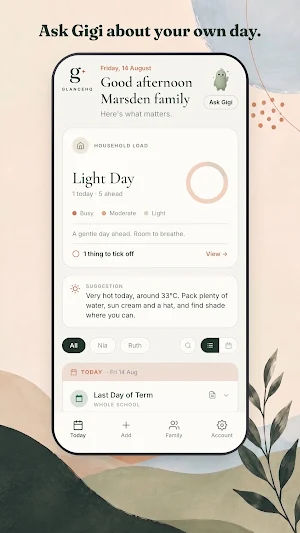
• Weather worth knowing about, flagged as a suggestion rather than a fact
• Shared across both parents and every device
GlanceHQ is not a calendar or a planner. It reads the unstructured things a calendar never holds, so you stop being the only one keeping it all in your head.
Your family gets a private address to forward to. Your own inbox keeps the originals. We only read what is sent to that address, and you can delete everything in one tap.
GlanceHQ details
GlanceHQ is a free Productivity app for Android with 100+ installs on Google Play and a 5.0/5 average rating from 1 rating. It was released on August 5, 2026 and last updated on September 20, 2026. It's developed by GlanceHQ. It requires Android 7.0 or later. The app offers in-app purchases.
- Category
- Productivity
- Rating
- 5.0 / 5 (1 rating)
- Installs
- 100+
- Price
- Free
- In-app purchases
- Yes
- Ads
- No ads
- Current version
- 1.4.6
- Requires Android
- 7.0
- Content rating
- Everyone
- Released
- August 5, 2026
- Last updated
- September 20, 2026
- Developer
- GlanceHQ
What’s new in GlanceHQ
Today opens on a watercolour scene that shifts with the time of day. Subscribing is confirmed before the app says thank you, and if Google Play already holds your subscription the app restores it. When something you add cannot be read, the message says why and offers Contact us. The Add tab takes Word documents as well as PDFs. Once GlanceHQ has helped, Today offers a way to tell a friend. Reminders can be switched off per event. Ask Gigi answers questions about the app.
Version 1.4.6 · Updated September 20, 2026
Similar Apps

Wonderschool
Child Care Management App
Flashcard Maker Vocab Notebook
Save, memorize, organize, master vocabulary you need. Learn words 3x faster!

bekids Reading: Oxford English
Graded Storybooks for Kids

Bilingual Bookshelf
Come explore 40+ bilingual stories in both American Sign Language and English!
Vocabulary flashcards: Vocabuo
Learn a language with vocabulary flashcards from texts, web or videos
Easy Diary
Easy Diary is a diary application optimized for user experience.