About MyLlama
MyLlama is an Android app for users who want to connect to and use their own AI models through local or remote LLM servers.
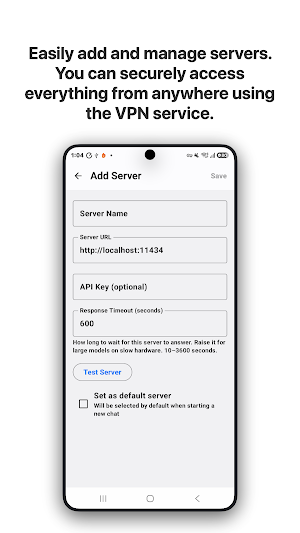
Instead of relying only on cloud-based AI services, MyLlama lets you connect your Android device to servers such as Ollama or other compatible LLM APIs. You can manage server settings, select available models, and interact with your AI directly from your device.
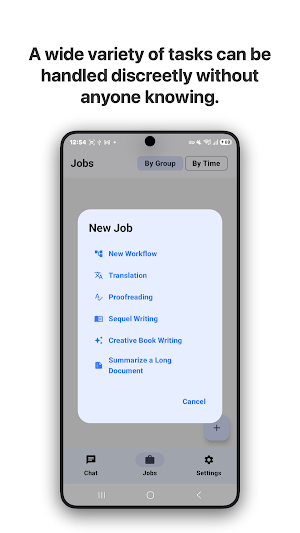
MyLlama is more than a simple chat client. It includes multiple AI workflows for writing, translation, summarization, proofreading, research, and creative tasks.
## Key Features
• Connect to local or remote LLM servers
• Chat with your own AI models
• Manage server addresses and settings
• Select models available on your server
• Use private or self-hosted AI environments
• Attach files and images to supported workflows
• Use AI for writing, translation, coding, research, and productivity
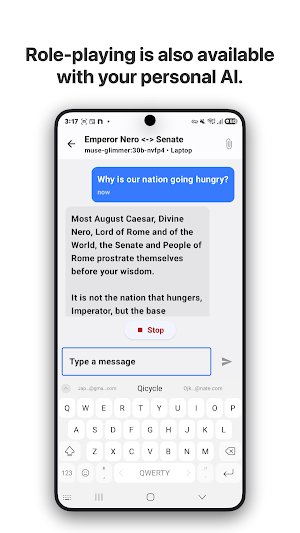
## Role Chat
Create conversations where the AI follows a specific role, personality, expertise, or scenario.
Use Role Chat for writing assistance, programming help, language learning, brainstorming, technical discussions, research, fictional characters, and other customized AI experiences.
## Multi-Role Chat
Multi-Role Chat allows multiple AI roles to participate in the same conversation.
Different roles can provide different perspectives, compare solutions, simulate discussions, or help develop stories and ideas. It is useful for brainstorming, research, planning, and exploring topics from multiple viewpoints.
## Creative Writing
Use your own AI models as writing partners for stories, articles, scripts, dialogues, essays, characters, plots, and other creative content.
MyLlama can help generate ideas, expand text, and create alternative versions.
## Long Document Summarization
Summarize long text and documents using your connected AI model.
Use it for reports, articles, research materials, meeting notes, study materials, technical documents, and other long-form content.
The amount of text that can be processed depends on the context length and capabilities of your selected model.
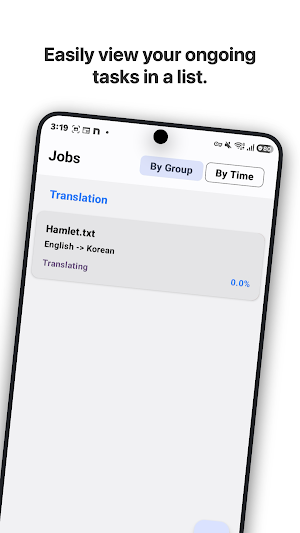
## Translation
Translate text between languages using your own LLM.
Translation quality and supported languages depend on the selected AI model.
## Proofreading
Review and improve your writing with AI.
MyLlama can help check grammar, spelling, readability, sentence structure, tone, clarity, and awkward expressions for emails, reports, articles, messages, and other content.
## Designed for Self-Hosted AI
MyLlama is useful for developers, AI enthusiasts, researchers, writers, and users who operate their own AI servers at home, in the office, or on a private network.
You can run your LLM server on a desktop PC, GPU workstation, Mac, Linux server, home server, or remote machine and access it from your Android device.
Different models can also be used for different tasks such as coding, translation, writing, summarization, or general chat.
## Requirements
MyLlama does not include a built-in AI model.
To use the app, you need access to a compatible local or remote LLM server with at least one available model.
Privacy, performance, response speed, context length, and output quality depend on your server configuration, hardware, network environment, and selected AI model.
If you already run your own LLM server, MyLlama provides a convenient Android interface for chat, role-based conversations, creative writing, translation, proofreading, and document summarization.
Similar Apps
Hyph: Create With Real Music
Remix artist vocals or make your own songs.
Airhead ATPL
Latest ATPL questions from real exams

Sage AI - AI Coach & Assistant
Chatbot Powered by Chat GPT-5

Alux: Build Wealth Faster
10-Min Lessons from Founders

ChatBox: AI Chat Bot Assistant
All AI Models in One App. Chatbot, Smart Assistant, AI Text & Image Generator
ATPL Questions
Let ATPL Questions be your co-pilot.
