
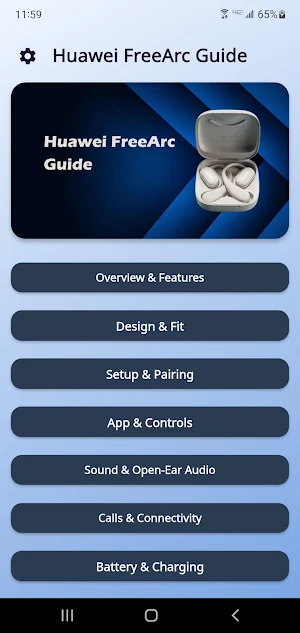
About Huawei FreeArc Guide
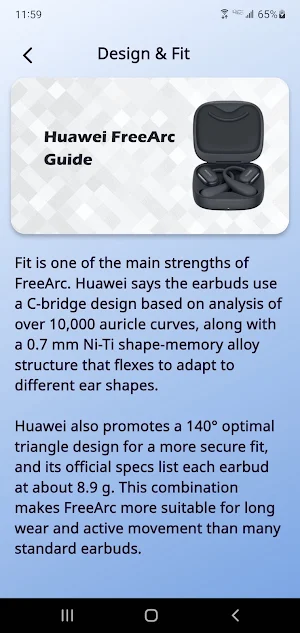
Huawei FreeArc Guide is built for users who want a simpler way to understand these open-ear earbuds from first setup to everyday listening. It brings together the details people usually search for most, including pairing, app connection, touch controls, fit, battery use, call features, and common troubleshooting. Huawei presents FreeArc as open-ear earbuds with earhooks, a secure-fit design, IP57 water resistance, dual-device connection, and support through HUAWEI AI Life or HUAWEI Audio Connect on iOS.
A big reason people look for help with Huawei FreeArc is the setup process. This guide explains how to connect the earbuds in a cleaner and easier way, including normal Bluetooth pairing, app-based management, and what to do when the earbuds are not detected at first. Huawei support says users can pair by opening the case and entering pairing mode, while the AI Life app can also help add and manage the earbuds more easily.
The app side is an important part of the experience, so this guide gives it proper attention. Huawei says AI Life can be used to manage earbuds features, while iPhone and iPad users can use HUAWEI Audio Connect. Huawei also notes that touch controls can be customized in the app, which makes the guide useful for users who want quicker access to gesture setup, sound preferences, and firmware update basics.
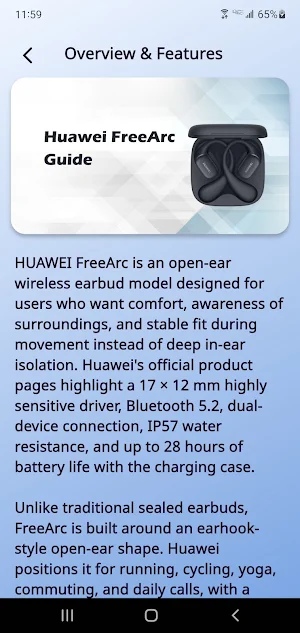
For daily listening, the guide focuses on the features people actually care about. Official Huawei pages list Bluetooth 5.2, a 17 mm × 12 mm driver in each earbud, call noise cancellation, custom sound effects, and swipe or tap controls for volume, playback, and calls. FreeArc is also promoted as an open-ear design that helps users stay aware of surroundings while listening, which is especially useful for walking, commuting, office use, and light workouts.
Battery and charging are another major reason users search for support, so this guide covers them clearly. Huawei’s specifications list 55 mAh batteries in each earbud, a 510 mAh charging case, USB-C charging, and roughly 40 minutes to charge the earbuds in the case. Huawei also promotes up to 28 hours of battery life with the case, and says a 10-minute fast charge can provide about 3 hours of audio playback under its test conditions.
The troubleshooting side of the guide is especially helpful when something goes wrong. Many users look for answers when the app cannot find the earbuds, pairing feels unstable, controls seem confusing, or the earbuds need to be paired again after switching phones. Huawei support provides steps for entering pairing mode, checking the case indicator, updating software, and resolving cases where AI Life fails to detect the device, and this guide brings those topics together in one easier reference.
Huawei FreeArc Guide is useful for users searching for Huawei FreeArc setup help, Huawei FreeArc manual reference, HUAWEI AI Life guidance, HUAWEI Audio Connect help, open-ear earbuds pairing, touch control basics, battery tips, dual-device connection support, and common FAQ answers in one place. It is written as an independent educational guide for faster learning and easier access to useful product information.
This application is for educational and informational purposes only. It does not connect to the earbuds, does not replace the official HUAWEI AI Life app, HUAWEI Audio Connect, or any official Huawei service, and does not provide official device control, firmware tools, account access, warranty service, or customer support. It is intended only to help users better understand setup, features, settings, and common troubleshooting related to Huawei FreeArc.
Disclaimer:
Huawei FreeArc Guide is not an official application and is not affiliated with, endorsed by, authorized by, or sponsored by Huawei or any related brand owner. All product names, trademarks, and brand references are the property of their respective owners. This app was created only as an independent educational guide for reference and learning purposes.
Huawei FreeArc Guide details
Huawei FreeArc Guide is a free Lifestyle app for Android with 100+ installs on Google Play and a 5.0/5 average rating from 1 rating. It was released on April 14, 2026 and last updated on April 14, 2026. It requires Android 7.0 or later. The app contains ads.
- Category
- Lifestyle
- Rating
- 5.0 / 5 (1 rating)
- Installs
- 100+
- Price
- Free
- In-app purchases
- No
- Ads
- Contains ads
- Current version
- 1.1.1
- Requires Android
- 7.0
- Content rating
- Everyone
- Released
- April 14, 2026
- Last updated
- April 14, 2026
Similar Apps

Fitbit Charge 6 Guide
Helpful Guide for Fitbit Charge 6: setup, health features, tips, and usage.
Garmin Vivoactive 6 Guide
Helpful Guide for Garmin Vivoactive 6: setup, tracking, tips, and usage steps.
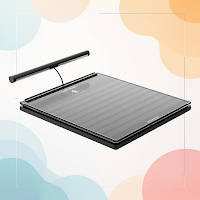
Withings Body Scan Guide
Helpful Guide for Withings Body Scan: setup, measurements, tips, and features.
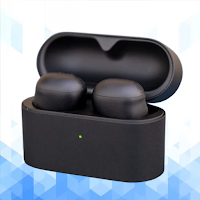
WF-1000XM6 Guide
WF-1000XM6 Guide: setup, ANC, app, pairing, fixes
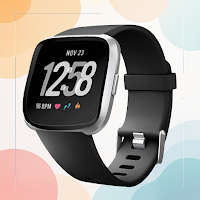
Fitbit Versa 2 Guide
Helpful Guide for Fitbit Versa 2: setup, tracking, tips, and usage steps.
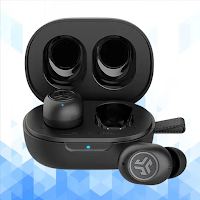
JLab JBuds Mini ANC Guide
JLab JBuds Mini ANC Guide: setup, ANC, pairing, fixes, FAQs
