
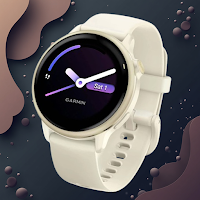
Garmin Vivoactive 6 Guide
Lifestyle Contains ads
Helpful Guide for Garmin Vivoactive 6: setup, tracking, tips, and usage steps.
- Downloads
- 1.6K+
- on Google Play
- Price
- Free
- No in-app purchases
- Updated
- Mar 29
- 2026 · v1.2.1
Screenshots


About Garmin Vivoactive 6 Guide
Discover everything you need to know about your Garmin Vivoactive 6 with this detailed and user-friendly guide app. Whether you're a new owner or an experienced user, this guide helps you get the most out of your versatile smartwatch designed for active lifestyles.
Garmin Vivoactive 6 offers a rich set of features including advanced health monitoring, built-in GPS, and multiple sports profiles, all packed in a lightweight and stylish design. This guide explains all key functionalities, how to set up your device, and tips to maximize performance and battery life.
What this guide covers:
Device Overview: Learn about the buttons, touchscreen, and display features of the Vivoactive 6.
Setup Instructions: Step-by-step process to pair your watch with the Garmin Connect app, customize settings, and configure notifications.
Health Monitoring: Track heart rate, pulse oximetry (SpO2), respiration, stress, sleep stages, and menstrual cycle tracking.
Fitness & Sports Modes: Explore 20+ preloaded sports apps including running, cycling, swimming, golf, and yoga with detailed workout metrics.
GPS & Navigation: Use built-in GPS for accurate distance and pace tracking without your phone.
Smart Features: Manage music, receive smart notifications, control your phone camera, calendar, weather updates, and alarms.
Battery & Charging: Understand battery life expectations, power-saving modes, and how to charge your Vivoactive 6 effectively.
Customization: Adjust watch faces, data fields, alerts, and widgets to suit your style and workout needs.
Garmin Connect Sync: Learn how to sync your data seamlessly to Garmin Connect to analyze workouts, set goals, and share progress.
Maintenance Tips: How to clean and maintain your device, update firmware safely, and troubleshoot common issues.
Perfect for fitness lovers and daily activity tracking
The Vivoactive 6 is ideal for people who want a powerful fitness tracker with smartwatch capabilities. This guide helps you:
Understand and optimize your training zones
Use advanced metrics like VO2 Max, Training Load, and Recovery Time
Monitor sleep quality and recovery for better performance
Set reminders to stay active and hydrated
Navigate the interface with ease and discover hidden features
Important note
This application is an independent educational guide and is not affiliated with Garmin Ltd. or any of its subsidiaries. All trademarks and product names belong to their respective owners.
Garmin Vivoactive 6 offers a rich set of features including advanced health monitoring, built-in GPS, and multiple sports profiles, all packed in a lightweight and stylish design. This guide explains all key functionalities, how to set up your device, and tips to maximize performance and battery life.
What this guide covers:
Device Overview: Learn about the buttons, touchscreen, and display features of the Vivoactive 6.
Setup Instructions: Step-by-step process to pair your watch with the Garmin Connect app, customize settings, and configure notifications.
Health Monitoring: Track heart rate, pulse oximetry (SpO2), respiration, stress, sleep stages, and menstrual cycle tracking.
Fitness & Sports Modes: Explore 20+ preloaded sports apps including running, cycling, swimming, golf, and yoga with detailed workout metrics.
GPS & Navigation: Use built-in GPS for accurate distance and pace tracking without your phone.
Smart Features: Manage music, receive smart notifications, control your phone camera, calendar, weather updates, and alarms.
Battery & Charging: Understand battery life expectations, power-saving modes, and how to charge your Vivoactive 6 effectively.
Customization: Adjust watch faces, data fields, alerts, and widgets to suit your style and workout needs.
Garmin Connect Sync: Learn how to sync your data seamlessly to Garmin Connect to analyze workouts, set goals, and share progress.
Maintenance Tips: How to clean and maintain your device, update firmware safely, and troubleshoot common issues.
Perfect for fitness lovers and daily activity tracking
The Vivoactive 6 is ideal for people who want a powerful fitness tracker with smartwatch capabilities. This guide helps you:
Understand and optimize your training zones
Use advanced metrics like VO2 Max, Training Load, and Recovery Time
Monitor sleep quality and recovery for better performance
Set reminders to stay active and hydrated
Navigate the interface with ease and discover hidden features
Important note
This application is an independent educational guide and is not affiliated with Garmin Ltd. or any of its subsidiaries. All trademarks and product names belong to their respective owners.
What’s new
Version 1.2.1 · Updated March 29, 2026
Languages added
Alternatives to Garmin Vivoactive 6 Guide
Looking for apps like Garmin Vivoactive 6 Guide? Here are 6 similar Android apps on Google Play. All of them are free to download.
-
Bose QuietComfort Ultra Guide
-
Fitbit Versa 2 Guide
-
تطبيق وكالة واحة الأتقياء 252
-
Honor Band 7 Guide
-
Garmin Forerunner 265 Guide
-
CMF Buds Pro 2 Guide
| App | Rating | Price | Installs | Last updated | Compare |
|---|---|---|---|---|---|
| Garmin Vivoactive 6 Guide | – | Free | 1,000+ | Mar 29, 2026 | |
| Bose QuietComfort Ultra Guide | – | Free | 1,000+ | Mar 29, 2026 | Compare |
| Fitbit Versa 2 Guide | – | Free | 50+ | Jun 10, 2025 | Compare |
| تطبيق وكالة واحة الأتقياء 252 | – | Free | 1,000+ | Mar 13, 2026 | Compare |
| Honor Band 7 Guide | – | Free | 1,000+ | Aug 15, 2026 | Compare |
| Garmin Forerunner 265 Guide | – | Free | 500+ | Aug 24, 2026 | Compare |
| CMF Buds Pro 2 Guide | – | Free | 10,000+ | Mar 29, 2026 | Compare |