

SpeedMet Pro
Tools
SpeedMet Pro shows internet speed only when connected to the internet
- Downloads
- 10+
- on Google Play
- Price
- Free
- No in-app purchases
- Updated
- Nov 7
- 2021 · v2021.11.08
Screenshots


About SpeedMet Pro
SpeedMet Pro Features
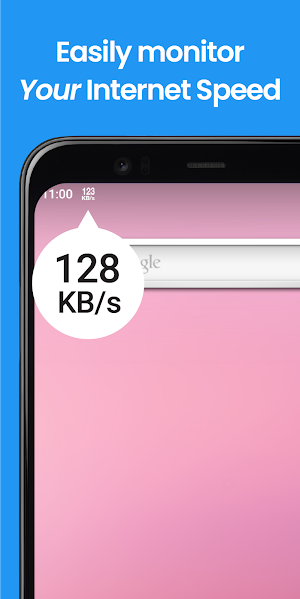
- SpeedMet Pro shows internet speed at the status bar.
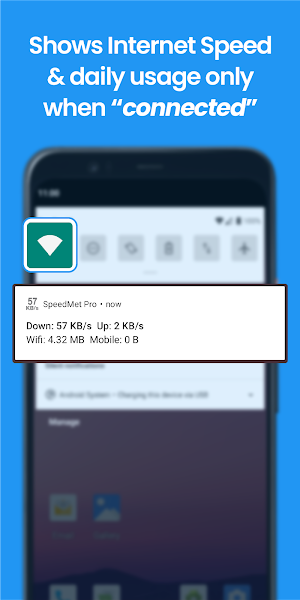
- Daily Wi-Fi & cellular data usage at notification panel.
- It’s smart enough that it only shows you internet speed when you’re connected to the internet.
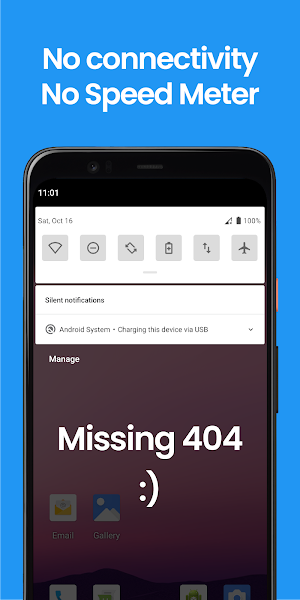
- So, no connectivity, no annoying sticky permanent notification. Isn’t it great?
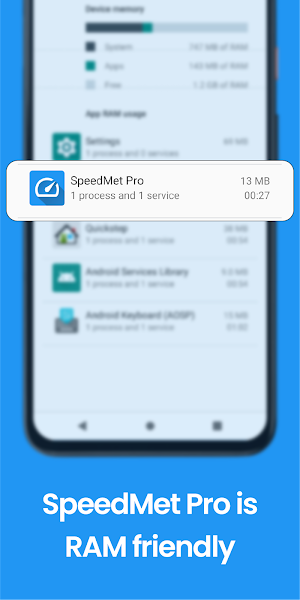
- SpeedMet Pro is RAM friendly, uses less RAM.
- Not only service, it provides you with a modern, good looking UI, so that you can monitor internet speed actively. (Umm, check your internet speed while downloading and make sure your ISP is not cheating with you).
- Data usage history of previous days is available in the data usage section.
- Also offers Dark Mode.
Developer
SpeedMet Pro is offered by DotEscape Software Lab at no cost.
Credits
SpeedMet Pro uses beautiful icons from Icons8 (https://icons8.com/).
Privacy Policy
View SpeedMet Pro’s legal privacy policy at https://sites.google.com/view/dotescape-software-lab/speedmet-pro/privacy-policy.
Need more help?
If you have any question about SpeedMet Pro don't hesitate to contact us at [email protected].
- SpeedMet Pro shows internet speed at the status bar.
- Daily Wi-Fi & cellular data usage at notification panel.
- It’s smart enough that it only shows you internet speed when you’re connected to the internet.
- So, no connectivity, no annoying sticky permanent notification. Isn’t it great?
- SpeedMet Pro is RAM friendly, uses less RAM.
- Not only service, it provides you with a modern, good looking UI, so that you can monitor internet speed actively. (Umm, check your internet speed while downloading and make sure your ISP is not cheating with you).
- Data usage history of previous days is available in the data usage section.
- Also offers Dark Mode.
Developer
SpeedMet Pro is offered by DotEscape Software Lab at no cost.
Credits
SpeedMet Pro uses beautiful icons from Icons8 (https://icons8.com/).
Privacy Policy
View SpeedMet Pro’s legal privacy policy at https://sites.google.com/view/dotescape-software-lab/speedmet-pro/privacy-policy.
Need more help?
If you have any question about SpeedMet Pro don't hesitate to contact us at [email protected].
What’s new
Version 2021.11.08 · Updated November 7, 2021
- "auto startup" - bug fixed.
User reviews

The user experience of this application is clean and simple. There is na ad! Besides this application runs only when Wi-Fi or cellular data is on for this reasone it is not disturbing like other net speed meter application. I am using this application and I will like to suggest others to use it.

An awesome lightweight app.
Alternatives to SpeedMet Pro
Looking for apps like SpeedMet Pro? Here are 2 similar Android apps on Google Play. All of them are free to download.


| App | Rating | Price | Installs | Last updated | Compare |
|---|---|---|---|---|---|
| SpeedMet Pro | – | Free | 10+ | Nov 7, 2021 | |
| ProtoVision - Object Detector | – | Free | 100+ | Nov 4, 2021 | Compare |
| CryptoDex | – | Free | 10+ | Oct 6, 2021 | Compare |
Compare SpeedMet Pro with the top alternatives: ratings, updates, ASO score and keyword gaps →