

CNC Engrave G-Code & Simulator
Tools In-app purchases Contains ads
Generate professional CNC engraving G-codes instantly with a built-in 3D viewer!
- Downloads
- 641+
- on Google Play
- Price
- Free
- In-app purchases
- Updated
- Sep 15
- 2026 · v3.2.0
Screenshots


About CNC Engrave G-Code & Simulator
CNC Turn & Mill Engraver – Professional CNC Text Engraving, Anywhere
CNC Turn & Mill Engraver is the ultimate mobile tool for CNC machinists, operators, and programmers who need fast, precise, and reliable text‑engraving G‑code generation. Create accurate toolpaths for flat surfaces, part faces, and cylindrical engraving directly from your phone — without manual calculations, macros, or guesswork.
Whether you're engraving serial numbers, part IDs, or custom text, the app handles the complex coordinate transformations for you. Simply enter your text, choose the orientation, adjust your parameters, and generate ready‑to‑run G‑code in seconds.
Key Features
Multiple Engraving Orientations
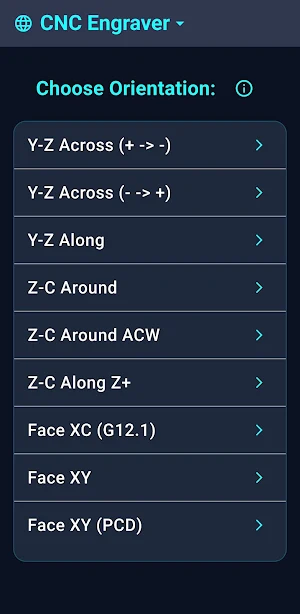
Face engraving (XY, XC / G12.1): Perfect for front‑face text, plates, and flat surfaces.
Cylindrical engraving (Z‑C wrapping): Automatically wraps text around a diameter — ideal for shafts, rings, and round parts.
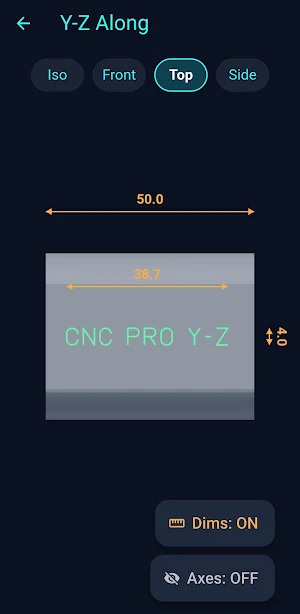
Y‑axis milling: Supports both cross and longitudinal engraving paths.
Pitch Circle & Angled Text
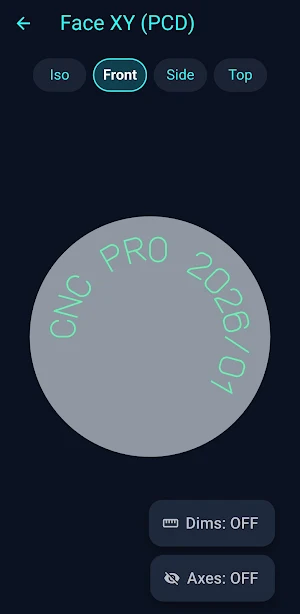
Arrange text along an arc or circle with a defined radius. Ideal for circular logos, dial markings, and symmetrical layouts.
Interactive 3D Viewer
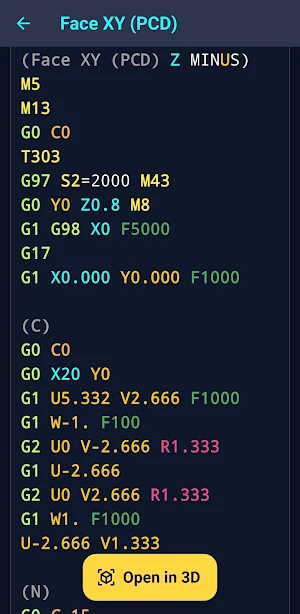
Preview your toolpaths in a fully interactive 3D environment. Rotate, zoom, and inspect the engraving before sending it to the machine. Instantly catch orientation mistakes, wrong depths, or incorrect scaling.
Full Parameter Control
Customize every detail:
Letter height & Cylinder diameter
Engraving depth
Feed rates & spindle speeds
Tool numbers
Safe distances and offsets
Multi‑Language Interface
Available in 18 languages, making it accessible for global CNC teams.
Try It for Free
Test the generator with up to 3 letters (A, B, C) and preview the exact G‑code and 3D toolpath. Perfect for evaluating accuracy and workflow before upgrading.
Upgrade to PRO
Unlock the full power of CNC Turn & Mill Engraver:
Unlimited text length
Full G‑code export
Complete access to all engraving modes
100% ad‑free experience
Priority access to upcoming features
Save time, eliminate manual errors, and bring professional‑grade CNC engraving capabilities directly to your pocket.
CNC Turn & Mill Engraver is the ultimate mobile tool for CNC machinists, operators, and programmers who need fast, precise, and reliable text‑engraving G‑code generation. Create accurate toolpaths for flat surfaces, part faces, and cylindrical engraving directly from your phone — without manual calculations, macros, or guesswork.
Whether you're engraving serial numbers, part IDs, or custom text, the app handles the complex coordinate transformations for you. Simply enter your text, choose the orientation, adjust your parameters, and generate ready‑to‑run G‑code in seconds.
Key Features
Multiple Engraving Orientations
Face engraving (XY, XC / G12.1): Perfect for front‑face text, plates, and flat surfaces.
Cylindrical engraving (Z‑C wrapping): Automatically wraps text around a diameter — ideal for shafts, rings, and round parts.
Y‑axis milling: Supports both cross and longitudinal engraving paths.
Pitch Circle & Angled Text
Arrange text along an arc or circle with a defined radius. Ideal for circular logos, dial markings, and symmetrical layouts.
Interactive 3D Viewer
Preview your toolpaths in a fully interactive 3D environment. Rotate, zoom, and inspect the engraving before sending it to the machine. Instantly catch orientation mistakes, wrong depths, or incorrect scaling.
Full Parameter Control
Customize every detail:
Letter height & Cylinder diameter
Engraving depth
Feed rates & spindle speeds
Tool numbers
Safe distances and offsets
Multi‑Language Interface
Available in 18 languages, making it accessible for global CNC teams.
Try It for Free
Test the generator with up to 3 letters (A, B, C) and preview the exact G‑code and 3D toolpath. Perfect for evaluating accuracy and workflow before upgrading.
Upgrade to PRO
Unlock the full power of CNC Turn & Mill Engraver:
Unlimited text length
Full G‑code export
Complete access to all engraving modes
100% ad‑free experience
Priority access to upcoming features
Save time, eliminate manual errors, and bring professional‑grade CNC engraving capabilities directly to your pocket.
What’s new
Version 3.2.0 · Updated September 15, 2026
- Bug fix: Added missing 'Z' character in Z-C cylindrical engraving. - Macro audit: Verified all A-Z and 0-9 characters across all milling modes (Face, Z-C, Y-axis). - Stability improvements for 100% accurate toolpaths.
Alternatives to CNC Engrave G-Code & Simulator
Looking for apps like CNC Engrave G-Code & Simulator? Here are 6 similar Android apps on Google Play. All of them are free to download.
-
CNC Helper: G-Code Generator
-
CNC Cycle Time Calculator
-
CNC Material & Calculator
-
CNC G-Code Turning Simulator
-
CNC Drill G-Code Simulator
-
CNC Cost & Price Calc PRO
| App | Rating | Price | Installs | Last updated | Compare |
|---|---|---|---|---|---|
| CNC Engrave G-Code & Simulator | – | Free | 500+ | Sep 15, 2026 | |
| CNC Helper: G-Code Generator | – | Free | 100+ | Aug 14, 2026 | Compare |
| CNC Cycle Time Calculator | – | Free | 100+ | – | Compare |
| CNC Material & Calculator | – | Free | 100+ | – | Compare |
| CNC G-Code Turning Simulator | – | Free | 1,000+ | – | Compare |
| CNC Drill G-Code Simulator | – | Free | 100+ | – | Compare |
| CNC Cost & Price Calc PRO | – | Free | 100+ | – | Compare |