
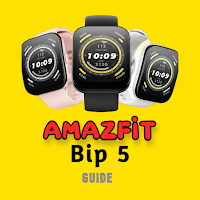
Amazfit Bip 5 App Guide
TheHomeOfApps Books & Reference Contains ads
The App gives you Information about the Amazfit Bip 5
- Downloads
- 50+
- on Google Play
- Price
- Free
- No in-app purchases
- Updated
- Mar 30
- 2024 · v1
Screenshots
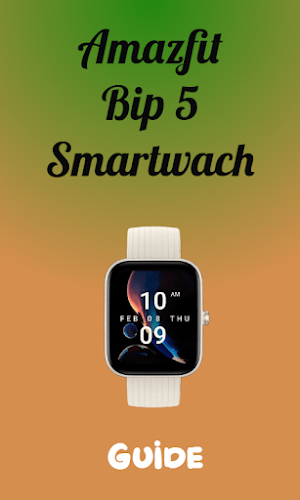
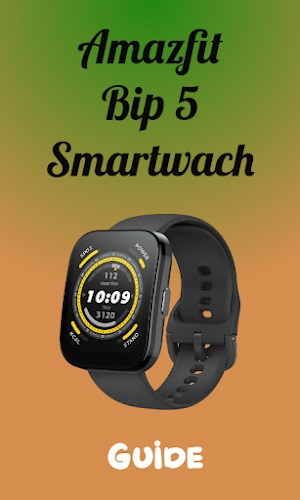


About Amazfit Bip 5 App Guide
Here at Amazfit Bip 5 app guide application, we have collected information that will really help you with that...
Amazfit Bip 5 is a budget wearable that is loaded with specs like long battery life, a built-in microphone, new health trackers, 120+ sports modes, tons of watch faces, and more. There are slight misses as well like an LCD display instead of an AMOLED panel.
The Bip 5 offers excellent value at this price point, with decent sleep tracking and some neat health features. The sports tracking and GPS are welcome – but some of the data wasn't quite up to scratch. It's a chunky, plasticky watch and the TFT display does pale compared to rivals. But if you can look past the design and data quirks, there's a lot to like here. Really, it's only the design that prevents this getting an even higher score.
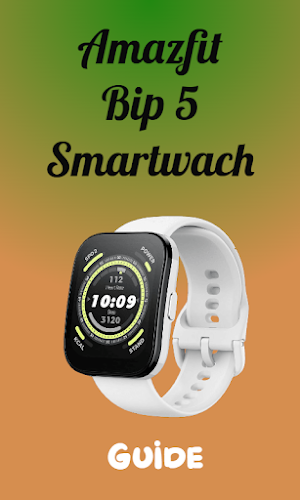
Amazfit BIP 5 has a plastic unibody design which is decent considering the price point. At the front is a 1.91-inch display which is a 2.5D curved panel making it strong and beautiful. The smartwatch doesn’t catch smudges or fingerprints easily and is IP68-rated for protection against water. One can use this smartwatch in the rain or pool without worry. At the back are the heart rate and SpO2 sensors along with a magnetic charging dock.
Content of Amazfit Bip 5 App guide app :-
- Amazfit Bip 5 Features
- Amazfit Bip 5 display
- Amazfit Bip 5 box content
- Amazfit Bip 5 design
- Amazfit Bip 5 battery life
And others....
If you like the Amazfit Bip 5 app guide application, do not forget to rate us with five stars, leave your inquiries and comments and write to us in order to provide you .
At the end, we hope you have a great day within Amazfit Bip 5 app guide app.
Disclaimer:
This mobile app is Amazfit Bip 5 app guide . It is not an official app or part of it.
All images and names are copyright of their respective owners. All images and names in this application are available in public places. This application contains images for cosmetic and educational purposes. Any request to remove one of the logos, images and names will be honored.
Amazfit Bip 5 is a budget wearable that is loaded with specs like long battery life, a built-in microphone, new health trackers, 120+ sports modes, tons of watch faces, and more. There are slight misses as well like an LCD display instead of an AMOLED panel.
The Bip 5 offers excellent value at this price point, with decent sleep tracking and some neat health features. The sports tracking and GPS are welcome – but some of the data wasn't quite up to scratch. It's a chunky, plasticky watch and the TFT display does pale compared to rivals. But if you can look past the design and data quirks, there's a lot to like here. Really, it's only the design that prevents this getting an even higher score.
Amazfit BIP 5 has a plastic unibody design which is decent considering the price point. At the front is a 1.91-inch display which is a 2.5D curved panel making it strong and beautiful. The smartwatch doesn’t catch smudges or fingerprints easily and is IP68-rated for protection against water. One can use this smartwatch in the rain or pool without worry. At the back are the heart rate and SpO2 sensors along with a magnetic charging dock.
Content of Amazfit Bip 5 App guide app :-
- Amazfit Bip 5 Features
- Amazfit Bip 5 display
- Amazfit Bip 5 box content
- Amazfit Bip 5 design
- Amazfit Bip 5 battery life
And others....
If you like the Amazfit Bip 5 app guide application, do not forget to rate us with five stars, leave your inquiries and comments and write to us in order to provide you .
At the end, we hope you have a great day within Amazfit Bip 5 app guide app.
Disclaimer:
This mobile app is Amazfit Bip 5 app guide . It is not an official app or part of it.
All images and names are copyright of their respective owners. All images and names in this application are available in public places. This application contains images for cosmetic and educational purposes. Any request to remove one of the logos, images and names will be honored.
What’s new
Version 1 · Updated March 30, 2024
Content of Amazfit Bip 5 App guide app :- - Amazfit Bip 5 Features - Amazfit Bip 5 display - Amazfit Bip 5 box content - Amazfit Bip 5 design - Amazfit Bip 5 battery life
Alternatives to Amazfit Bip 5 App Guide
Looking for apps like Amazfit Bip 5 App Guide? Here are 6 similar Android apps on Google Play. All of them are free to download.
-
CAMTRIX Security Camera Guide
-
Spade and co Smartwatch3 Guide
-
Canon Pixma ts3522 Manual
-
Glowforge Aura Laser Guide
-
Eversecu Security Camera Guide
-
Lokmat Appllp Watch Guide
| App | Rating | Price | Installs | Last updated | Compare |
|---|---|---|---|---|---|
| Amazfit Bip 5 App Guide | – | Free | 50+ | Mar 30, 2024 | |
| CAMTRIX Security Camera Guide | – | Free | 1,000+ | Feb 26, 2024 | Compare |
| Spade and co Smartwatch3 Guide | – | Free | 100+ | Jul 14, 2023 | Compare |
| Canon Pixma ts3522 Manual | – | Free | 500+ | Jun 27, 2023 | Compare |
| Glowforge Aura Laser Guide | – | Free | 500+ | Aug 31, 2023 | Compare |
| Eversecu Security Camera Guide | – | Free | 100+ | Sep 14, 2023 | Compare |
| Lokmat Appllp Watch Guide | – | Free | 500+ | Sep 2, 2023 | Compare |
Similar apps on Google Play
- CAMTRIX Security Camera Guide
- Spade and co Smartwatch3 Guide
- Canon Pixma ts3522 Manual
- Glowforge Aura Laser Guide
- Eversecu Security Camera Guide
- Lokmat Appllp Watch Guide
- Hiseeu Camera Setup Guide
- Tmezon Security Camera Guide
- Spypoint Trail Camera Guide
- Prusa Mk4 3d Printer Guide
- Boltune Wireless Earbuds Guide
- Plantronics Voyager 5200 Guide
- Sawgrass SG1000 Printer Guide
- Itech Fusion 2 Watch Guide
- FILIEKEU Smart Watch guide
- Gizmo Smartwatch Guide
- Sony Ht-A7000 Guide
- Huawei Freeclip Earbuds Guide
- Polk MagniFi Mini Sound Guide
- Polk Audio Signa S2 Guide
- Withings Body Scan Guide
- Hello Watch 3 Plus Guide
- CMF Nothing Watch Pro Guide
- Withings Scanwatch Nova Guide
- Huawei Band 6 Fitness Guide
- Huawei Honor Band 5 Guide
- Fuers IP Camera Tuya Guide
- Huawei Band 9 Guide
- Xplora X5 Play Watch Guide
- Huawei Band 8 Smartwatch Guide
- Honor Earbuds X3 Lite App Hint
- Nerunsa Smartwatch Guide
- Amazon Echo Show 15 Guide
- GALAYOU Security Camera Guide
- Geeni Security Camera Guide
- Ctronics Security Camera Guide
- Temu Smart Watch Guide
- TOGUARD Trail Camera Guide
- Blink Outdoor 4 Camera Guide
- Tasco Trail Camera Guide
- Moultrie Trail Camera Guide
- Optimus GPS Tracker Guide
- WINEES Security Camera Guide
- ZOSI Security Camera Guide
- Endoscope Camera Wireless Hint
- Crosstour Dash Cam Guide
- Merkury WiFi Camera Guide
- Guide for Sonos One Speaker
- Litokam WiFi Camera Guide
- LandAirSea 54 GPS Tracker Hint
- Mi Body Scale 2 Guide
- Blue Yeti Microphone Guide
- Canon Pixma Ts6350 Guide
- v720 Mini Camera Guide
- BOIFUN Camera Guide
- Drone E88 Pro 4K Guide
- Sq11 Mini dv Camera Guide
- Willful Smartwatch Guide
- HP Officejet 3830 Guide
- GT3 Max Smartwatch Guide
- Sekonda Smart Watch Guide
- HK9 Pro Smart Watch Guide
- Apai Genie Guide
- Popglory Smartwatch p66 Guide
- Mi Selfie Stick Tripod Guide
- HP DeskJet 3755 Printer Guide
- Suga Pro Smart Watch Guide
- Creality Ender 3 Pro Guide
- Bouncie GPS Tracker Guide
- Tinwoo Smart Watch Guide
- Enacfire E60 Earbuds Guide
- Sony Wf C500 Guide
- Airpods Max 2 Guide
- Earfun Air Pro 2 Guide
- Bowflex Velocore Guide
- Trailblazer Pro Watch Guide
- Dotmalls Smartwatch Guide
- Garmin forerunner 265 Guide
- CrossWord : Word Connect Game
- Geekran Smart Watch Guide
- Fitpolo Smartwatch Guide
- TouchElex Smart Watch Guide
- Agptek Smartwatch LW11 Guide
- Umidigi Smartwatch Guide
- Hp envy 6455e Guide
- HP Envy 6020e Guide
- Hp Envy 4520 Printer Guide
- Hp Envy 4500 Printer Guide
- HP Officejet Pro 8025e Guide
- Canon Pixma Tr8520 Guide
- Canon Pixma Pro 100 Guide
- Canon Pixma Ts3450 Guide
- Canon Pixma iP8720 Guide
- Canon Pixma G3270 Guide
- Hp Envy Photo 6200 Guide
- Hp Envy Photo 7800 Guide
- Canon Pixma Ts3420 Guide
- Popglory Smartwatch p22 Guide
- Fitbit Inspire 2 Watch - Guide
- OnePlus Buds Pro 2 Guide
- Fitpro m5 Smart Watch Guide
- Smt 4 Smart Watch Guide