
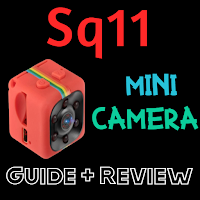
Sq11 Mini dv Camera Guide
TheHomeOfApps Books & Reference Contains ads
Your comprehensive source of information about the SQ11 Mini DV Camera.
- Downloads
- 50+
- on Google Play
- Price
- Free
- No in-app purchases
- Updated
- Sep 8
- 2023 · v1
Screenshots
Save to Pinterest
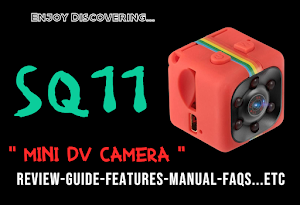
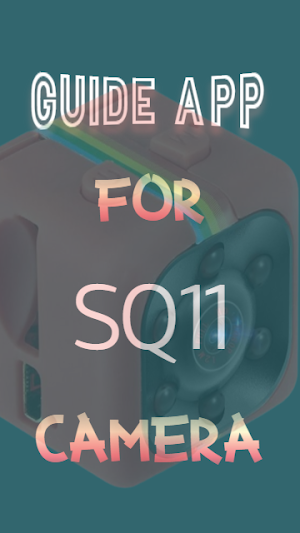
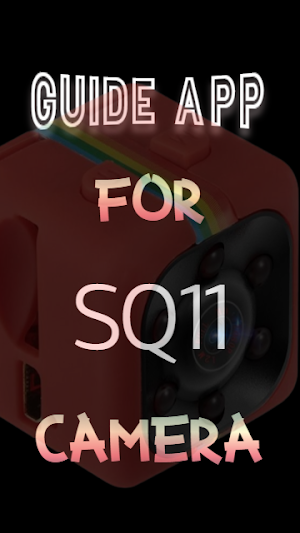

About Sq11 Mini dv Camera Guide
Welcome to the SQ11 Mini DV Camera Guide, your comprehensive source of information about the SQ11 Mini DV Camera. This guide is designed to help you understand the features, specifications, setup process, and usage of the SQ11 Mini DV Camera to its fullest extent.
*About SQ11 Mini DV Camera:*
The SQ11 Mini DV Camera is a compact and portable device that offers full HD 1080p high-definition video recording capabilities. This versatile camera can be used with cloud storage or by inserting a memory card. Its built-in battery ensures up to one hour of continuous recording, even without a power source. Transfer your valuable data effortlessly using the provided USB cable, and capture high-quality photos in low-light conditions.
*Features of SQ11 Mini DV Camera:*
- Mini Spy Camera 1080P Hidden Camera: Enjoy high-definition video recording with the SQ11 Mini DV Camera, available in an upgraded version with night vision.
- Portable Small HD Nanny Cam: This wireless camera features motion detectors and night vision for added security, making it suitable for use as a dash camera.
- Home Security Camera with Cell Phone App Control: Easily control the camera via a smartphone app and enjoy real-time monitoring. The camera supports TV out for video connection.
- Taking Photos: Capture still photos while in video standby mode with a simple button press.
Inside the SQ11 Mini Camera Guide App:
- About the SQ11 Mini Camera: Discover the basics and key features of the SQ11 camera.
- Setup Instructions: Learn how to set up your SQ11 camera for optimal performance.
- Charging Information: Get details on how to charge the device.
- Camera Usage: Understand how to operate the mini HD camera effectively.
- Video Recording: Explore video recording features and settings.
- Camera Gallery: Access your stored media within the app.
- FAQ Section: Find answers to common questions about the SQ11 Mini DV Camera.
*SQ11 Mini DV Camera App Guide:*
This guide provides valuable information on the SQ11 Mini DV Camera, including:
- Detailed specifications of the SQ11 Mini DV Camera.
- Key features and capabilities of the camera.
- Step-by-step instructions for setting up and using the SQ11 Mini DV Camera.
- Reviews and insights about the camera's performance.
*Disclaimer:*
Please note that this app is not an official product. The information provided is sourced from reliable online resources and various websites. The images used in this app are in the public domain, and we do not claim ownership. If you have any concerns about the content or images used, please contact us, and we will address them promptly. This guide app is intended to assist users in gaining information about the SQ11 Mini DV Camera.
What’s new
Version 1 · Updated September 8, 2023
*SQ11 Mini DV Camera App Guide:* This guide provides valuable information on the SQ11 Mini DV Camera, including: - Detailed specifications of the SQ11 Mini DV Camera. - Key features and capabilities of the camera. - Step-by-step instructions for setting up and using the SQ11 Mini DV Camera. - Reviews and insights about the camera's performance.
Alternatives to Sq11 Mini dv Camera Guide
Looking for apps like Sq11 Mini dv Camera Guide? Here are 6 similar Android apps on Google Play. All of them are free to download.
-
Canon Pixma ts3522 Manual
-
Glowforge Aura Laser Guide
-
Spade and co Smartwatch3 Guide
-
FILIEKEU Smart Watch guide
-
Boltune Wireless Earbuds Guide
-
Spypoint Trail Camera Guide
| App | Rating | Price | Installs | Last updated | Compare |
|---|---|---|---|---|---|
| Sq11 Mini dv Camera Guide | – | Free | 50+ | Sep 8, 2023 | |
| Canon Pixma ts3522 Manual | – | Free | 500+ | Jun 27, 2023 | Compare |
| Glowforge Aura Laser Guide | – | Free | 500+ | Aug 31, 2023 | Compare |
| Spade and co Smartwatch3 Guide | – | Free | 100+ | Jul 14, 2023 | Compare |
| FILIEKEU Smart Watch guide | – | Free | 500+ | Aug 25, 2023 | Compare |
| Boltune Wireless Earbuds Guide | – | Free | 100+ | Sep 2, 2023 | Compare |
| Spypoint Trail Camera Guide | – | Free | 100+ | Aug 31, 2023 | Compare |
Similar apps on Google Play
- Canon Pixma ts3522 Manual
- Glowforge Aura Laser Guide
- Spade and co Smartwatch3 Guide
- FILIEKEU Smart Watch guide
- Boltune Wireless Earbuds Guide
- Spypoint Trail Camera Guide
- Eversecu Security Camera Guide
- Plantronics Voyager 5200 Guide
- Tmezon Security Camera Guide
- Suga Pro Smart Watch Guide
- HP Officejet Pro 8025e Guide
- Itech Fusion 2 Watch Guide
- Hp Envy Photo 7800 Guide
- Mi Body Scale 2 Guide
- Blue Yeti Microphone Guide
- Canon Pixma Ts6350 Guide
- v720 Mini Camera Guide
- BOIFUN Camera Guide
- Drone E88 Pro 4K Guide
- Willful Smartwatch Guide
- HP Officejet 3830 Guide
- GT3 Max Smartwatch Guide
- Sekonda Smart Watch Guide
- HK9 Pro Smart Watch Guide
- Apai Genie Guide
- Popglory Smartwatch p66 Guide
- Mi Selfie Stick Tripod Guide
- HP DeskJet 3755 Printer Guide
- Sawgrass SG1000 Printer Guide
- Creality Ender 3 Pro Guide
- Bouncie GPS Tracker Guide
- Tinwoo Smart Watch Guide
- Gizmo Smartwatch Guide
- Enacfire E60 Earbuds Guide
- Sony Wf C500 Guide
- Earfun Air Pro 2 Guide
- Bowflex Velocore Guide
- Trailblazer Pro Watch Guide
- CrossWord : Word Connect Game
- Geekran Smart Watch Guide
- Fitpolo Smartwatch Guide
- Agptek Smartwatch LW11 Guide
- Umidigi Smartwatch Guide
- Hp envy 6455e Guide
- HP Envy 6020e Guide
- Hp Envy 4520 Printer Guide
- Hp Envy 4500 Printer Guide
- Canon Pixma Tr8520 Guide
- Canon Pixma Pro 100 Guide
- Canon Pixma Ts3450 Guide
- Canon Pixma iP8720 Guide
- Canon Pixma G3270 Guide
- Hp Envy Photo 6200 Guide
- Canon Pixma Ts3420 Guide
- Popglory Smartwatch p22 Guide
- Fitbit Inspire 2 Watch - Guide
- OnePlus Buds Pro 2 Guide
- Fitpro m5 Smart Watch Guide
- Smt 4 Smart Watch Guide