
Vibrant (Galaxy Watch/Android Wear)
Personalization
Vibrant watchface for WatchMaker Premium
- Downloads
- 10+
- on Google Play
- Price
- $0.99
- No in-app purchases
- Updated
- Aug 25
- 2020 · v1.1
Screenshots
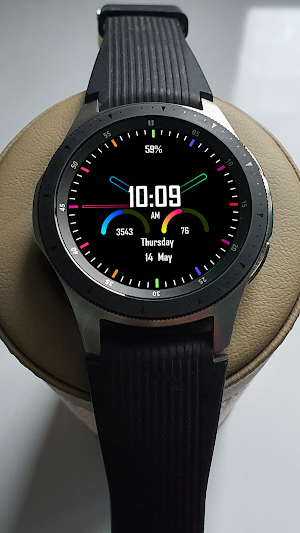
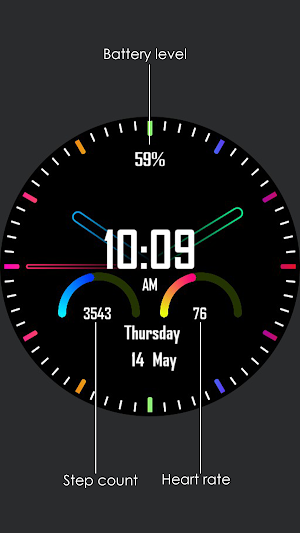
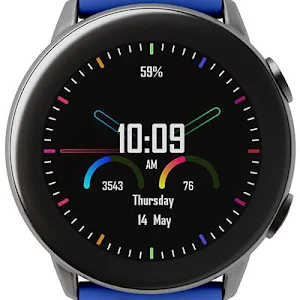
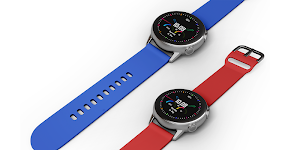
About Vibrant (Galaxy Watch/Android Wear)
"Vibrant watchface for WatchMaker Premium"
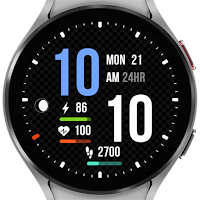
This watch face designed with vibrant colors focus on usability.
Important:
Needed to install the WatchMaker Premium v3.6 or higher in order to use this watch face. WatchMaker Premium application can be downloaded from here: http://goo.gl/FMxUfY
Installation:
- Make sure you have the WatchMaker Premium app installed on your smartphone
- Install this watch face from Google Play Store
- Open WatchMaker Premium app, tap on My Watches tab.
- Select this watch face then tap Set Watchface button
- To use this watch face on the Samsung Gear/Galaxy Watch device, you will first need to install WatchMaker Companion for Gear S2 & S3 app from Samsung Galaxy Apps.
WatchMaker Settings:
- Samsung Gear S2/S3 step counter: open Settings->Watch->Step Count Source for Gear S2/S3.
Supported Watches:
- Huawei Watch
- Samsung Gear S2/S3/Galaxy Watch
- Moto 360
- Hugo Boss Touch
- LG Watch Sport
- New Balance RunIQ
- Movado Connect
- Montblanc Summit
- ZTE Quartz
- Diesel On
- Casio Pro Trek Smart
- Michael Kors Access
- Emporio Armani EA
- Nixon Mission
- Fossil Q Marshal
- TAG Heuer Connected
- Asus ZenWatch 3
- Ticwatch S/E
- And many more round Wear OS based smartwatch and Tizen Wearable OS based smartwatch
Get a wide range of beautiful watch face for Samsung Gear/Galaxy Watch and Wear OS by Google based smartwatch. Simple, stylish, minimalist, modern and plenty new high quality watch faces are waiting to be discovered.
This watch face designed with vibrant colors focus on usability.
Important:
Needed to install the WatchMaker Premium v3.6 or higher in order to use this watch face. WatchMaker Premium application can be downloaded from here: http://goo.gl/FMxUfY
Installation:
- Make sure you have the WatchMaker Premium app installed on your smartphone
- Install this watch face from Google Play Store
- Open WatchMaker Premium app, tap on My Watches tab.
- Select this watch face then tap Set Watchface button
- To use this watch face on the Samsung Gear/Galaxy Watch device, you will first need to install WatchMaker Companion for Gear S2 & S3 app from Samsung Galaxy Apps.
WatchMaker Settings:
- Samsung Gear S2/S3 step counter: open Settings->Watch->Step Count Source for Gear S2/S3.
Supported Watches:
- Huawei Watch
- Samsung Gear S2/S3/Galaxy Watch
- Moto 360
- Hugo Boss Touch
- LG Watch Sport
- New Balance RunIQ
- Movado Connect
- Montblanc Summit
- ZTE Quartz
- Diesel On
- Casio Pro Trek Smart
- Michael Kors Access
- Emporio Armani EA
- Nixon Mission
- Fossil Q Marshal
- TAG Heuer Connected
- Asus ZenWatch 3
- Ticwatch S/E
- And many more round Wear OS based smartwatch and Tizen Wearable OS based smartwatch
Get a wide range of beautiful watch face for Samsung Gear/Galaxy Watch and Wear OS by Google based smartwatch. Simple, stylish, minimalist, modern and plenty new high quality watch faces are waiting to be discovered.
What’s new
Version 1.1 · Updated August 25, 2020
New Version 1.1
Alternatives to Vibrant (Galaxy Watch/Android Wear)
Looking for apps like Vibrant (Galaxy Watch/Android Wear)? Here are 6 similar Android apps on Google Play.
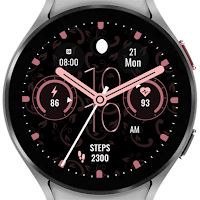
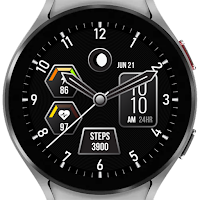

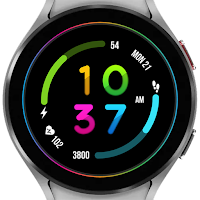
| App | Rating | Price | Installs | Last updated | Compare |
|---|---|---|---|---|---|
| Vibrant (Galaxy Watch/Android Wear) | – | $0.99 | 10+ | Aug 25, 2020 | |
| Rose Gold | – | 0.99 USD | 100+ | Aug 7, 2025 | Compare |
| Metallic 4 | – | 0.99 USD | 10+ | – | Compare |
| Digital 3 | – | 0.99 USD | 10+ | Aug 7, 2025 | Compare |
| Digital 2 | – | 0.49 USD | 50+ | – | Compare |
| Digital | – | 0.49 USD | 100+ | Aug 7, 2025 | Compare |
| AR 5 | – | 0.99 USD | 10+ | – | Compare |
Similar apps on Google Play
- Rose Gold
- Metallic 4
- Digital 3
- Digital 2
- Digital
- AR 5
- AR
- Metallic 3
- Active 9
- Metallic 2
- Metallic
- Active 7
- Active 8
- AR 4
- Dashboard 3
- Dashboard 2
- Active 6
- Active 5
- AR 2
- Active 4
- Active 3
- Digital 1
- Dashboard
- Active
- Vibrant (Tizen/Android Wear)
- Goal (Tizen/Android Wear)
- Active 1 (Tizen/Android Wear)
- Urban for Watchmaker
- Hex Plugin-Line UI D/N OneUI