

Active 1 (Galaxy Watch/Android Wear)
Personalization
Active 1 watch face for WatchMaker Premium
- Downloads
- 10+
- on Google Play
- Price
- €0.69
- No in-app purchases
- Updated
- Aug 25
- 2020 · v1.2
Screenshots


About Active 1 (Galaxy Watch/Android Wear)
Active 1 watch face designed in simplicity and focus on usability.
Important:
Needed to install the WatchMaker Premium v3.6 or higher in order to use this watch face. WatchMaker Premium application can be downloaded from here: http://goo.gl/FMxUfY
Installation:
- Make sure you have the WatchMaker Premium app installed on your smartphone
- Install Active 1 watch face from Google Play Store
- Open WatchMaker Premium app, tap on My Watches tab.
- Select Active 1 watch face then tap Set Watchface button
- To use this watch face on the Samsung Gear/Galaxy Watch device, you will first need to install WatchMaker Companion for Gear S2 & S3 app from Samsung Galaxy Apps.
WatchMaker Settings:
- Samsung Gear S2/S3 step counter: open Settings->Watch->Step Count Source for Gear S2/S3.
Supported Watches:
- Huawei Watch
- Samsung Gear S2/S3/Galaxy Watch
- Moto 360
- Hugo Boss Touch
- LG Watch Sport
- New Balance RunIQ
- Movado Connect
- Montblanc Summit
- ZTE Quartz
- Diesel On
- Casio Pro Trek Smart
- Michael Kors Access
- Emporio Armani EA
- Nixon Mission
- Fossil Q Marshal
- TAG Heuer Connected
- Asus ZenWatch 3
- Ticwatch S/E
- And many more round Wear OS based smartwatch and Tizen Wearable OS based smartwatch
Get a wide range of beautiful watch face for Samsung Gear/Galaxy Watch and Wear OS by Google based smartwatch. Simple, stylish, minimalist, modern and plenty new high quality watch faces are waiting to be discovered.
Important:
Needed to install the WatchMaker Premium v3.6 or higher in order to use this watch face. WatchMaker Premium application can be downloaded from here: http://goo.gl/FMxUfY
Installation:
- Make sure you have the WatchMaker Premium app installed on your smartphone
- Install Active 1 watch face from Google Play Store
- Open WatchMaker Premium app, tap on My Watches tab.
- Select Active 1 watch face then tap Set Watchface button
- To use this watch face on the Samsung Gear/Galaxy Watch device, you will first need to install WatchMaker Companion for Gear S2 & S3 app from Samsung Galaxy Apps.
WatchMaker Settings:
- Samsung Gear S2/S3 step counter: open Settings->Watch->Step Count Source for Gear S2/S3.
Supported Watches:
- Huawei Watch
- Samsung Gear S2/S3/Galaxy Watch
- Moto 360
- Hugo Boss Touch
- LG Watch Sport
- New Balance RunIQ
- Movado Connect
- Montblanc Summit
- ZTE Quartz
- Diesel On
- Casio Pro Trek Smart
- Michael Kors Access
- Emporio Armani EA
- Nixon Mission
- Fossil Q Marshal
- TAG Heuer Connected
- Asus ZenWatch 3
- Ticwatch S/E
- And many more round Wear OS based smartwatch and Tizen Wearable OS based smartwatch
Get a wide range of beautiful watch face for Samsung Gear/Galaxy Watch and Wear OS by Google based smartwatch. Simple, stylish, minimalist, modern and plenty new high quality watch faces are waiting to be discovered.
What’s new
Version 1.2 · Updated August 25, 2020
New Version 1.2
Alternatives to Active 1 (Galaxy Watch/Android Wear)
Looking for apps like Active 1 (Galaxy Watch/Android Wear)? Here are 3 similar Android apps on Google Play. The highest rated is Horizon Smart Watch Face Ultra (4.3/5), and 2 of the 3 are free to download.
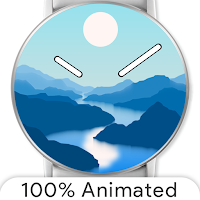
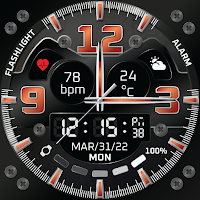
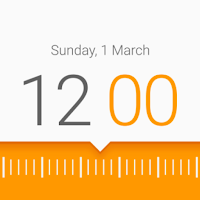
| App | Rating | Price | Installs | Last updated | Compare |
|---|---|---|---|---|---|
| Active 1 (Galaxy Watch/Android Wear) | – | €0.69 | 10+ | Aug 25, 2020 | |
| Horizon Smart Watch Face Ultra | 4.3 / 5 | 1.99 USD | 10,000+ | – | Compare |
| Ferrum Watch Face | 3.9 / 5 | Free | 100,000+ | Oct 4, 2024 | Compare |
| Timr Face Watch Face | 3.9 / 5 | Free | 50,000+ | Jul 7, 2020 | Compare |