

Webp to gif: Convert gif
Photography In-app purchases Contains ads
Easily use the tool designed primarily to create animated gifs
- Rating
- 1.0
- 70 ratings
- Downloads
- 1K+
- on Google Play
- Price
- Free
- In-app purchases
- Updated
- Dec 7
- 2022 · v1.0
Screenshots


About Webp to gif: Convert gif
All in one powerful GIF application. You can now create and edit high-quality animated GIFs in your style.
At the same time, we provide many video-related features, such as trim video, join video, replacement audio, and adjusting fast and slow video speed.
✠ Main feature ✠
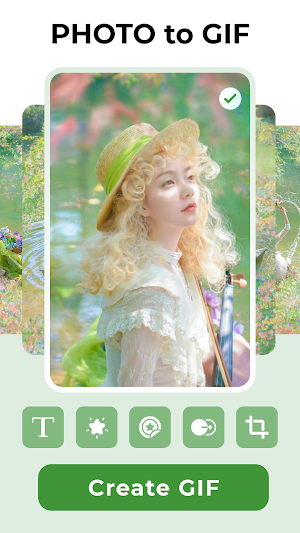
⭐️ Convert a wepb to Gif: with our easy-to-use convert tools.
⭐️ Make a Gif from images: Combine multiple images into one GIF image.
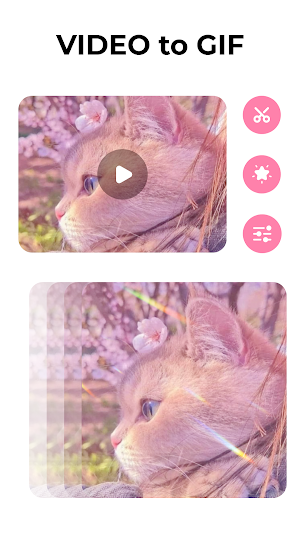
⭐️ Make a Gif from the video: Take a video with your camera or screen recording and convert it to a GIF image.
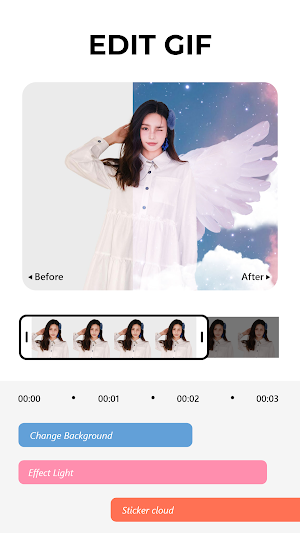
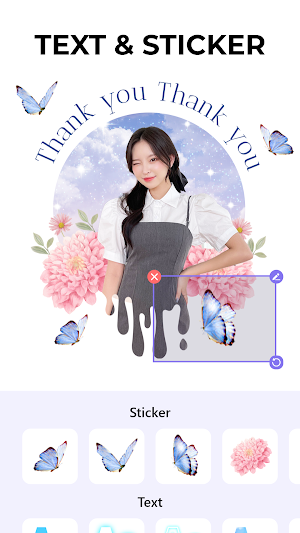
⭐️ Edit Gifs: create and edit your animated GIF easily, fast, and smoothly with a ton of features: add filters, add effects and frame animation, artistic text, and beautiful stickers animated
⭐️ Export HD: Allow exporting GIF images with high-quality resolution.
⭐️ Support many formats: Support the most popular video and image formats such as PNG, JPEG, MP4, MPEG, and MOV.
⭐️ Share your Gif: with just one tap the gif has been shared with friends via social, etc.
✠ Other feature ✠
Our app also provides all the features needed to edit video listed below:
⭐️ Tools video: the app provides many tools such as trim, join, crop, rotate, change the format, adjust fast and slow speed and reverse video
⭐️ Audio editing: quickly split audio and remove audio. Thousands of samples of music and audio are available to replace the theme of your video
⭐️ Snap images from the video: Save your memorable moments
⭐️ Adjustment and Filter video: Adjust video brightness, contrast, and saturation, apply filters and improve the sharpness of any video, no matter the format
⭐️ Export video high-quality: Export your videos fast with high quality, saving space and battery for your device.
⇨ Install now, create or edit a GIF image in your preferred style and have fun!
At the same time, we provide many video-related features, such as trim video, join video, replacement audio, and adjusting fast and slow video speed.
✠ Main feature ✠
⭐️ Convert a wepb to Gif: with our easy-to-use convert tools.
⭐️ Make a Gif from images: Combine multiple images into one GIF image.
⭐️ Make a Gif from the video: Take a video with your camera or screen recording and convert it to a GIF image.
⭐️ Edit Gifs: create and edit your animated GIF easily, fast, and smoothly with a ton of features: add filters, add effects and frame animation, artistic text, and beautiful stickers animated
⭐️ Export HD: Allow exporting GIF images with high-quality resolution.
⭐️ Support many formats: Support the most popular video and image formats such as PNG, JPEG, MP4, MPEG, and MOV.
⭐️ Share your Gif: with just one tap the gif has been shared with friends via social, etc.
✠ Other feature ✠
Our app also provides all the features needed to edit video listed below:
⭐️ Tools video: the app provides many tools such as trim, join, crop, rotate, change the format, adjust fast and slow speed and reverse video
⭐️ Audio editing: quickly split audio and remove audio. Thousands of samples of music and audio are available to replace the theme of your video
⭐️ Snap images from the video: Save your memorable moments
⭐️ Adjustment and Filter video: Adjust video brightness, contrast, and saturation, apply filters and improve the sharpness of any video, no matter the format
⭐️ Export video high-quality: Export your videos fast with high quality, saving space and battery for your device.
⇨ Install now, create or edit a GIF image in your preferred style and have fun!
Alternatives to Webp to gif: Convert gif
Looking for apps like Webp to gif: Convert gif? Here is 1 similar Android app on Google Play.

| App | Rating | Price | Installs | Last updated | Compare |
|---|---|---|---|---|---|
| Webp to gif: Convert gif | 1.0 / 5 | Free | 1,000+ | Dec 7, 2022 | |
| Hair Color Changer | – | Free | 100,000+ | Jul 9, 2024 | Compare |