
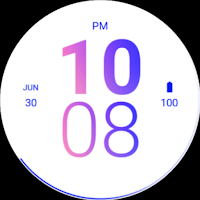
Clean Pink Blue Watch Face
Personalization
Clean Pink Blue Watch Face for Wear OS
- Downloads
- 31+
- on Google Play
- Price
- $1.99
- No in-app purchases
- Updated
- Aug 14
- 2026
Screenshots
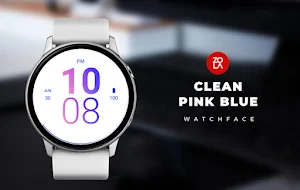
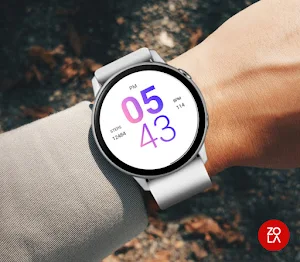
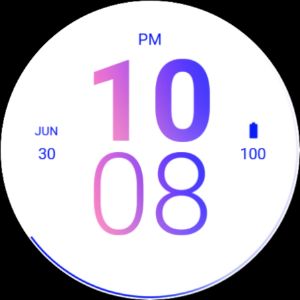


About Clean Pink Blue Watch Face
Discover a modern digital watch face for Wear OS featuring minimalist pink and blue designs. Enhance your style with a clean, fresh look.
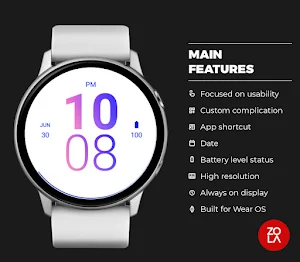
Main Features:
- Easy to read digital time display
- 12/24 hours mode based on device settings
- AM/PM marker
- Battery level status
- Date
- Customizable widget complications: Add steps, heart rate, weather, and more.
- Customizable app shortcut
- Always on display mode for low-power visibility
- Built for Wear OS smartwatches
Custom Widget Complications:
- SHORT_TEXT complication
- SMALL_IMAGE complication
- ICON complication
Installation:
- Make sure the watch device is connected to the phone
- On the Play Store, select your watch device from the install drop-down button. Then tap install.
- After a few minutes the watch face will installed on your watch device
- Alternatively, you can install the watch face directly from on-watch Play Store by searching this watch face name between quotation marks.
Note:
Widget complications shown in the application description are for promotional only. Custom widget complications data depends on your installed applications and watch manufacturer software. The companion app is only to make it easier to find and install the watch face on your Wear OS watch device.
Main Features:
- Easy to read digital time display
- 12/24 hours mode based on device settings
- AM/PM marker
- Battery level status
- Date
- Customizable widget complications: Add steps, heart rate, weather, and more.
- Customizable app shortcut
- Always on display mode for low-power visibility
- Built for Wear OS smartwatches
Custom Widget Complications:
- SHORT_TEXT complication
- SMALL_IMAGE complication
- ICON complication
Installation:
- Make sure the watch device is connected to the phone
- On the Play Store, select your watch device from the install drop-down button. Then tap install.
- After a few minutes the watch face will installed on your watch device
- Alternatively, you can install the watch face directly from on-watch Play Store by searching this watch face name between quotation marks.
Note:
Widget complications shown in the application description are for promotional only. Custom widget complications data depends on your installed applications and watch manufacturer software. The companion app is only to make it easier to find and install the watch face on your Wear OS watch device.
Alternatives to Clean Pink Blue Watch Face
Looking for apps like Clean Pink Blue Watch Face? Here are 6 similar Android apps on Google Play. The highest rated is Text Watch Face (3.9/5), and 1 of the 6 are free to download.
-
Text Watch Face 3.9
-
Blue Pink Elegant Watch Face
-
Simply Blue Orange Watch Face
-
Beauty Sand Elegant Watch Face
-
Peach Purple Prime Watch Face
-
Super Elegant Watch Face
| App | Rating | Price | Installs | Last updated | Compare |
|---|---|---|---|---|---|
| Clean Pink Blue Watch Face | – | $1.99 | 10+ | Aug 14, 2026 | |
| Text Watch Face | 3.9 / 5 | Free | 1,000+ | Aug 12, 2026 | Compare |
| Blue Pink Elegant Watch Face | – | 1.99 USD | 1+ | – | Compare |
| Simply Blue Orange Watch Face | – | 1.99 USD | 1+ | Aug 14, 2026 | Compare |
| Beauty Sand Elegant Watch Face | – | 1.99 USD | 1+ | Aug 14, 2026 | Compare |
| Peach Purple Prime Watch Face | – | 1.99 USD | 50+ | – | Compare |
| Super Elegant Watch Face | – | 1.99 USD | 10+ | Aug 15, 2026 | Compare |