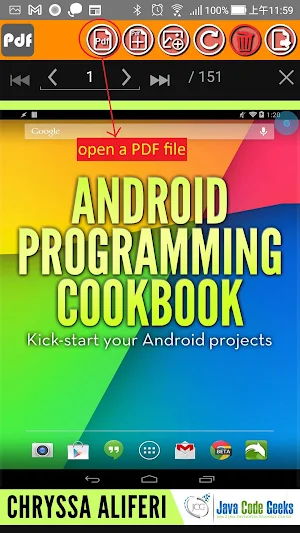
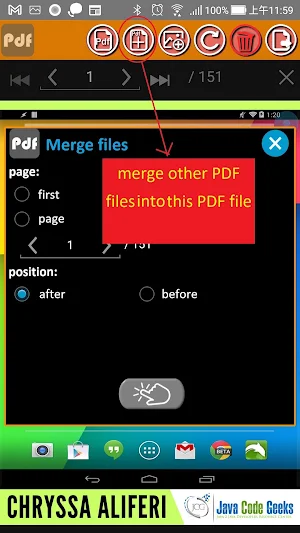
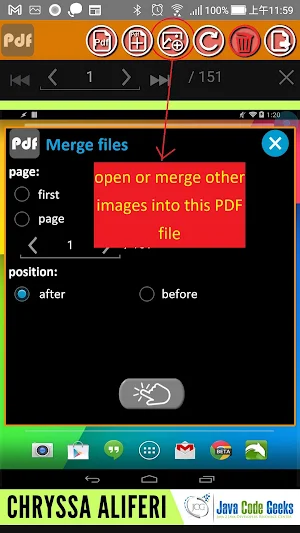
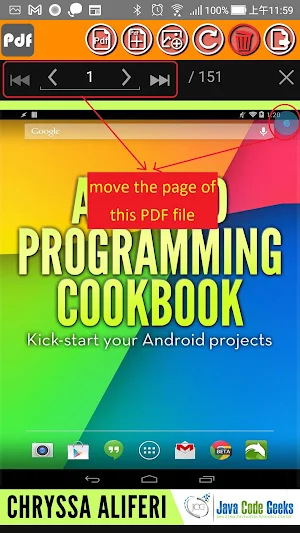
About PDF page processing
1. Provide up, down, left, and right swipe gestures to turn pages
2. Provides two-finger zoom in and zoom out gestures
3. Double-click gestures to fit screen
4. If the file is encrypted, it will automatically prompt for a password
5. It can be exported to PDF/JPG/TXT format files according to the number of pages, or printed out
6. It can be printed out according to the number of pages
7. You can rotate a page
8. You can delete a page
PDF page processing details
PDF page processing is a paid Tools app for Android with 100+ installs on Google Play and a 5.0/5 average rating from 1 rating. It was released on November 25, 2022 and last updated on September 11, 2025. It requires Android 6.0 or later.
- Category
- Tools
- Rating
- 5.0 / 5 (1 rating)
- Installs
- 100+
- Price
- $3.99
- In-app purchases
- No
- Ads
- No ads
- Current version
- 2.25
- Requires Android
- 6.0
- Content rating
- Everyone
- Released
- November 25, 2022
- Last updated
- September 11, 2025
Similar Apps

Reversi (Othello)
1. The chessboard has 8 rows and 8 columns, totaling 64 squares.2....

Multi-tasking timer
1. You can move the order up and down2. You can set...

Simple decibel meter
1.You can choose different fonts2. Font color can be changed3. Display the...

Magnifier
1. The flash can be turned on2. You can take a photo...

Simple Large Clock
1. Double Click can open memu2. Support portrait and landscape display3. Support...

QR code scanner
1. Recognizable barcode formats: QR Code, Data Matrix, Aztec, PDF 417, ITF...
