
MixUp Control
DZEN TECH DEV Tools
Control DZEN TECH devices, lighting, motion, and scenes from one app.
- Downloads
- 6+
- on Google Play
- Price
- Free
- No in-app purchases
- Updated
- Aug 8
- 2026 · v1.0.1
Screenshots
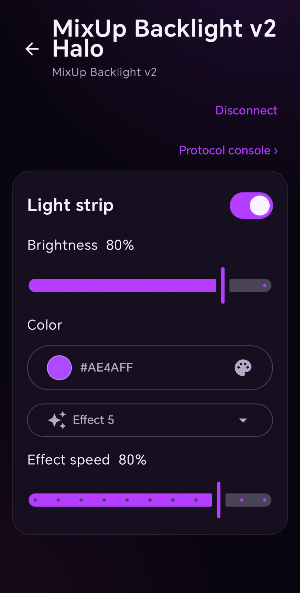
About MixUp Control
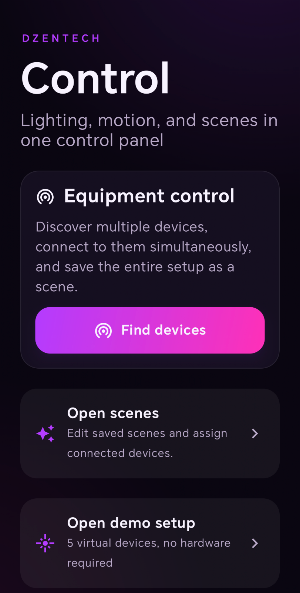
Control DZEN TECH equipment from one clear mobile workspace. MixUp Control discovers supported Bluetooth LE and Wi-Fi controllers, connects to multiple devices at the same time, and keeps their settings together as reusable scenes.
Use MixUp Control to:
• discover and connect supported DZEN TECH devices;
• adjust compatible lighting power, brightness, color, effects, and effect speed;
• control Spinner360 speed, acceleration, BLE safety, start, and stop;
• manage compatible Huidu/C16L LED controller programs and upload an ordered photo or video sequence;
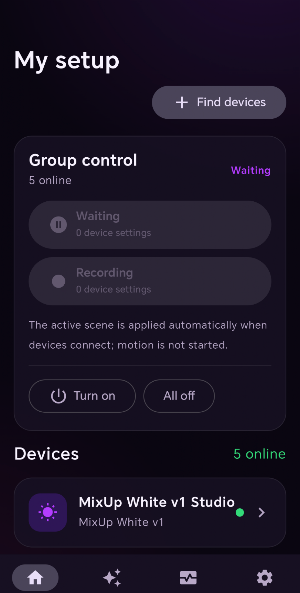
• create standby and recording setups for groups of devices;
• save presets and restore settings when devices reconnect without automatically starting motion;
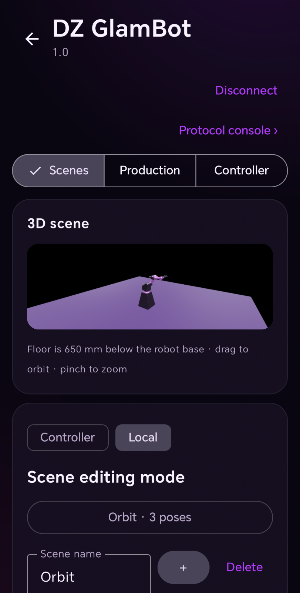
• view, edit, import, export, upload, and play GlamBot scenes;
• edit GlamBot poses by joint axes or point-tracking inverse kinematics;
• preview GlamBot scenes and robot movement in 3D;
• access controller status, safety controls, and protocol diagnostics.
Motion actions require confirmation. Emergency stop remains immediately accessible where supported. Hardware availability and individual controls depend on the connected DZEN TECH controller and firmware.
Use MixUp Control to:
• discover and connect supported DZEN TECH devices;
• adjust compatible lighting power, brightness, color, effects, and effect speed;
• control Spinner360 speed, acceleration, BLE safety, start, and stop;
• manage compatible Huidu/C16L LED controller programs and upload an ordered photo or video sequence;
• create standby and recording setups for groups of devices;
• save presets and restore settings when devices reconnect without automatically starting motion;
• view, edit, import, export, upload, and play GlamBot scenes;
• edit GlamBot poses by joint axes or point-tracking inverse kinematics;
• preview GlamBot scenes and robot movement in 3D;
• access controller status, safety controls, and protocol diagnostics.
Motion actions require confirmation. Emergency stop remains immediately accessible where supported. Hardware availability and individual controls depend on the connected DZEN TECH controller and firmware.
What’s new
Version 1.0.1 · Updated August 8, 2026
MixUp Control 1.0.1: BLE and Wi‑Fi device control, multi-device scenes, GlamBot scene tools and 3D preview, Spinner safety controls, and reconnection without automatic motion.
Alternatives to MixUp Control
Looking for apps like MixUp Control? Here are 6 similar Android apps on Google Play. All of them are free to download.
-
PaladinGo™
-
Conecte Condo
-
WarrantyVault: Receipt Tracker
-
QuickView 3D
-
MyCal: Editable Calculator
-
Scientific Calculator SC
| App | Rating | Price | Installs | Last updated | Compare |
|---|---|---|---|---|---|
| MixUp Control | – | Free | 5+ | Aug 8, 2026 | |
| PaladinGo™ | – | Free | 500+ | Aug 11, 2026 | Compare |
| Conecte Condo | – | Free | 500+ | Jul 1, 2026 | Compare |
| WarrantyVault: Receipt Tracker | – | Free | 50+ | Jun 14, 2026 | Compare |
| QuickView 3D | – | Free | 500+ | Jul 22, 2025 | Compare |
| MyCal: Editable Calculator | – | Free | 500+ | – | Compare |
| Scientific Calculator SC | – | Free | 10+ | Jul 11, 2026 | Compare |
Compare MixUp Control with the top alternatives: ratings, updates, ASO score and keyword gaps →
Similar apps on Google Play
- PaladinGo™
- Conecte Condo
- WarrantyVault: Receipt Tracker
- QuickView 3D
- MyCal: Editable Calculator
- Scientific Calculator SC
- Data Forensic
- FerTo
- ShipHiveX Go: One Tap Delivery
- ANotek
- alyticoAI
- Verity Mod for Minecraft PE
- Sherpa-Mobile V2
- TransferMyData
- INV ARC
- CondoApp
- Breathable
- DramaBite: Short Dramas
- Mon Auto – Entretien & Suivi
- SCW Viewstation Mobile
- SM Gauge
- CAN/DID
- CARD PLUS
- Solar Energy Help
- DichTiengAnh