FireList - World's simplest sh
A real-time shopping list app that can easely help you organize your shoppings
About FireList - World's simplest sh
It's a real-time shopping list application in which a change that is made by a user in a shared shopping list, will instantly appear on everyone's device. When buying products, you can remove them from your shopping list on a single left/right swipe.
You can add, an unlimited number of shopping lists and an unlimited number of products. You can have private shopping lists or lists you can share with friends.
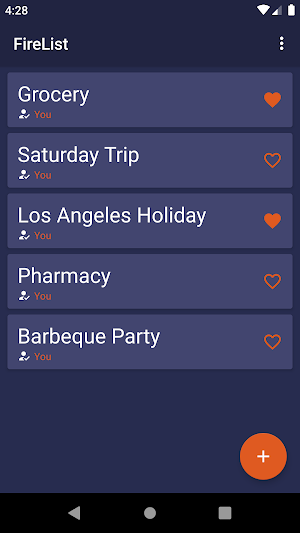
* To create a shopping list, simply click on the floating button in the right bottom corner, type a name, and click ADD.
* To enter a shopping list, simply click on its name.
* To add a shopping list to favorite, simply click on❤️. To remove a shopping list from favorites, click the same button again.
* To delete a shopping list or multiple shopping lists, long click on a shopping list name and then click the trash button in the toolbar.
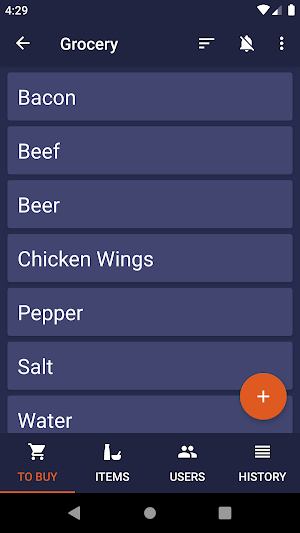
* To add a product, simply click on the floating button from the right bottom corner, type a name and click ADD.
* The "TO BUY" section is designed for items to be purchased. Once you bought an item, swipe left/right to move the item into the "ITEMS" section.
* The "ITEMS" section is for all items. When you need to buy a product, swipe left/right to move the item into the "TO BUY" section.
* To delete an item or multiple items, long click on the item name and then click the trash button in the toolbar.
* To sort the products, click on the order button in the toolbar and choose the desired order.
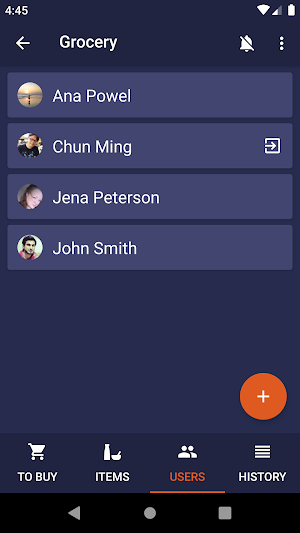
* To share a shopping list, click the "USERS" tab, click on the floating button in the right bottom corner, type the email address, and click SHARE.
* To leave a shopping list, simply click on the exit button that exists on the right-hand side of your name.
* To see the history of shopping, click on the "HISTORY" tab. To clear the history, simply click on the floating button in the right bottom corner.
* To enable notifications, click the bell button in the toolbar. To disable notifications, click the bell button in the toolbar, once again. By default, the notifications are disabled.
4my❤️
Similar Apps

Notes & Day Planner
Notes and Day manager is an easy to use app that lets...

To-do List & Tasks & Planner
TOOLS- Task Manager- Goal Planner- To Do list- Notepad for notes- Schedule...

GQueues | Tasks & To-Do Lists
GQueues is a full-featured task manager for your Google Account that helps...

Simplish - Day Planner App
The Simplish day planner and productivity app brings calm to chaos. ...

FlowSavvy: Time Block Planner
FlowSavvy intelligently schedules the tasks from your to-do list into your schedule...

Task Reminder & To Do List
Did you ever forgot to do something? Did you miss your best...
