
Photo Legacy
Photography In-app purchases
Scan old photo albums. AI auto-detects every photo, all on-device.
- Downloads
- 1.2K+
- on Google Play
- Price
- Free
- In-app purchases
- Updated
- Sep 16
- 2026 · v1.1.1
Screenshots


About Photo Legacy
Old family albums hold generations of memories. Scanning them photo by
photo used to take a weekend. Photo Legacy lets you open the album, point
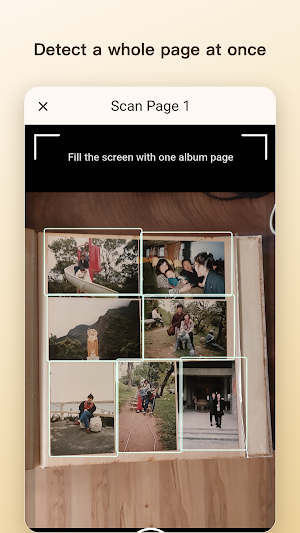
your camera at one page, and tap once — AI finds each individual photo
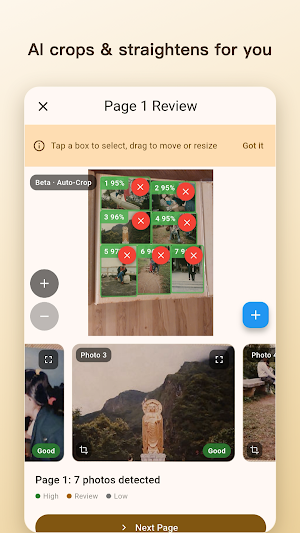
on the page, auto-crops it, and rotates it.
▍ Key features
• AI auto-detection — one shot per album page, AI finds every photo
• Smart cropping — automatic edge trim, no manual cutting
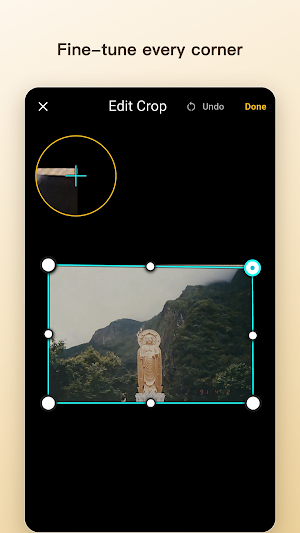
• Manual touch-up — drag, resize, or draw missing boxes if needed
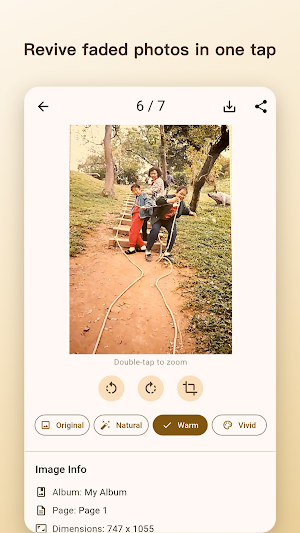
• Quick restore — four color styles (Original / Natural / Warm / Vivid)
• Save to camera roll — one tap to export
• Share to LINE / WhatsApp / Messages
• ROC + Gregorian calendar — dual-format dates
▍ Designed around privacy
• Local-first — photos stay on your device by default
• On-device AI — detection and processing never leave your phone
• Works offline — scan, organize, edit without a network
• Bilingual — Traditional Chinese and English
▍ Built for
• Adult children digitizing their parents' albums
• Genealogy and family-history researchers
• Older users sharing physical prints with distant relatives
• Anyone who wants photo scanning without surrendering privacy
Your photos stay yours. The optional "Help improve AI" toggle is opt-in,
uploads only anonymized album-page images (no individual photos, no face
data, no identifiers), and can be disabled anytime.
Requirements: Android 7.0+, 4GB RAM recommended, ~100MB install size.
What’s new
Version 1.1.1 · Updated September 16, 2026
Founding members: your free Supporter Edition is restored. - If you installed Photo Legacy before Sep 20, you keep Supporter Edition free for life. This build restores it automatically, even if you had not opened the app yet. Nothing to buy, nothing to tap. - Clearer privacy wording: the consent screen now says how long an optional shared album page is kept, up to 12 months, with a few kept up to 3 years to improve photo detection. You can turn sharing off anytime and ask us to delete yours.
Alternatives to Photo Legacy
Looking for apps like Photo Legacy? Here are 2 similar Android apps on Google Play. The highest rated is SpendSay (4.4/5), and all 2 are free to download.


| App | Rating | Price | Installs | Last updated | Compare |
|---|---|---|---|---|---|
| Photo Legacy | – | Free | 1,000+ | Sep 16, 2026 | |
| Care Logger | – | Free | 1,000+ | Sep 29, 2026 | Compare |
| SpendSay | 4.4 / 5 | Free | 100,000+ | Oct 24, 2026 | Compare |
Compare Photo Legacy with the top alternatives: ratings, updates, ASO score and keyword gaps →