
Cryptomator: Protect Privacy
Skymatic GmbH Productivity In-app purchases
Put a lock on your cloud: Take the security of your data into your own hands
- Downloads
- 9.4K+
- on Google Play
- Price
- Free
- In-app purchases
- Updated
- Jul 31
- 2026 · v2.0.1
Screenshots
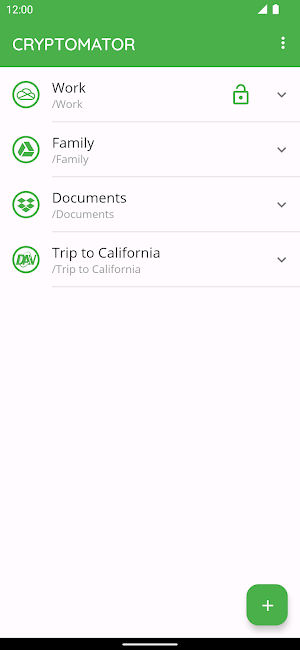
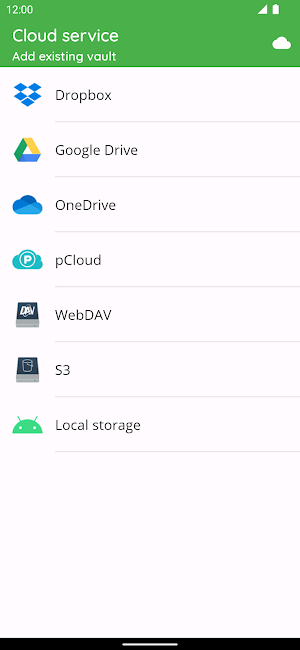
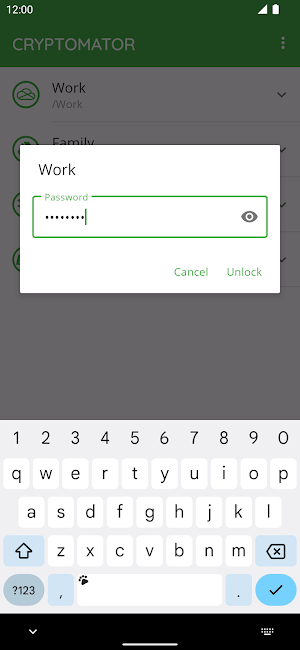


About Cryptomator: Protect Privacy
With Cryptomator, the key to your data is in your hands. Cryptomator encrypts your data quickly and easily. Afterwards you upload them protected to your favorite cloud service.
EASY-TO-USE
Cryptomator is a simple tool for digital self-defense. It allows you to protect your cloud data by yourself and independently.
• Simply create a vault and assign a password
• No additional account or configuration needed
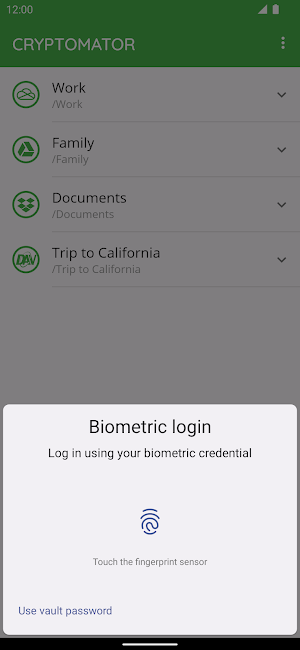
• Unlock vaults with your fingerprint
COMPATIBLE
Cryptomator is compatible with the most commonly used cloud storages and available for all major operating systems.
• Compatible with Dropbox, Google Drive, OneDrive, S3- and WebDAV-based cloud storage services
• Create vaults in Android’s local storage (e.g., works with third-party sync apps)
• Access your vaults on all your mobile devices and computers
SECURE
You don't have to trust Cryptomator blindly, because it is open source software. For you as a user, this means that everyone can see the code.
• File content and filename encryption with AES and 256 bit key length
• Vault password is secured with scrypt for enhanced brute-force resistance
• Vaults are automatically locked after sending app to background
• Crypto implementation is publicly documented
AWARD-WINNING
Cryptomator received the CeBIT Innovation Award 2016 for Usable Security and Privacy. We're proud to provide security and privacy for hundreds of thousands of Cryptomator users.
CRYPTOMATOR COMMUNITY
Join the Cryptomator Community and participate in the conversations with other Cryptomator users.
• Follow us on Mastodon @[email protected]
• Like us on Facebook /Cryptomator
EASY-TO-USE
Cryptomator is a simple tool for digital self-defense. It allows you to protect your cloud data by yourself and independently.
• Simply create a vault and assign a password
• No additional account or configuration needed
• Unlock vaults with your fingerprint
COMPATIBLE
Cryptomator is compatible with the most commonly used cloud storages and available for all major operating systems.
• Compatible with Dropbox, Google Drive, OneDrive, S3- and WebDAV-based cloud storage services
• Create vaults in Android’s local storage (e.g., works with third-party sync apps)
• Access your vaults on all your mobile devices and computers
SECURE
You don't have to trust Cryptomator blindly, because it is open source software. For you as a user, this means that everyone can see the code.
• File content and filename encryption with AES and 256 bit key length
• Vault password is secured with scrypt for enhanced brute-force resistance
• Vaults are automatically locked after sending app to background
• Crypto implementation is publicly documented
AWARD-WINNING
Cryptomator received the CeBIT Innovation Award 2016 for Usable Security and Privacy. We're proud to provide security and privacy for hundreds of thousands of Cryptomator users.
CRYPTOMATOR COMMUNITY
Join the Cryptomator Community and participate in the conversations with other Cryptomator users.
• Follow us on Mastodon @[email protected]
• Like us on Facebook /Cryptomator
What’s new
Version 2.0.1 · Updated July 31, 2026
- Alternative installation options are now hidden in the settings.
User reviews

So far, This is the Best rather those using hiding app to hide documents, media files. Kindly add feature to upload folder also, this could be great rather than manually creating all subfolder if you have already have folders already been created before using this App.

Thanks, team for making it freemium. I don't need write access on Android. So, buying a full version isn't necessary. I actually tried developing my own app based on the encryption algorithm provided. I appreciate it.
Alternatives to Cryptomator: Protect Privacy
Looking for apps like Cryptomator: Protect Privacy? Here are 6 similar Android apps on Google Play. The highest rated is Fish Audio: AI Voice Clone TTS (3.1/5), and all 6 are free to download.
-
ReelGuard: Interrupt Scrolling
-
TinyRipple: Tiny Actions
-
PDF Reader & Document Viewer
-
Fish Audio: AI Voice Clone TTS 3.1
-
MeetGauge
-
Science Pro Calculator
| App | Rating | Price | Installs | Last updated | Compare |
|---|---|---|---|---|---|
| Cryptomator: Protect Privacy | – | Free | 5,000+ | Jul 31, 2026 | |
| ReelGuard: Interrupt Scrolling | – | Free | 500+ | – | Compare |
| TinyRipple: Tiny Actions | – | Free | 1,000+ | Jun 2, 2026 | Compare |
| PDF Reader & Document Viewer | – | Free | 5,000,000+ | – | Compare |
| Fish Audio: AI Voice Clone TTS | 3.1 / 5 | Free | 5,000+ | – | Compare |
| MeetGauge | – | Free | 5+ | May 4, 2026 | Compare |
| Science Pro Calculator | – | Free | 0+ | Jul 13, 2026 | Compare |
Similar apps on Google Play
- ReelGuard: Interrupt Scrolling
- TinyRipple: Tiny Actions
- PDF Reader & Document Viewer
- Fish Audio: AI Voice Clone TTS
- MeetGauge
- Science Pro Calculator
- Cinofila
- Little Learners
- Cleaner: Phone Boost & Storage
- Late Rent & Eviction Notice
- Carchain Drivers
- Nabraty: Speak Like a Pro
- Hijri Calendar & Islamic Date
- X Sexy Video Downloader
- Tubi TV e series
- 근로장려금 지급 안내서
- RebaMovie
- File Converter & Compressor
- Jamii Pocket
- Wovy: Filmes e Séries
- Servi Ya
- NoLoss: Kumarı Durdur
- DC Hub
- MuseInk: AI Journal
- MOLA for Polytron Device