

Gplus Warehouse
ONLINESTAR SDN BHD Auto & Vehicles
Warehouse management app for stock check, picking, verification and QR scanning
- Downloads
- 10+
- on Google Play
- Price
- Free
- No in-app purchases
- Updated
- Sep 3
- 2026 · v2.2.4
Screenshots


About Gplus Warehouse
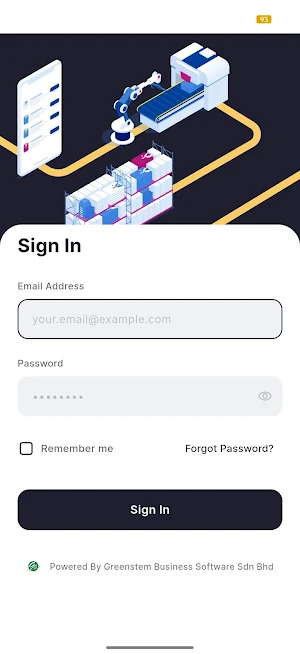
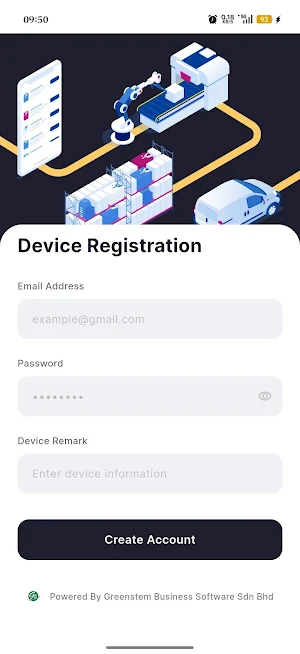
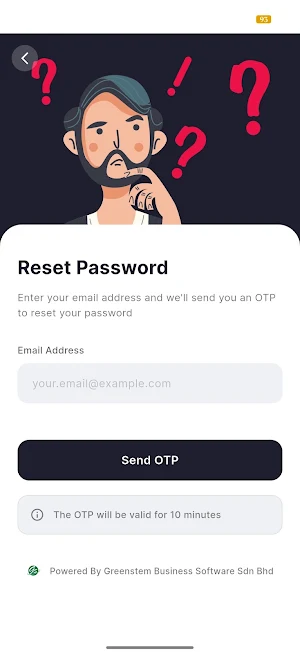
This warehouse application is an internal enterprise solution developed exclusively for authorized customers under our company. It is designed to support daily warehouse operations by providing structured workflows for stock checking, stock picking, stock verification, and stock information lookup. Access to the application is restricted to approved users, and user accounts are created and managed through an in-house cloud verification system.
The application integrates with internal accounting and warehouse management systems. Job orders are created by internal systems and made available in the application for warehouse execution. Once a user selects a job order, the task is locked to that user to prevent duplication and ensure accountability.
Stock Check Module
The stock check module allows users to view and pick assigned stock check job orders created by internal systems. After selecting a task, it is moved to the “My Tasks” section and becomes unavailable to other users. During the stock checking process, users record stock quantities and bin or shelf locations to ensure inventory accuracy.
Stock Picking Module
The stock picking module enables users to perform picking tasks based on job orders opened by administrators through internal systems. Users enter the quantity of stock picked and assign the items to baskets during the picking process. This ensures proper tracking and traceability of picked items within the warehouse.
Stock Verification Module
The stock verification module is used to validate picked stock before delivery. Users scan QR code invoices to retrieve the stock list associated with the invoice. The application displays the required stock details, allowing users to verify that the picked items and quantities are correct. After verification is completed, the results are uploaded back to the internal system to confirm readiness for delivery.
Stock Information Module
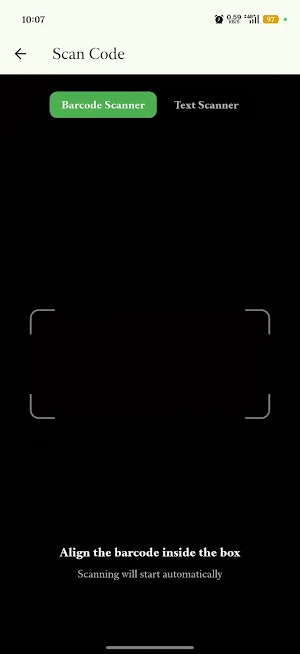
The stock information module allows users to quickly retrieve stock details by scanning barcodes or QR codes. The application displays relevant stock information, including stock name, available quantity, and storage location, enabling efficient stock inquiries directly from the warehouse floor.
The application supports barcode and QR code scanning to improve speed and accuracy in warehouse operations. Real-time validation and system synchronization help reduce errors, improve operational efficiency, and maintain reliable inventory records.
This application is intended strictly for business and enterprise use. It is not a public consumer application and does not provide guest access. All data processed by the application is used solely to support internal warehouse operations and system functionality.
The application integrates with internal accounting and warehouse management systems. Job orders are created by internal systems and made available in the application for warehouse execution. Once a user selects a job order, the task is locked to that user to prevent duplication and ensure accountability.
Stock Check Module
The stock check module allows users to view and pick assigned stock check job orders created by internal systems. After selecting a task, it is moved to the “My Tasks” section and becomes unavailable to other users. During the stock checking process, users record stock quantities and bin or shelf locations to ensure inventory accuracy.
Stock Picking Module
The stock picking module enables users to perform picking tasks based on job orders opened by administrators through internal systems. Users enter the quantity of stock picked and assign the items to baskets during the picking process. This ensures proper tracking and traceability of picked items within the warehouse.
Stock Verification Module
The stock verification module is used to validate picked stock before delivery. Users scan QR code invoices to retrieve the stock list associated with the invoice. The application displays the required stock details, allowing users to verify that the picked items and quantities are correct. After verification is completed, the results are uploaded back to the internal system to confirm readiness for delivery.
Stock Information Module
The stock information module allows users to quickly retrieve stock details by scanning barcodes or QR codes. The application displays relevant stock information, including stock name, available quantity, and storage location, enabling efficient stock inquiries directly from the warehouse floor.
The application supports barcode and QR code scanning to improve speed and accuracy in warehouse operations. Real-time validation and system synchronization help reduce errors, improve operational efficiency, and maintain reliable inventory records.
This application is intended strictly for business and enterprise use. It is not a public consumer application and does not provide guest access. All data processed by the application is used solely to support internal warehouse operations and system functionality.
What’s new
Version 2.2.4 · Updated September 3, 2026
stock take fine tune
User reviews

good
Alternatives to Gplus Warehouse
Looking for apps like Gplus Warehouse? Here are 6 similar Android apps on Google Play. The highest rated is servisJer (4.6/5), and all 6 are free to download.
-
Battery Smart - Rider
-
Car Control - Fuel & OBD2
-
게러지247
-
servisJer 4.6
-
TeraScreen 特斯拉儀表板
-
VidiCar: Skaner OBD2 ELM327
| App | Rating | Price | Installs | Last updated | Compare |
|---|---|---|---|---|---|
| Gplus Warehouse | – | Free | 10+ | Sep 3, 2026 | |
| Battery Smart - Rider | – | Free | 10,000+ | Oct 15, 2026 | Compare |
| Car Control - Fuel & OBD2 | – | Free | 10+ | – | Compare |
| 게러지247 | – | Free | 1,000+ | – | Compare |
| servisJer | 4.6 / 5 | Free | 100+ | Sep 10, 2026 | Compare |
| TeraScreen 特斯拉儀表板 | – | Free | 100+ | Oct 3, 2026 | Compare |
| VidiCar: Skaner OBD2 ELM327 | – | Free | 100+ | – | Compare |
Compare Gplus Warehouse with the top alternatives: ratings, updates, ASO score and keyword gaps →
Similar apps on Google Play
- Battery Smart - Rider
- Car Control - Fuel & OBD2
- 게러지247
- servisJer
- TeraScreen 特斯拉儀表板
- VidiCar: Skaner OBD2 ELM327
- Bruum
- Beforehand: Used Car Check
- Shanaraq GO Qala ishi taksi
- Valt Driver
- BYD Stats
- LembraCar: O Mecânico de Bolso
- MyLoJack
- Nostrum Track Pro
- Gplus Warehouse
- Carfy - Aparca gratis
- Photocar.ai
- Sof Taxi
- Car Play Auto Link for Android
- Vahan Info: RTO & Challan Info
- IntelliAuto: Mantenimiento
- shanaraq GO rayon taksi
- DriveTrack
- Xe Ghép Việt
- AracPro - Vehicle Logbook