
Codexcel: Scan to Excel
AAA Corp. Productivity In-app purchases Contains ads
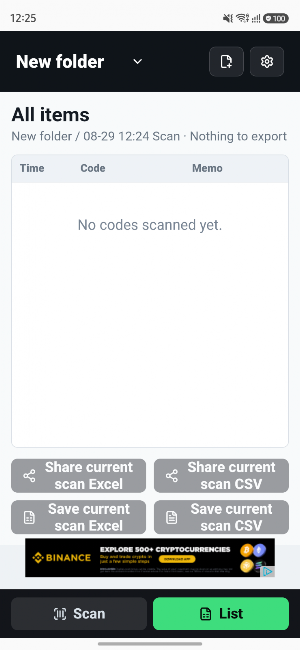
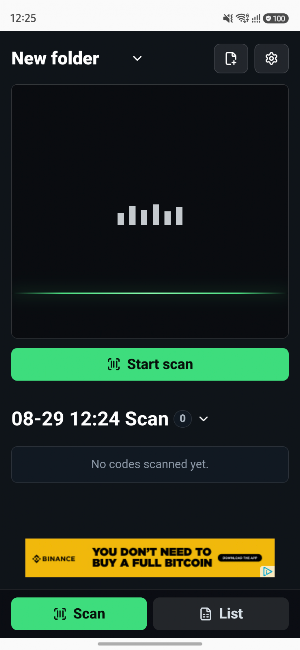
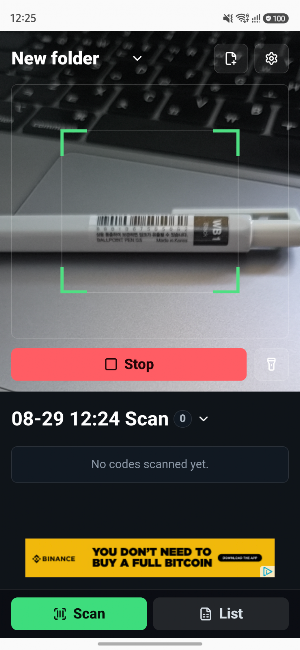
Scan QR codes and barcodes, then export records to Excel or CSV.
- Price
- Free
- In-app purchases
- Updated
- Aug 29
- 2026 · v0.1.0
Screenshots
About Codexcel: Scan to Excel
Codexcel is a practical scanner for recording QR codes and barcodes, then exporting the results directly to Excel or CSV.
Use it for inventory counts, stock movement, asset checks, attendance, and any workflow that requires quick, reliable code capture.
Key features
- Scan QR codes and common barcode formats
- Automatically record scan time, code, and notes
- Templates for inventory, stock movement, asset checks, and attendance
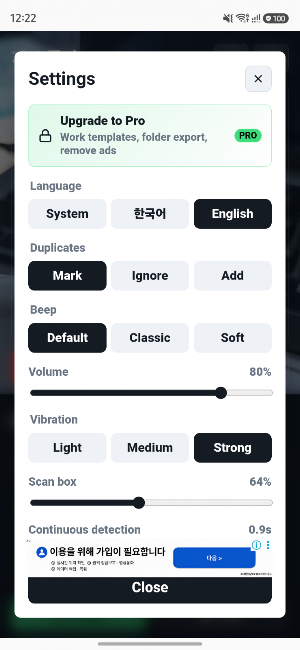
- Mark, ignore, add, or increase quantity for duplicate codes
- Export to Excel (.xlsx) and CSV
- Share files through KakaoTalk and other apps
- Organize scans in folders
- Export one scan as an Excel file or combine a folder into one workbook with separate sheets
- Customize scan sounds and vibration
- Korean and English support
Codexcel is built for fast field work, inventory control, asset management, event attendance, and stock tracking.
Use it for inventory counts, stock movement, asset checks, attendance, and any workflow that requires quick, reliable code capture.
Key features
- Scan QR codes and common barcode formats
- Automatically record scan time, code, and notes
- Templates for inventory, stock movement, asset checks, and attendance
- Mark, ignore, add, or increase quantity for duplicate codes
- Export to Excel (.xlsx) and CSV
- Share files through KakaoTalk and other apps
- Organize scans in folders
- Export one scan as an Excel file or combine a folder into one workbook with separate sheets
- Customize scan sounds and vibration
- Korean and English support
Codexcel is built for fast field work, inventory control, asset management, event attendance, and stock tracking.
What’s new
Version 0.1.0 · Updated August 29, 2026
First release of Codexcel. - Scan QR codes and barcodes - Export and share Excel and CSV files - Templates for inventory, stock movement, asset checks, and attendance - Manage folders and scan sessions - Configure duplicate code handling - Customize scan sound, vibration, and scan area - Korean and English support
Alternatives to Codexcel: Scan to Excel
Looking for apps like Codexcel: Scan to Excel? Here are 6 similar Android apps on Google Play. 5 of the 6 are free to download.
-
SiteLogue
-
SafePublish: Photo Privacy
-
ParkPic - Parking Photo Finder
-
PhotoMetaFix - EXIF, GPS edit
-
ShotAlbum: Screenshot Search
-
PhotoHome - PC Photo Backup
| App | Rating | Price | Installs | Last updated | Compare |
|---|---|---|---|---|---|
| Codexcel: Scan to Excel | – | Free | 0+ | Aug 29, 2026 | |
| SiteLogue | – | Free | 0+ | Aug 30, 2026 | Compare |
| SafePublish: Photo Privacy | – | Free | 0+ | – | Compare |
| ParkPic - Parking Photo Finder | – | Free | 1+ | – | Compare |
| PhotoMetaFix - EXIF, GPS edit | – | 1.99 USD | 0+ | – | Compare |
| ShotAlbum: Screenshot Search | – | Free | 5+ | Sep 4, 2026 | Compare |
| PhotoHome - PC Photo Backup | – | Free | 1+ | – | Compare |