

Cue Along - Read to Scroll
AAA Corp. Productivity
An offline teleprompter that follows your voice as you read
- Downloads
- 1+
- on Google Play
- Price
- $2.99
- No in-app purchases
- Updated
- Jul 5
- 2026 · v0.1.0
Screenshots

About Cue Along - Read to Scroll
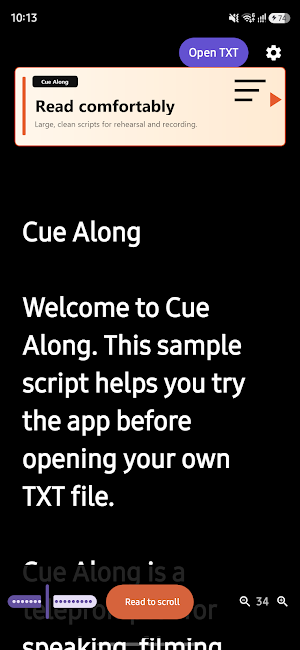
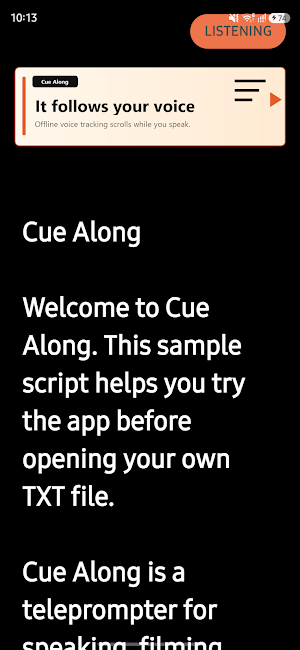
Open a TXT or Markdown script, place it on screen, and read at your own pace. Cue Along listens on your device and smoothly scrolls the script toward the part you are reading.
Because speech recognition runs offline on your device, you can use Cue Along in studios, classrooms, meeting rooms, or recording spaces where the network may be unstable.
Key Features
• Read to Scroll
Let the script follow your speaking pace, so you do not have to keep scrolling by hand.
• Offline Speech Recognition
Voice recognition runs on your device. No internet connection is required for reading support.
• Open TXT / Markdown Scripts
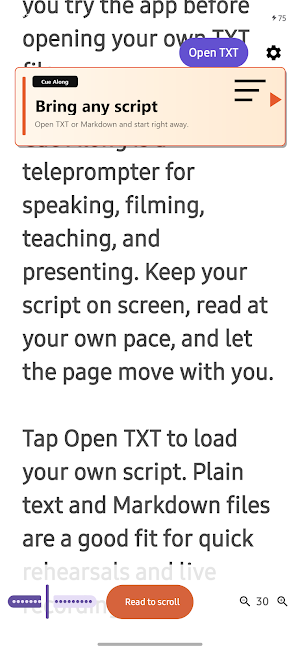
Load simple text scripts quickly and use them as a clean teleprompter.
• Fixed-Speed Auto Scroll
Prefer a classic teleprompter flow? Use automatic scrolling at a steady speed.
• Adjustable Text Size
Change script size with buttons or pinch gestures for comfortable reading.
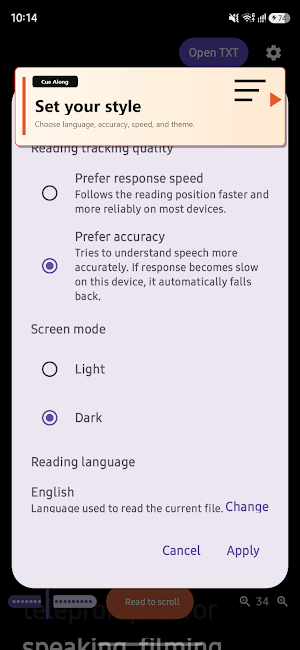
• Light / Dark Mode
Switch the screen style to match your room, lighting, or recording setup.
• Multilingual UI and Reading Language
Cue Along supports Korean, English, Japanese, Spanish, and Portuguese UI, with selectable reading languages for your script.
Recommended For
• Creators recording YouTube videos, Shorts, Reels, or tutorials
• Speakers preparing presentations or lectures
• Teachers and instructors recording lessons
• Podcasters and presenters who want a smoother script flow
• Anyone who needs a simple offline teleprompter
Cue Along is not a complicated editing studio. It is a focused teleprompter made to help you speak more naturally.
Open your script. Start reading.
Cue Along keeps the words where you need them.
What’s new
Version 0.1.0 · Updated July 5, 2026
Initial release. - Open TXT and Markdown scripts - Read to Scroll: follow your speaking pace while you read - Offline speech recognition with no internet required - Choose between accuracy-focused and faster-response models - Fixed-speed auto scroll - Text size controls and pinch zoom - Light and dark screen modes - UI support for Korean, English, Japanese, Spanish, and Portuguese - Document language detection and selectable reading language
Alternatives to Cue Along - Read to Scroll
Looking for apps like Cue Along - Read to Scroll? Here are 6 similar Android apps on Google Play. The highest rated is KultureCity (4.6/5), and all 6 are free to download.
-
Visual Verbs: Spanish Verb App 4.5
-
Soaak 4.1
-
Brain Fit Life: Mental Health 4.2
-
Pinwheel Caregiver 3.6
-
KultureCity 4.6
-
Studdy: AI Homework Helper 4.6
| App | Rating | Price | Installs | Last updated | Compare |
|---|---|---|---|---|---|
| Cue Along - Read to Scroll | – | $2.99 | 1+ | Jul 5, 2026 | |
| Visual Verbs: Spanish Verb App | 4.5 / 5 | Free | 10,000+ | Jul 29, 2026 | Compare |
| Soaak | 4.1 / 5 | Free | 50,000+ | Oct 19, 2026 | Compare |
| Brain Fit Life: Mental Health | 4.2 / 5 | Free | 10,000+ | Jun 23, 2026 | Compare |
| Pinwheel Caregiver | 3.6 / 5 | Free | 10,000+ | Oct 27, 2026 | Compare |
| KultureCity | 4.6 / 5 | Free | 10,000+ | Oct 14, 2026 | Compare |
| Studdy: AI Homework Helper | 4.6 / 5 | Free | 50,000+ | Jan 14, 2026 | Compare |