
No Sound Camera【Silent Camera】
mizmon21 Photography Contains ads
Zoom, High-Resolution* and Silent
No Sound Camera
- Rating
- 3.1
- 887 ratings
- Downloads
- 100K+
- on Google Play
- Price
- Free
- No in-app purchases
- Updated
- Mar 5
- 2017 · vV2.5.0
Screenshots
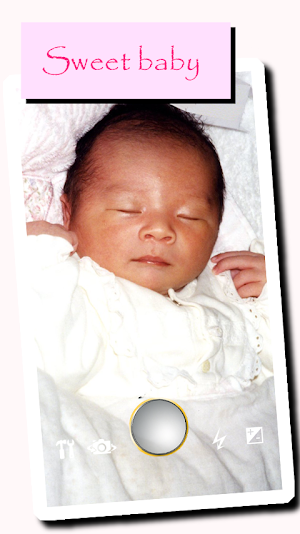
About No Sound Camera【Silent Camera】
Capturing mode can be selected from High-Resolution* mode or Normal mode.
*Shutter tone might sound by the high-resolution mode, depending on the version of the OS or model.
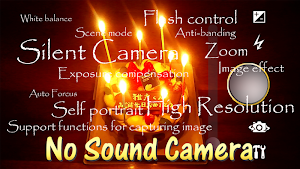
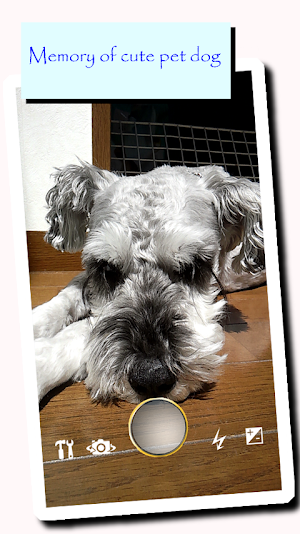
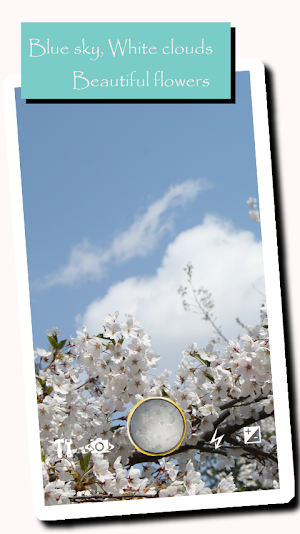
■Operation(Camera mode)
-Capture a image(Take a picture) by tapping the shutter icon.
-Adjust the zoom by moving the slide bar.
-The following can be set from the icon on the screen.
-Exposure compensation setting
-Setting ON or OFF of flash(Except for some models)
-Select camera Front-facing or Back-facing(Except for some models)
-Other mode setting
-Display of the captured image(Start-up the viewer mode)
-Capturing mode.
-Normal
-High Resolution
Shutter tone might sound by the high-resolution mode, depending on the version of the OS or model.
-About other setting.
(Except for some models)
-Setting ON or OFF of flash(Except for some models)
-Setting focus mode
-Change resolution of saved image
-Setting image effect
-White balance setting
-Scene mode setting
-Anti-banding setting
-Support functions for capturing image.
-Show grid
-Capture a image(Take a picture) by tapping the full screen
-Auto focus
-show gyroscope
-Mirroring front-facing camera
If the captured image by the front-facing camera is mirrored, Please enable setting.
(usually enable)
-Preview after shooting\n
-The captured image is saved in
NoSoundCamera
■Operation(Viewer mode)
Viewing the image.
-The image is moved by a drag.
-Reduced by pinch in.
-Expanded by pinch out.
-Select imgage from thumbnail.
-[menu]-[Share]
ex. Attached the image to e-mails.
note:
Access to the Internet(for ads Delivery).
When using the No Sound Camera, please observe the laws, rules, local laws and the manners.
disclaimer:
mizmon21 is not responsible for any losses or damages , such as problems caused by use of No Sound Camera.
(c)2014-2015 mizmon21
What’s new
Version V2.5.0 · Updated March 5, 2017
Ver2.5.0 Added the privacy policy. Ver2.4.0 Fixed a minor problem. Ver2.2.0 Fixed of the problem that is crash at apps start up Ver2.1.0 Fixed of the problem that is registered in the double to the gallery after capturing Ver2.0.0 Added setting preview after shooting. Do not display a confirmation dialog at the quit. Support of Bluetooth remote shutter(some models). Ver1.3.1 Fixed a minor problem. Added Zoom function.
User reviews
I loved it
Privacy is a good thing. Not being watched by google is nice.

pls update long time no update

Good
Great

I am glad i found it back
Alternatives to No Sound Camera【Silent Camera】
Looking for apps like No Sound Camera【Silent Camera】? Here are 4 similar Android apps on Google Play. The highest rated is Fruits Parlor Free (4.6/5), and all 4 are free to download.
-
Fruits Petit Putti Lite 4.5
-
Fruits Miracle Free 4.4
-
Fruits Parlor Free 4.6
-
PiPCamera【Overlay and Silent】 3.8
| App | Rating | Price | Installs | Last updated | Compare |
|---|---|---|---|---|---|
| No Sound Camera【Silent Camera】 | 3.1 / 5 | Free | 100,000+ | Mar 5, 2017 | |
| Fruits Petit Putti Lite | 4.5 / 5 | Free | 10,000+ | Jul 20, 2013 | Compare |
| Fruits Miracle Free | 4.4 / 5 | Free | 10,000+ | Jun 18, 2013 | Compare |
| Fruits Parlor Free | 4.6 / 5 | Free | 10,000+ | Jul 20, 2013 | Compare |
| PiPCamera【Overlay and Silent】 | 3.8 / 5 | Free | 100,000+ | Aug 27, 2018 | Compare |