

Rickey10
Tools
The app that turns your phone into a numeric keypad for your Windows PC.
- Downloads
- 427+
- on Google Play
- Price
- $1.99
- No in-app purchases
- Updated
- Jan 5
- 2026 · v1.2
Screenshots
About Rickey10
Do you need an external numeric keypad or touchpad?
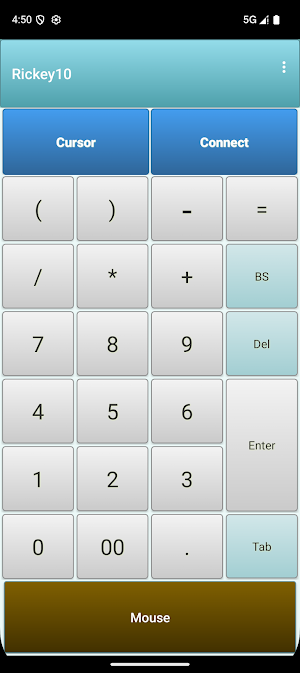
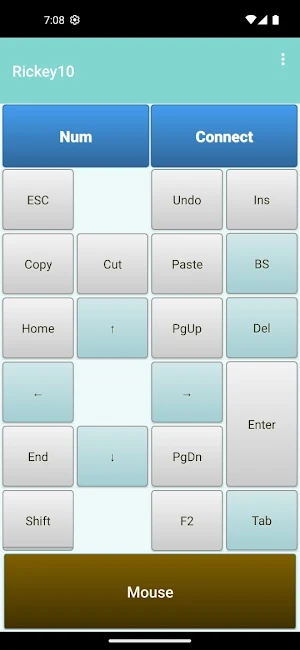
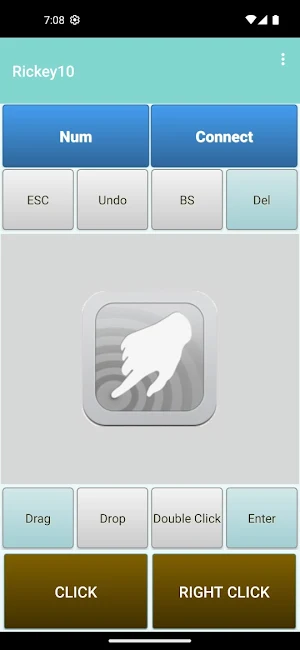
Install Rickey10 on your mobile phone and use it as a wireless numeric keypad/touchpad for your Windows PC!
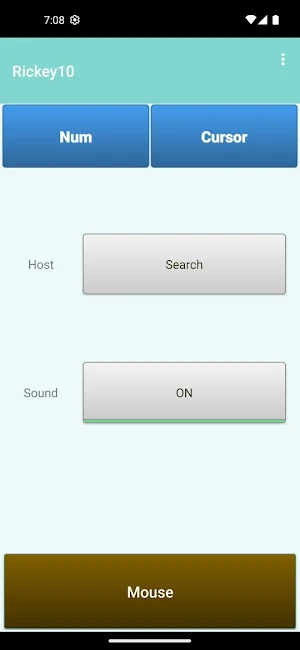
Connect your phone to your PC via Bluetooth, install Rickey10, and set it up on the PC in just a few steps.
Then it becomes an effective input device for PC tasks such as spreadsheets and programming. And it can also be used as a remote control for your PC.
You need to install the client software Rickey Tray on the PC you want to connect to. Please refer to the following link for downloading and setting up Rickey Tray.
https://www.ideafront.jp/Rickey10/connect.html
PC Requirements:
OS: Windows 10 or higher.
Hardware: bluetooth
Client software Rickey Tray must be installed.
You still need any human interface device like mouse or touchpad for administrative operations such as software install and configuration of control panels.
For more detailed information, please refer Rickey10 official website:
https://translate.google.com/translate?hl=ja&sl=auto&tl=en&u=https://www.ideafront.jp/Rickey10/connect.html
Install Rickey10 on your mobile phone and use it as a wireless numeric keypad/touchpad for your Windows PC!
Connect your phone to your PC via Bluetooth, install Rickey10, and set it up on the PC in just a few steps.
Then it becomes an effective input device for PC tasks such as spreadsheets and programming. And it can also be used as a remote control for your PC.
You need to install the client software Rickey Tray on the PC you want to connect to. Please refer to the following link for downloading and setting up Rickey Tray.
https://www.ideafront.jp/Rickey10/connect.html
PC Requirements:
OS: Windows 10 or higher.
Hardware: bluetooth
Client software Rickey Tray must be installed.
You still need any human interface device like mouse or touchpad for administrative operations such as software install and configuration of control panels.
For more detailed information, please refer Rickey10 official website:
https://translate.google.com/translate?hl=ja&sl=auto&tl=en&u=https://www.ideafront.jp/Rickey10/connect.html
What’s new
Version 1.2 · Updated January 5, 2026
The font size on the numeric keypad has been increased to improve visibility. Some bug fixes and stability improvements have been made.
Alternatives to Rickey10
Looking for apps like Rickey10? Here is 1 similar Android app on Google Play.
| App | Rating | Price | Installs | Last updated | Compare |
|---|---|---|---|---|---|
| Rickey10 | – | $1.99 | 100+ | Jan 5, 2026 | |
| Rickey+(リッキーVer.2) | – | 3.49 USD | 500+ | Dec 7, 2025 | Compare |
Compare Rickey10 with the top alternatives: ratings, updates, ASO score and keyword gaps →