

KiteSend: Secure File Transfer
Tools In-app purchases Contains ads
Send files & text over Wi-Fi or the internet. Encrypted, no cloud, no sign-up.
- Downloads
- 100+
- on Google Play
- Price
- Free
- In-app purchases
- Updated
- Aug 29
- 2026 · v1.1.3
Screenshots
About KiteSend: Secure File Transfer
KiteSend is a secure file transfer app that sends files straight from one device to another — nearby over Wi-Fi, or across the internet to a device anywhere in the world. No cloud, no account, no sign-up: open the app and start sending.
Most nearby-sharing apps stop the moment you leave the same Wi-Fi. KiteSend keeps going: send files over the internet to another phone or computer anywhere, with a QR code or a simple link. Near or far, your files travel directly between devices — never through cloud storage.
SEND FILES YOUR WAY
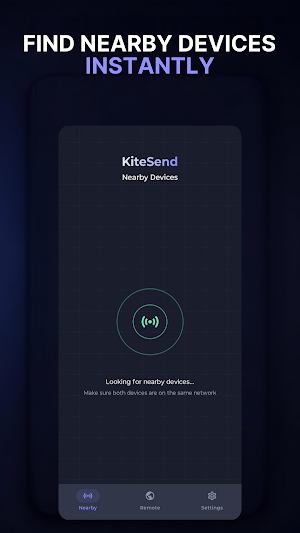
✓ Nearby over Wi-Fi — devices on the same network find each other automatically; tap one and send at full local speed
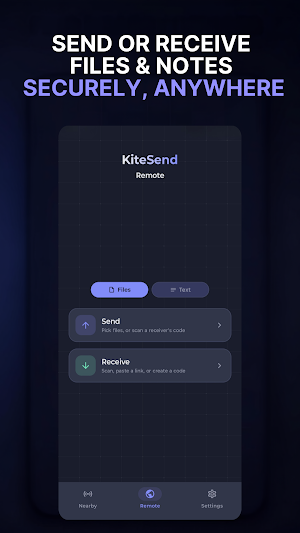
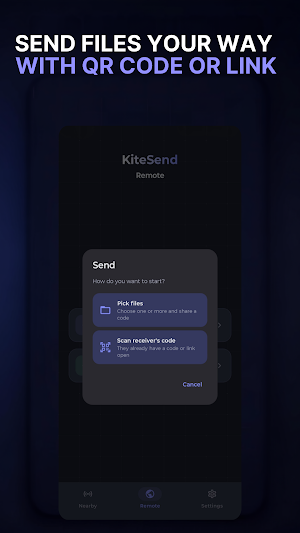
✓ Anywhere over the internet — share files with a QR code or a link, whatever the distance
✓ Android to Android, and Android to any computer — the receiver just opens the link in a browser; nothing to install on a PC, Mac or Linux
✓ Photos, videos, documents, big files — moved in a few taps
SEND TEXT, NOT JUST FILES
✓ Send a password, Wi-Fi key, address or note to another device the same secure way
✓ Received text is kept in memory only and never saved to disk — copy it and it's gone
WHY KITESEND
✓ Works anywhere — nearby over Wi-Fi or worldwide over the internet, not only on the same network
✓ No cloud storage — files travel directly between devices, peer to peer
✓ Always encrypted — every transfer is encrypted in transit; internet transfers add end-to-end AES-256 encryption
✓ No sign-up — no account, no email, no personal data required
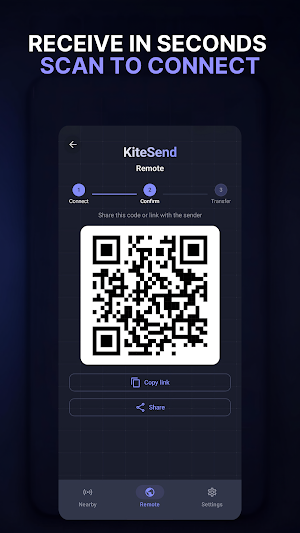
✓ QR code receive — scan and start receiving in seconds
✓ Share from any app — send straight from Gallery, Files or your browser
✓ Background transfers — keep sending while you use your phone
✓ No size limit on direct transfers — move large videos or a whole folder of photos
BUILT FOR EVERYDAY SENDING
✓ Send photos and videos to another phone, near or far
✓ Transfer files from your Android phone to a PC through the browser — no USB cable
✓ Share documents, PDFs and work files with a colleague across the country
✓ Pass a password or a long link to another device without a messaging app
HOW IT WORKS
1. Pick your files (or type a short text)
2. Tap a nearby device, or create a QR code / link to send anywhere
3. The receiver accepts and the transfer starts — direct, private, encrypted
If you want secure file transfer without cloud uploads, accounts or waiting — nearby or across the internet — KiteSend keeps it fast, private and simple: between Android devices, or from Android to any browser.
Most nearby-sharing apps stop the moment you leave the same Wi-Fi. KiteSend keeps going: send files over the internet to another phone or computer anywhere, with a QR code or a simple link. Near or far, your files travel directly between devices — never through cloud storage.
SEND FILES YOUR WAY
✓ Nearby over Wi-Fi — devices on the same network find each other automatically; tap one and send at full local speed
✓ Anywhere over the internet — share files with a QR code or a link, whatever the distance
✓ Android to Android, and Android to any computer — the receiver just opens the link in a browser; nothing to install on a PC, Mac or Linux
✓ Photos, videos, documents, big files — moved in a few taps
SEND TEXT, NOT JUST FILES
✓ Send a password, Wi-Fi key, address or note to another device the same secure way
✓ Received text is kept in memory only and never saved to disk — copy it and it's gone
WHY KITESEND
✓ Works anywhere — nearby over Wi-Fi or worldwide over the internet, not only on the same network
✓ No cloud storage — files travel directly between devices, peer to peer
✓ Always encrypted — every transfer is encrypted in transit; internet transfers add end-to-end AES-256 encryption
✓ No sign-up — no account, no email, no personal data required
✓ QR code receive — scan and start receiving in seconds
✓ Share from any app — send straight from Gallery, Files or your browser
✓ Background transfers — keep sending while you use your phone
✓ No size limit on direct transfers — move large videos or a whole folder of photos
BUILT FOR EVERYDAY SENDING
✓ Send photos and videos to another phone, near or far
✓ Transfer files from your Android phone to a PC through the browser — no USB cable
✓ Share documents, PDFs and work files with a colleague across the country
✓ Pass a password or a long link to another device without a messaging app
HOW IT WORKS
1. Pick your files (or type a short text)
2. Tap a nearby device, or create a QR code / link to send anywhere
3. The receiver accepts and the transfer starts — direct, private, encrypted
If you want secure file transfer without cloud uploads, accounts or waiting — nearby or across the internet — KiteSend keeps it fast, private and simple: between Android devices, or from Android to any browser.
What’s new
Version 1.1.3 · Updated August 29, 2026
• New: Now you can send text too — encrypted, just like files • New: Trust your own devices to auto-accept Nearby transfers — no more confirmation prompts.
Alternatives to KiteSend: Secure File Transfer
Looking for apps like KiteSend: Secure File Transfer? Here are 4 similar Android apps on Google Play. All of them are free to download.
-
Privsilo: Secure File Storage
-
Oasis: Toilet Finder & Water
-
TickFile: Secure File Sharing
-
Italy Flat Tax: VAT Net 2026
| App | Rating | Price | Installs | Last updated | Compare |
|---|---|---|---|---|---|
| KiteSend: Secure File Transfer | – | Free | 100+ | Aug 29, 2026 | |
| Privsilo: Secure File Storage | – | Free | 10+ | Aug 25, 2026 | Compare |
| Oasis: Toilet Finder & Water | – | Free | 100+ | Oct 2, 2026 | Compare |
| TickFile: Secure File Sharing | – | Free | 10+ | – | Compare |
| Italy Flat Tax: VAT Net 2026 | – | Free | 10+ | – | Compare |