

SendAPhoto - Photo Transfer
Photography In-app purchases Contains ads
Send photos & videos to your PC over Wi-Fi. No cloud, no sign-up.
- Downloads
- 1+
- on Google Play
- Price
- Free
- In-app purchases
- Updated
- Jul 29
- 2026 · v1.0.1
Screenshots


About SendAPhoto - Photo Transfer
Send photos and videos from your phone to your computer in seconds — no cloud, no sign-up required.
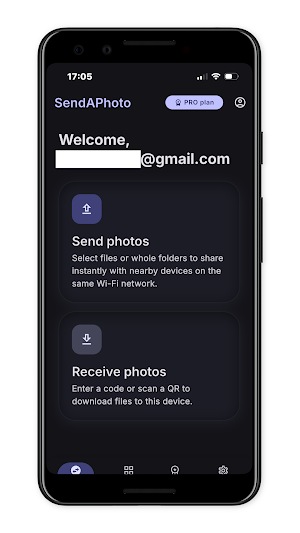
Open SendAPhoto, pick your photos, and flick them upward to send — no account needed to start. Try your first transfers free; if you want to keep going, all it takes is your email, no password, no credit card.
RELIABLE, EVEN WITH HUNDREDS OF FILES
SendAPhoto handles large batches of photos and videos without breaking a sweat. If your Wi-Fi drops mid-transfer, it automatically resumes right where it left off — no starting over.
TOTAL PRIVACY: NEVER TOUCHES A SERVER
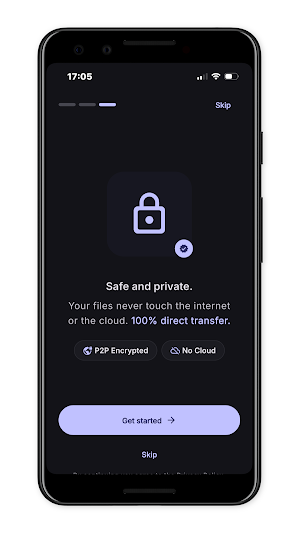
Your files travel directly between your own devices over the same Wi-Fi network. They're never uploaded to a cloud or any external server — they stay yours, start to finish.
RECEIVE ON YOUR COMPUTER, STRAIGHT FROM THE BROWSER
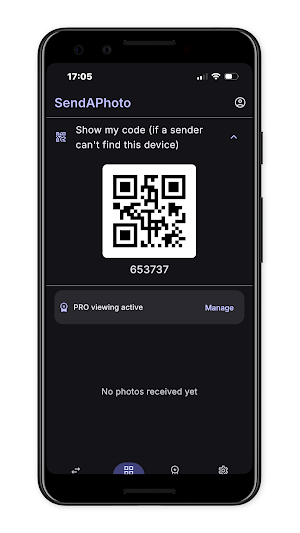
Want your photos on a PC or Mac? Just open sendaphoto.app/connect in any browser — nothing to install, no account, nothing to download on the computer. Scan the on-screen code with your phone and your photos arrive instantly, ready to save.
WITH SENDAPHOTO PRO
- Unlimited transfers (the free plan already includes up to 500 photos)
- Received photos automatically organized by year
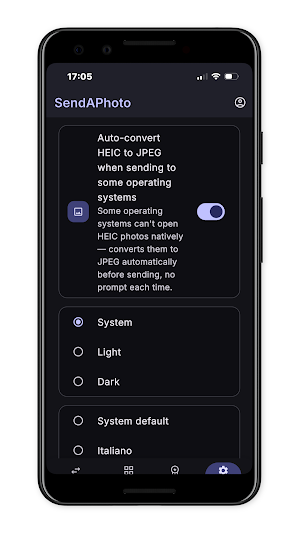
- Automatic HEIC-to-JPEG conversion so files open everywhere
- No ads
PRO is a single, fixed-duration purchase (monthly or yearly) — never an auto-renewing subscription. We'll email you before it expires, no surprises.
Download SendAPhoto and send your first photo in under a minute.
Open SendAPhoto, pick your photos, and flick them upward to send — no account needed to start. Try your first transfers free; if you want to keep going, all it takes is your email, no password, no credit card.
RELIABLE, EVEN WITH HUNDREDS OF FILES
SendAPhoto handles large batches of photos and videos without breaking a sweat. If your Wi-Fi drops mid-transfer, it automatically resumes right where it left off — no starting over.
TOTAL PRIVACY: NEVER TOUCHES A SERVER
Your files travel directly between your own devices over the same Wi-Fi network. They're never uploaded to a cloud or any external server — they stay yours, start to finish.
RECEIVE ON YOUR COMPUTER, STRAIGHT FROM THE BROWSER
Want your photos on a PC or Mac? Just open sendaphoto.app/connect in any browser — nothing to install, no account, nothing to download on the computer. Scan the on-screen code with your phone and your photos arrive instantly, ready to save.
WITH SENDAPHOTO PRO
- Unlimited transfers (the free plan already includes up to 500 photos)
- Received photos automatically organized by year
- Automatic HEIC-to-JPEG conversion so files open everywhere
- No ads
PRO is a single, fixed-duration purchase (monthly or yearly) — never an auto-renewing subscription. We'll email you before it expires, no surprises.
Download SendAPhoto and send your first photo in under a minute.
What’s new
Version 1.0.1 · Updated July 29, 2026
First release of SendAPhoto! 📱 Send photos and videos over Wi-Fi, no cloud, full quality 🔍 Find nearby devices or pair with a QR code 🔄 Auto-resume if the connection drops 🆓 500 free photos, then PRO for unlimited and no ads 🖥️ Works with Mac and Windows too Happy sending!
Alternatives to SendAPhoto - Photo Transfer
Looking for apps like SendAPhoto - Photo Transfer? Here are 3 similar Android apps on Google Play. All of them are free to download.



| App | Rating | Price | Installs | Last updated | Compare |
|---|---|---|---|---|---|
| SendAPhoto - Photo Transfer | – | Free | 1+ | Jul 29, 2026 | |
| OffCard: Carte Fedeltà Offline | – | Free | 100+ | Sep 30, 2026 | Compare |
| Dispensa Intelligente | – | Free | 50+ | – | Compare |
| Dispensa Smart - Food Expiry | – | Free | 1,000+ | Sep 9, 2026 | Compare |