

Ohajiki Web Browser
Shingo Fukuyama Utilities iPhoneiPadiPod touch
Ohajiki Web Browser is a free Utilities app for iPhone and iPad by Shingo Fukuyama. Rated 4.3/5 from 23 ratings. Requires iOS 26.4. Updated July 31, 2026.
- Rating
- 4.3
- 23 ratings
- Price
- Free
- on the App Store
- Size
- 43 MB
- Age 17+
- Updated
- Jul 31
- 2026 · v5.2.3
Screenshots
About Ohajiki Web Browser
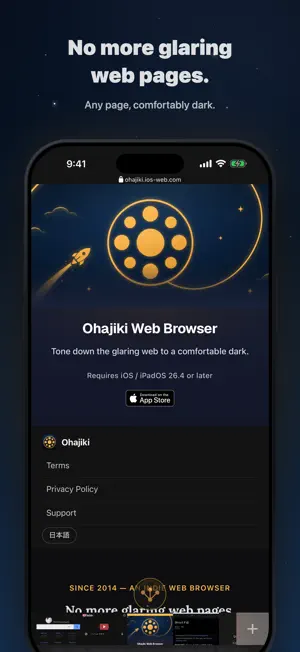
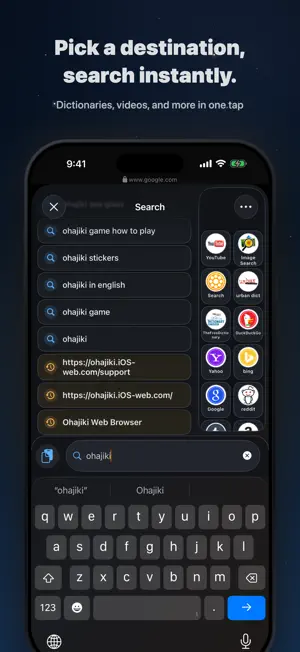
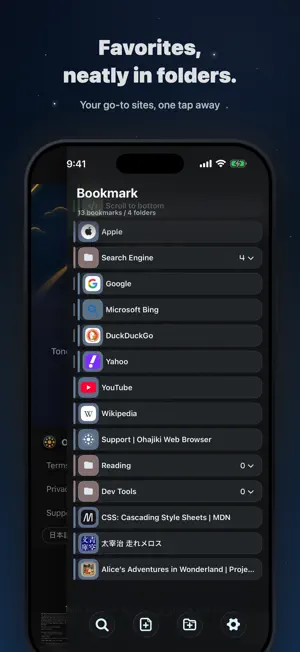
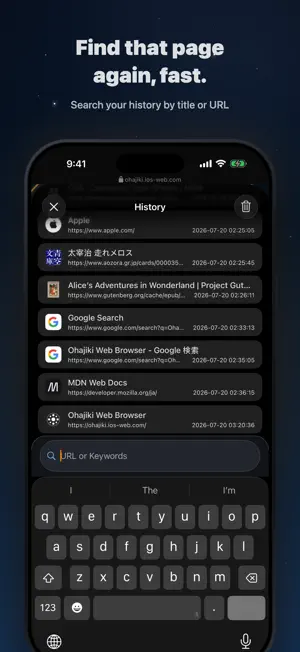
Ohajiki Web Browser is a web browser for iOS and iPadOS that can force any website into dark mode. ■ Dark mode for any site Even when a site doesn't support dark mode, Ohajiki forces every page into a dark color scheme. It eases eye strain during long browsing sessions at night or in dim places, and helps reduce battery consumption on OLED displays. You can switch back to the original colors in bright environments — turn it on only when you need it. ■ Page summaries with Apple Intelligence Pages are summarized by Apple's on-device language model (Foundation Models). The page content is never sent to the cloud, and the resulting summary also stays on your device. You can choose from 16 languages including English, plus an "Auto" option. * Available only on Apple Intelligence-capable devices. ■ Data that stays on your device Bookmarks, page history, QR / ISBN scan results, user scripts, and per-site font sizes are all stored locally. ■ Versatile tab handling Switch tabs with a swipe, reorder them with a long-press drag, and lock tabs to prevent accidental deletion. WebKit session state is saved and restored, so you can pick up right where you left off after a restart. ■ Powerful search Multiple search engines are supported. In-page search, in-site search, and image search are all available, along with book lookup from QR codes and ISBN barcodes. ■ Per-site customization Tune each site to your liking with per-site font sizing, reader view, image blocking, privacy protection (blocks ads & trackers), and a blue-light filter. ■ Private mode Once you close a private tab, the session data created during that tab — browsing history, search queries, cookies — does not remain on your device. For more on our privacy approach: https://ohajiki.ios-web.com/privacy-policy
Ratings & reviews
4.3
23 ratings
What’s new
Version 5.2.3 · Updated July 31, 2026
Version 5.2.3 NEW • You can now add a site to your Home Screen right from the share menu, so your favorite pages are always a tap away. IMPROVED • Improved the accuracy of article text extraction. FIXED • Other minor refinements and stability improvements.
App privacy
The developer, Shingo Fukuyama, reported these privacy practices to Apple.
Data Not Linked to You
The following data, which may be collected but is not linked to your identity, may be used for the following purposes:
- Usage Data: Product Interaction
- Diagnostics: Crash Data
Used for: Analytics
Alternatives to Ohajiki Web Browser
Looking for apps like Ohajiki Web Browser? Here are 6 similar apps on the App Store. The highest rated is Safe Page – Web Browser (4.6/5), and all 6 are free to download.
-
 Shiori Web Browser
4.4
Shiori Web Browser
4.4
-
 Split Screen Browser - TwookuL
4.3
Split Screen Browser - TwookuL
4.3
-
 Safe Page – Web Browser
4.6
Safe Page – Web Browser
4.6
-
 eBrowser: Private Web & Files
4.4
eBrowser: Private Web & Files
4.4
-
 Sleipnir Mobile
1.6
Sleipnir Mobile
1.6
-
 Lunascape Browser
4.5
Lunascape Browser
4.5
| App | Rating | Price | Last updated | Compare |
|---|---|---|---|---|
| Ohajiki Web Browser | 4.3 / 5 (23 ratings) | Free | July 31, 2026 | |
| Shiori Web Browser | 4.4 / 5 (25) | Free | Jul 28, 2026 | Compare |
| Split Screen Browser - TwookuL | 4.3 / 5 (33) | Free | Aug 6, 2026 | Compare |
| Safe Page – Web Browser | 4.6 / 5 (195) | Free | Sep 27, 2026 | Compare |
| eBrowser: Private Web & Files | 4.4 / 5 (18) | Free | Jun 20, 2026 | Compare |
| Sleipnir Mobile | 1.6 / 5 (15) | Free | Jul 31, 2026 | Compare |
| Lunascape Browser | 4.5 / 5 (72) | Free | Oct 6, 2026 | Compare |