

8bit Painter - Pixel Art
Takayuki Miyagawa Entertainment iPhoneiPadiPod touch
8bit Painter - Pixel Art is a free Entertainment app for iPhone and iPad by Takayuki Miyagawa. Rated 4.6/5 from 6,678 ratings. Requires iOS 17.6.
- Rating
- 4.6
- 6.6K ratings
- Price
- Free
- on the App Store
- Size
- 29 MB
- Age 4+
- Updated
- Jul 2
- 2026 · v2.7.2
Screenshots
About 8bit Painter - Pixel Art
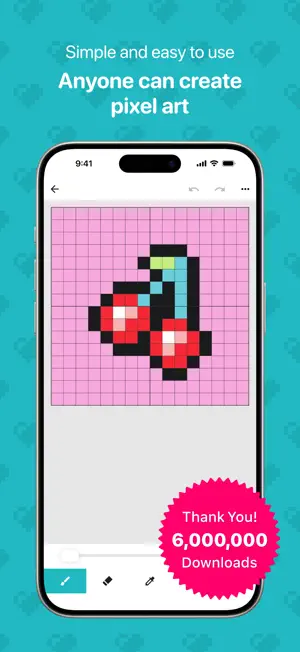
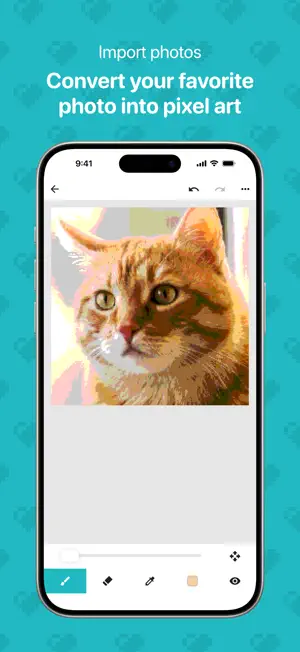
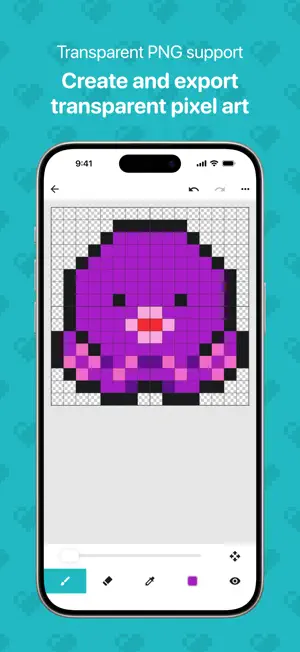
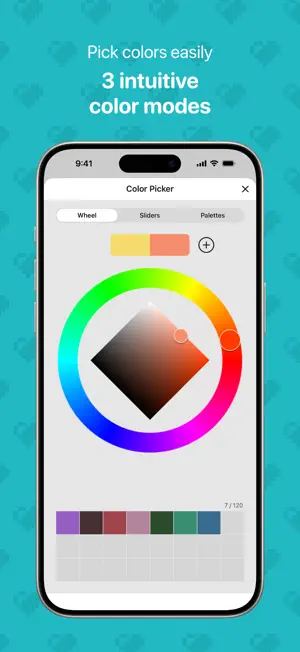
Over 6 million downloads! An easy-to-use app for creating pixel art and 8-bit style artwork. 8bit Painter is a simple pixel art drawing app that beginners can start enjoying right away. With intuitive controls, you can easily create pixel art for social media icons, game skins, illustrations, patterns, and more. It is also great for making designs for Perler beads, cross-stitch, knitting, and other handmade projects. Key Features - Simple controls that are easy for anyone to use - Clear, focused tools for creating pixel art - Perfect for beginners - Great for making social media icons and game skins - Import photos and convert them into pixel art - Choose colors intuitively with a color wheel, sliders, and palettes - Export transparent images in PNG format - Export and import your artwork data Canvas Sizes 16x16 / 24x24 / 32x32 / 48x48 / 64x64 / 96x96 / 128x128 / 160x160 / 192x192 Choose the right canvas size for your project, from small social media icons to detailed pixel art and craft patterns. Image Import Import your favorite photos and automatically convert them into pixel art. It is also useful for creating social media icons, game skins, and pixel art assets. Color Selection Choose a base color with the color wheel, then fine-tune it with sliders or HEX input. You can also pick colors quickly from preset palettes, or save frequently used colors to your custom color palette for reuse. Artwork Data Management Export artwork data saved in your Gallery from the Settings screen, and import it again when needed. This is helpful for keeping your pixel art safe, preparing for a device change, or reinstalling the app. Artwork Storage - The initial artwork storage limit is 30 artworks - Expand the limit up to 600 artworks by watching rewarded video ads or purchasing the Remove Ads add-on Image Export - Choose from 3 export sizes - Supports transparent PNG images - Useful for social media posts, game skins, and exporting assets Remove Ads Add-On - Hides all ads - Expands the artwork storage limit to 600 artworks - Can be restored after reinstalling the app - One-time purchase How to Expand Your Storage Limit - Each rewarded video ad you watch increases your artwork storage limit by 5 artworks, up to 600 - Purchasing the Remove Ads add-on expands your artwork storage limit to 600 artworks Recommended For - Anyone who wants to start creating pixel art - People who want to make their own social media icons - Anyone who wants to create game skins easily - People making designs for Perler beads or cross-stitch - People designing knitting patterns or handmade projects - Anyone who wants to turn photos into pixel art - People looking for a simple pixel art editor - Anyone who wants to manage their artwork data and keep using the app over time Enjoy creating pixel art and 8-bit style artwork with 8bit Painter!
Ratings & reviews
4.6
6.6K ratings
What’s new
Version 2.7.2 · Updated July 2, 2026
Thank you for using 8bit Painter. This update improves the stability of the canvas display after importing images and refines screen layouts on iPad. - Fixed an issue where the canvas position or size could appear incorrectly after importing an image. - Adjusted the color picker and share screen layouts on iPad to make them more reliable. - Adjusted image sharing so cloud saves include only the image, while posts to X include hashtags. - Made other small display-related improvements.
App privacy
The developer, Takayuki Miyagawa, reported these privacy practices to Apple.
Data Used to Track You
The following data may be used to track you across apps and websites owned by other companies:
- Location: Coarse Location
- Identifiers: Device ID
- Usage Data: Product Interaction, Advertising Data
- Diagnostics: Crash Data, Performance Data
Data Linked to You
The following data, which may be collected and linked to your identity, may be used for the following purposes:
- Location: Coarse Location
- Identifiers: Device ID
- Usage Data: Product Interaction, Advertising Data
- Diagnostics: Crash Data, Performance Data
Used for: Third-Party Advertising
Alternatives to 8bit Painter - Pixel Art
Looking for apps like 8bit Painter - Pixel Art? Here are 6 similar apps on the App Store. The highest rated is Pixelable - Pixel Art Editor (4.7/5), and all 6 are free to download.
-
 Pixelable - Pixel Art Editor
4.7
Pixelable - Pixel Art Editor
4.7
-
 Pixilart
4.4
Pixilart
4.4
-
 dotpict
4.6
dotpict
4.6
-
 Divoom: Pixel art community
4.7
Divoom: Pixel art community
4.7
-
 KaleidoPaint
4.6
KaleidoPaint
4.6
-
 Animation Desk® Draw & Animate
4.2
Animation Desk® Draw & Animate
4.2
| App | Rating | Price | Last updated | Compare |
|---|---|---|---|---|
| 8bit Painter - Pixel Art | 4.6 / 5 (6,678 ratings) | Free | July 2, 2026 | |
| Pixelable - Pixel Art Editor | 4.7 / 5 (3,383) | Free | Jan 21, 2024 | Compare |
| Pixilart | 4.4 / 5 (2,147) | Free | Apr 15, 2026 | Compare |
| dotpict | 4.6 / 5 (789) | Free | Sep 2, 2026 | Compare |
| Divoom: Pixel art community | 4.7 / 5 (11,643) | Free | Oct 13, 2026 | Compare |
| KaleidoPaint | 4.6 / 5 (77) | Free | Jan 20, 2026 | Compare |
| Animation Desk® Draw & Animate | 4.2 / 5 (15,914) | Free | Jan 22, 2026 | Compare |