

Pixelable - Pixel Art Editor
Yosuke Seki Entertainment iPhoneiPadiPod touch
Pixelable - Pixel Art Editor is a free Entertainment app for iPhone and iPad by Yosuke Seki. Rated 4.7/5 from 3,383 ratings. Requires iOS 14.0.
- Rating
- 4.7
- 3.3K ratings
- Price
- Free
- on the App Store
- Size
- 7 MB
- Age 4+
- Updated
- Jan 21
- 2024 · v2.10.4
Screenshots
About Pixelable - Pixel Art Editor
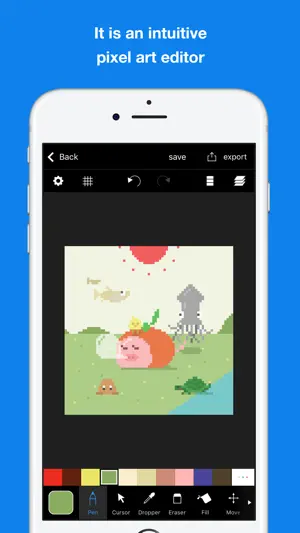
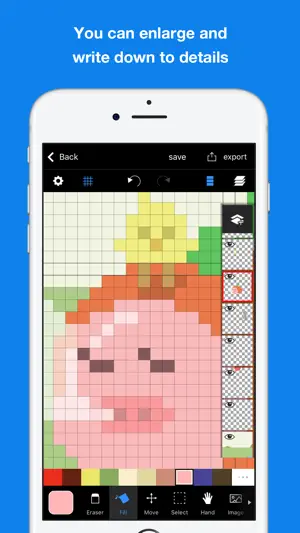
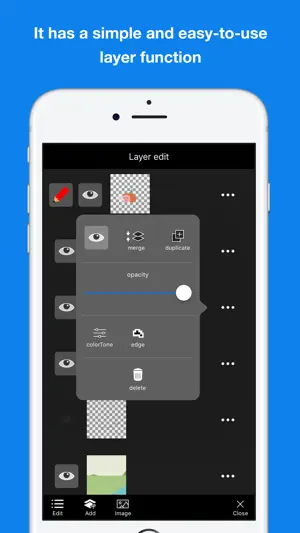
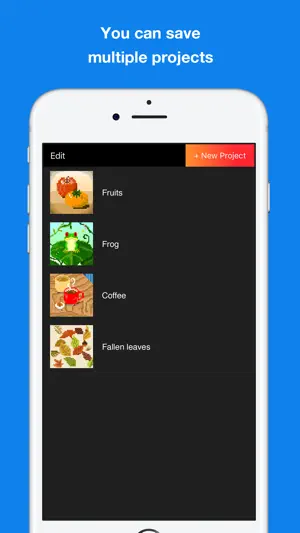
Here is a pleasant pixel art editor! This is an app which pursue the stress-free and intuitively drawing of pixel art. The app has genuine functions, like layer editing, color making, and various tools. Also, you can operate intuitively. For example you can enlarge and reduce the canvas by pinch in or pinch out. Main functions are below. - Layer editing You can add and erase, and copy layers. Also, you can select display or non-display mode, change the order of layers, and make a layer transparent. - Tools The app has basic tools to draw pixel arts. (For example, pen, spuit, filling and transfer) ・Undo and redo You can cancel drawing. - Animated GIF export Each layer is going to be one frame. - Color making You can make your favorite color easily. You can save 150 colors in maximum by a work. - Pinch in and pinch out You can enlarge and reduce the canvas by pinch in and out. It enables you to draw more details. - Saving multiple pictures You can save several projects, so that you can edit other projects later. - Setting canvas size You can select the size of canvas from 5*5 to 256*256. - Setting a exporting pixel size You can select exporting size. Pictures will be saved to camera roll as a png file. - Reflection function You can reflect the selected layer vertical and horizontal. ※There is another flunked app, ‘Dottable’. ※To prevent a crash, you need more than 150MB of free space to make a new project. Sorry for the inconvenience.
Ratings & reviews
4.7
3.3K ratings
What’s new
Version 2.10.4 · Updated January 21, 2024
- Minor fixes
App privacy
The developer, Yosuke Seki, reported these privacy practices to Apple.
Data Used to Track You
The following data may be used to track you across apps and websites owned by other companies:
- Usage Data: Advertising Data
Data Not Linked to You
The following data, which may be collected but is not linked to your identity, may be used for the following purposes:
- Usage Data: Advertising Data, Product Interaction
- Diagnostics: Crash Data
Used for: Third-Party Advertising, Analytics, Product Personalization
Alternatives to Pixelable - Pixel Art Editor
Looking for apps like Pixelable - Pixel Art Editor? Here are 6 similar apps on the App Store. The highest rated is Divoom: Pixel art community (4.7/5), and all 6 are free to download.
-
 8bit Painter - Pixel Art
4.6
8bit Painter - Pixel Art
4.6
-
 Pixilart
4.4
Pixilart
4.4
-
 dotpict
4.6
dotpict
4.6
-
 Beads Creator - Bead Patterns
4.5
Beads Creator - Bead Patterns
4.5
-
 Divoom: Pixel art community
4.7
Divoom: Pixel art community
4.7
-
 Pixel Color - Color by Number
4.7
Pixel Color - Color by Number
4.7
| App | Rating | Price | Last updated | Compare |
|---|---|---|---|---|
| Pixelable - Pixel Art Editor | 4.7 / 5 (3,383 ratings) | Free | January 21, 2024 | |
| 8bit Painter - Pixel Art | 4.6 / 5 (6,678) | Free | Jul 2, 2026 | Compare |
| Pixilart | 4.4 / 5 (2,147) | Free | Apr 15, 2026 | Compare |
| dotpict | 4.6 / 5 (789) | Free | Sep 2, 2026 | Compare |
| Beads Creator - Bead Patterns | 4.5 / 5 (1,513) | Free | Jan 27, 2026 | Compare |
| Divoom: Pixel art community | 4.7 / 5 (11,643) | Free | Oct 13, 2026 | Compare |
| Pixel Color - Color by Number | 4.7 / 5 (11,492) | Free | Oct 31, 2025 | Compare |