

Spiral by Digital Generalists
Digital Generalists, LLC. Productivity iPhoneiPadiPod touch
Spiral by Digital Generalists is a paid Productivity app for iPhone and iPad by Digital Generalists, LLC. Rated 5.0/5 from 7 ratings. Requires iOS 15.5.
- Rating
- 5.0
- 7 ratings
- Price
- 0.99 USD
- on the App Store
- Size
- 9 MB
- Age 4+
- Updated
- May 17
- 2024 · v1.0.5
Screenshots


About Spiral by Digital Generalists
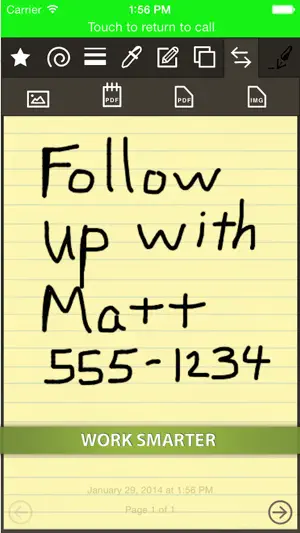
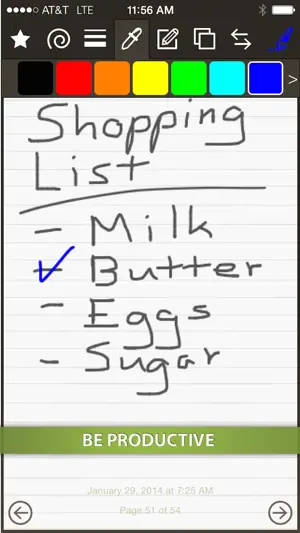
Spiral - The Ultimate Pocket Notepad Spiral is the perfect application for lovers of pocket-sized paper notepads who want to take quick notes, draw, sketch, doodle, and more! All these things can be done by simply "drawing" on the application with your finger. Spiral uses a world-class drawing engine that provides smooth lines and a fluid writing experience. We worked very hard to make using Spiral feel like writing on an actual notepad, and we're proud of what we built. Designed specifically for the smaller size of the iPhone, Spiral gives the power and features of notepad applications available only on the iPad in a way that works well on a smaller screen. Spiral offers the following features: • draw with pen, highlighter, and eraser drawing tools with enhanced effects to make writing with the app feel like writing on paper • write on unlimited pages • add a picture from the camera or photo library to a page • create a PDF of the entire notepad or just a single page of the notepad • email the notepad or a page • text message the notepad or a page • save pages to the photo library • share pages on popular social media services such as Facebook and X • print the notepad or a page via AirPrint • draw with multiple line widths • draw with multiple colors • feel free to experiment with multi-level undo and redo • clear your drawing, background, or delete a page • rotate the contents of a drawing • make the app look how you like with five styles of paper and the option to use a simple white drawing surface • view an interactive tutorial that shows you how to use the application Give Spiral a try today!
Ratings & reviews
5.0
7 ratings
What’s new
Version 1.0.5 · Updated May 17, 2024
New in Spiral 1.0.5 • full-screen layouts that take advantage of the additional screen space available on most iPhone models • resized icons and backgrounds that take advantage of Retina and Retina+ screen resolutions • stability and performance improvements
App privacy
The developer, Digital Generalists, LLC., reported these privacy practices to Apple.
Data Linked to You
The following data, which may be collected and linked to your identity, may be used for the following purposes:
- Usage Data: Product Interaction
Used for: Analytics
Data Not Linked to You
The following data, which may be collected but is not linked to your identity, may be used for the following purposes:
- Diagnostics: Crash Data, Performance Data
Used for: Analytics
Alternatives to Spiral by Digital Generalists
Looking for apps like Spiral by Digital Generalists? Here are 6 similar apps on the App Store. The highest rated is unzip + zip & send (5.0/5), and 3 of the 6 are free to download.
-
 unzip + zip & send
5.0
unzip + zip & send
5.0
-
 QN Note(Note, Memo)
-
 Many+
4.7
Many+
4.7
-
 Stick-It: Sticky Notes Widget
5.0
Stick-It: Sticky Notes Widget
5.0
-
 Scribe AI
4.8
Scribe AI
4.8
-
 Mind Palace: Memorize & Study
| App | Rating | Price | Last updated | Compare |
|---|---|---|---|---|
| Spiral by Digital Generalists | 5.0 / 5 (7 ratings) | 0.99 USD | May 17, 2024 | |
| unzip + zip & send | 5.0 / 5 (1) | 0.99 USD | Apr 16, 2024 | Compare |
| QN Note(Note, Memo) | – | Free | Nov 29, 2024 | Compare |
| Many+ | 4.7 / 5 (3) | Free | Jul 8, 2026 | Compare |
| Stick-It: Sticky Notes Widget | 5.0 / 5 (1) | 4.99 USD | Sep 5, 2026 | Compare |
| Scribe AI | 4.8 / 5 (39) | 3.99 USD | Oct 19, 2026 | Compare |
| Mind Palace: Memorize & Study | – | Free | Feb 13, 2025 | Compare |