

Classroom PDF
Qrayon, LLC Education iPad
Classroom PDF is a paid Education app for iPad by Qrayon, LLC. Rated 4.5/5 from 16 ratings. Requires iOS 15.6. Updated January 14, 2025.
- Rating
- 4.5
- 16 ratings
- Price
- 9.99 USD
- on the App Store
- Size
- 3 MB
- Age 4+
- Updated
- Jan 14
- 2025 · v2.2
Screenshots
About Classroom PDF
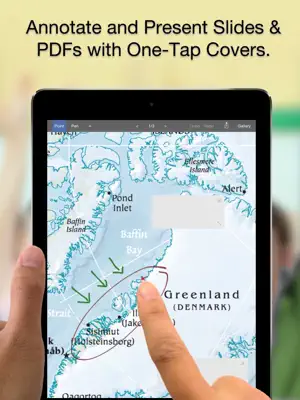
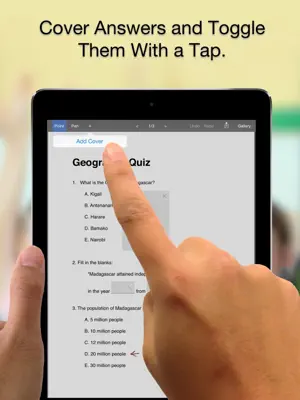
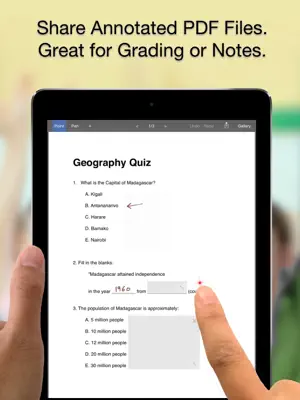
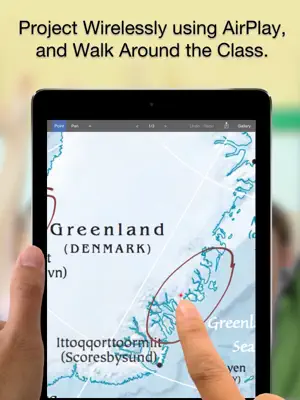
Classroom PDF is designed with unique features to fit your teaching workflow. Use it to grade worksheets and walk-through answers in class. DESIGNED FOR TEACHERS There are lots of PDF apps out there, but Classroom PDF was designed specifically for classroom use. It has special features to make walking through worksheets and in-class quizzes easier. OPEN PDF FILES AND EXPORTED SLIDE DECKS Open any PDF file from other Apps (“open in…" from Dropbox etc.). You can even export PDFs directly from Keynote. ADD COVERS AND TOGGLE WITH A TAP Add covers over answers to questions, and tap to toggle them. Great for in-class quizzes or to enhance class participation. PROJECT WIRELESSLY VIA AIRPLAY Use an AppleTV or physical connector to mirror the iPad's screen to a projector. Walk around the class, and work 1:1 with students. DRAW, POINT, AND ZOOM Annotate documents with smooth ink. Write in answers or grade worksheets. Use the virtual laser-pointer to call out parts of the page. SHARE ANNOTATED FILES Email annotated or graded files to students. You can also export PDFs to 3rd party Apps such as Dropbox. STORE AND ORGANIZE ALL YOUR FILES Keep all your PDF files neatly organized with color coded categories. WE BUILD TOOLS FOR PEOPLE WHO CHANGE THE WORLD You guys have an important job, and it matters to us that you find our Apps helpful in your work. We work really hard to make sure we create the best tools possible, but we also realize that everyone's workflow is slightly different. If you have any thoughts on other features or capabilities you would find useful in your daily work, please do let us know. Your input helps us prioritize our schedules. You can reach us via the feedback page. Thanks for doing the work that you do. We hope that you find Classroom PDF helpful in its small way. Warm regards, - The App Makers @ Qrayon.
Ratings & reviews
4.5
16 ratings
What’s new
Version 2.2 · Updated January 14, 2025
+ Updated for latest OS and devices
App privacy
The developer, Qrayon, LLC, reported these privacy practices to Apple.
Data Not Linked to You
The following data, which may be collected but is not linked to your identity, may be used for the following purposes:
- Identifiers: Device ID
- Usage Data: Product Interaction
- Diagnostics: Crash Data, Performance Data, Other Diagnostic Data
Used for: Analytics
Alternatives to Classroom PDF
Looking for apps like Classroom PDF? Here are 6 similar apps on the App Store. The highest rated is See Also: Wikipedia Reader (5.0/5), and 1 of the 6 are free to download.
-
 See Also: Wikipedia Reader
5.0
See Also: Wikipedia Reader
5.0
-
 Podium - Slideshow Maker
-
 Woodcarving Magazine
4.6
Woodcarving Magazine
4.6
-
 Lore: Reader for Wikipedia
5.0
Lore: Reader for Wikipedia
5.0
-
 StaffWars - GrandStaff
2.3
StaffWars - GrandStaff
2.3
-
 Multiplication Ring
| App | Rating | Price | Last updated | Compare |
|---|---|---|---|---|
| Classroom PDF | 4.5 / 5 (16 ratings) | 9.99 USD | January 14, 2025 | |
| See Also: Wikipedia Reader | 5.0 / 5 (1) | 4.99 USD | Jul 22, 2026 | Compare |
| Podium - Slideshow Maker | – | 2.99 USD | Mar 15, 2024 | Compare |
| Woodcarving Magazine | 4.6 / 5 (25) | 1.99 USD | Dec 10, 2025 | Compare |
| Lore: Reader for Wikipedia | 5.0 / 5 (3) | Free | Oct 4, 2026 | Compare |
| StaffWars - GrandStaff | 2.3 / 5 (3) | 1.99 USD | Sep 6, 2025 | Compare |
| Multiplication Ring | – | 1.99 USD | Mar 12, 2026 | Compare |
Compare Classroom PDF with the top alternatives: ratings, updates, ASO score and keyword gaps →