

Quick Key: Paper Grading
Thirty Seven Inc. Education iPhoneiPadiPod touch
Quick Key: Paper Grading is a free Education app for iPhone and iPad by Thirty Seven Inc. Rated 4.5/5 from 227 ratings. Requires iOS 17.0.
- Rating
- 4.5
- 227 ratings
- Price
- Free
- on the App Store
- Size
- 18 MB
- Age 4+
- Updated
- Nov 16
- 2026 · v1.0.3
Screenshots



About Quick Key: Paper Grading
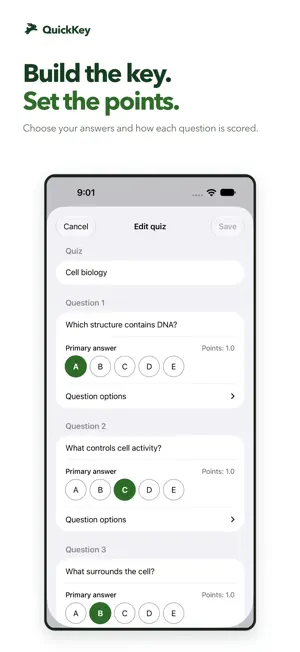
Grade paper quizzes with your iPhone or iPad. QuickKey scans supported answer sheets so you can spend less time entering scores and more time understanding your class. Create an answer key, print a compatible bubble sheet, and scan a stack of papers. Review answers that need attention and see results by student and question. Prepare your quiz • Create and organize quizzes, courses and students. • Choose correct answers and set question points. • Find compatible multiple-choice, numeric and true/false sheet formats available to your account. • Preview, share or print supported answer sheets. Scan and review • Use your camera to scan supported printed sheets in succession. • Review uncertain or multiple marked answers and make corrections. • Enter answers manually or grade supported open-response questions yourself. • See which results are saved on your device and which are confirmed in your account. Understand the results • View student scores, class participation and question summaries. • Share or print selected results and reports as PDFs. • Use quizzes, tests and exit tickets to help plan your next lesson. A QuickKey account is required. Connect to set up quizzes, manage your classes and send results to your account. Prepared scanning can continue through connection interruptions. Available sheet formats, features and usage allowances depend on your account. Need help or want to share feedback? Use Account & Help in the app or email [email protected].
Ratings & reviews
4.5
227 ratings
What’s new
Version 1.0.3 · Updated November 16, 2026
Bug fixes and performance improvements.
App privacy
The developer, Thirty Seven Inc., reported these privacy practices to Apple.
Data Linked to You
The following data, which may be collected and linked to your identity, may be used for the following purposes:
- Location: Coarse Location
- Identifiers: User ID
- Usage Data: Product Interaction
- Diagnostics: Crash Data, Performance Data, Other Diagnostic Data
- Contact Info: Email Address, Name
- User Content: Photos or Videos, Customer Support
Used for: Analytics, App Functionality
Data Not Linked to You
The following data, which may be collected but is not linked to your identity, may be used for the following purposes:
- Identifiers: Device ID
Used for: Analytics
Alternatives to Quick Key: Paper Grading
Looking for apps like Quick Key: Paper Grading? Here are 6 similar apps on the App Store. The highest rated is PaperScorer Scanner (5.0/5), and all 6 are free to download.
-
 MarkSheet: answer sheet
4.8
-
 Examica for Teachers
4.5
-
 PaperScorer Scanner
5.0
-
 Exam Reader-Optical Test Grade
3.3
-
 ZipGrade
4.9
-
 Test Plus: Scan & Grade
| App | Rating | Price | Last updated | Compare |
|---|---|---|---|---|
| Quick Key: Paper Grading | 4.5 / 5 (227 ratings) | Free | November 16, 2026 | |
| MarkSheet: answer sheet | 4.8 / 5 (24) | Free | Aug 20, 2026 | Compare |
| Examica for Teachers | 4.5 / 5 (13) | Free | Nov 4, 2026 | Compare |
| PaperScorer Scanner | 5.0 / 5 (1) | Free | Oct 20, 2026 | Compare |
| Exam Reader-Optical Test Grade | 3.3 / 5 (12) | Free | Oct 20, 2026 | Compare |
| ZipGrade | 4.9 / 5 (36,829) | Free | Sep 21, 2026 | Compare |
| Test Plus: Scan & Grade | – | Free | Nov 2, 2026 | Compare |