

ClearCut: Video Noise Reducer
UNIQOPS TECHNOLOGIES LTD Photo & Video iPhoneiPadiPod touch
ClearCut: Video Noise Reducer is a free Photo & Video app for iPhone and iPad by UNIQOPS TECHNOLOGIES LTD. Requires iOS 15.0. Updated November 24, 2026.
- Price
- Free
- on the App Store
- Size
- 33 MB
- Age 4+
- Updated
- Nov 24
- 2026 · v1.0.1
Screenshots
Save to Pinterest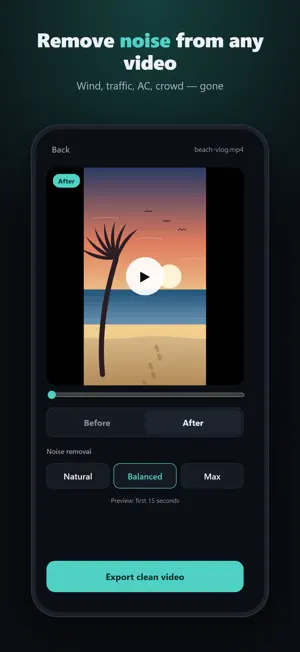


About ClearCut: Video Noise Reducer
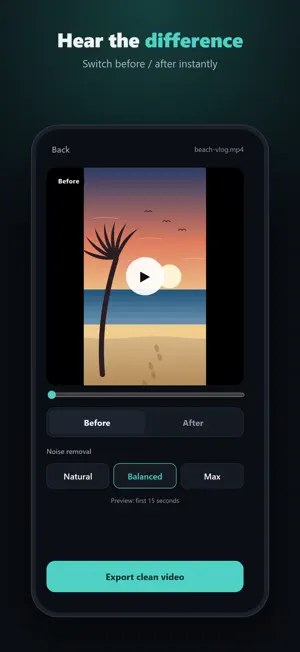
Wind, traffic, air conditioning, a noisy café… ClearCut is a noise reducer for video: it removes background noise from your videos, so people hear your voice, not the noise. NO SURPRISES • Try before you pay: hear a free before/after of your own file. No account, no sign-up • The voice stays natural: pick Natural, Balanced or Max, so voices don't turn robotic or quiet • No ads • Saving just works: the cleaned video goes straight to Photos, in sync and at full quality • No waiting: nothing is uploaded, so there is no queue and no stuck progress bar • Clear pricing: you see the price and the trial before you start, and you can cancel anytime in the App Store • Real support: [email protected] HOW IT WORKS • Pick a video from your iPhone • Hear a free 15-second before/after preview in seconds • Choose how much noise to remove: Natural, Balanced or Max • Export and save to Photos, or share it right away WHY CLEARCUT • Private by design: everything happens on your phone. Your videos are never uploaded • Works offline: no internet needed to clean a file • Original video quality: the picture isn't touched, only the sound is cleaned • Fast: a 30-second clip is ready in a few seconds • Works on videos up to 10 minutes • Before/after switch, so you can hear the difference instantly WHAT IT REMOVES • Wind noise in outdoor videos • Traffic, crowds and street noise • Air conditioning, fans and computer hum • Steady hiss and room noise behind your voice • Background chatter in cafés, events and offices ONE APP INSTEAD OF MANY ClearCut is a video audio enhancer, voice enhancer and audio cleaner in one simple tool. It works like a voice isolator: a neural-network noise remover keeps the voice clear and natural while it cuts steady and changing background noise. Denoise the audio of interviews, lectures and vlogs, or remove background noise from video before you post it. GREAT FOR • Reels, TikToks and Shorts filmed outside • Vlogs, interviews and talking-head videos • Lectures, talks and video podcasts • Family videos with a noisy background SUBSCRIPTION The preview is free. Exporting full files needs a ClearCut Pro subscription (weekly or yearly; new subscribers may get a free trial). Payment is charged to your Apple Account at confirmation of purchase. Subscriptions renew automatically unless cancelled at least 24 hours before the end of the current period. Manage or cancel anytime in Settings → your name → Subscriptions. Terms: https://flourishing-basbousa-466860.netlify.app/terms/ Privacy: https://flourishing-basbousa-466860.netlify.app/privacy/
What’s new
Version 1.0.1 · Updated November 24, 2026
Better crash reporting, so we can find and fix problems faster.
App privacy
The developer, UNIQOPS TECHNOLOGIES LTD, reported these privacy practices to Apple.
Data Not Linked to You
The following data, which may be collected but is not linked to your identity, may be used for the following purposes:
- Purchases: Purchase History
- Identifiers: User ID
- Diagnostics: Crash Data, Other Diagnostic Data
Used for: App Functionality
Alternatives to ClearCut: Video Noise Reducer
Looking for apps like ClearCut: Video Noise Reducer? Here are 6 similar apps on the App Store. The highest rated is Remove Background Noise: Video (5.0/5), and all 6 are free to download.
-
 Denoisely: Noise Reducer
-
 Remove Background Noise: Video
5.0
-
 Video Noise Cleaner & Remover
5.0
-
 ClearVoice: Remove Noise
-
 BeamLoop: Post everywhere
-
 Noise Remover AI
| App | Rating | Price | Last updated | Compare |
|---|---|---|---|---|
| ClearCut: Video Noise Reducer | – | Free | November 24, 2026 | |
| Denoisely: Noise Reducer | – | Free | Oct 5, 2026 | Compare |
| Remove Background Noise: Video | 5.0 / 5 (1) | Free | Nov 20, 2026 | Compare |
| Video Noise Cleaner & Remover | 5.0 / 5 (1) | Free | Oct 28, 2026 | Compare |
| ClearVoice: Remove Noise | – | Free | Nov 10, 2026 | Compare |
| BeamLoop: Post everywhere | – | Free | Sep 16, 2026 | Compare |
| Noise Remover AI | – | Free | Sep 7, 2026 | Compare |