

Noise Remover AI
Sule Demir Photo & Video iPhoneiPadiPod touch
Noise Remover AI is a free Photo & Video app for iPhone and iPad by Sule Demir. Requires iOS 18.0. Updated September 7, 2026.
- Price
- Free
- on the App Store
- Size
- 11 MB
- Age 4+
- Updated
- Sep 7
- 2026 · v1.0
Screenshots



About Noise Remover AI
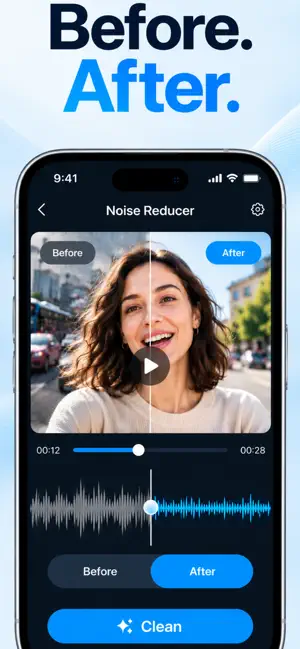
Noisy recording? Clean it in one tap. Noise Reducer takes the background out of your videos and voice recordings and leaves the talking clear. It listens to the whole file first, decides what shouldn't be there, and does the rest itself. There is nothing to set up. WHAT IT TAKES OUT • Wind and low rumble • Traffic, crowds and street noise • Fans, air conditioning and computer noise • Steady electrical hum and buzz • Hiss, fizz and static • Keyboard clicks and knocks • Room echo and that empty-hall sound HEAR THE DIFFERENCE Tap Before and After while it plays. The playback position never moves, so you hear exactly what changed, not a different part of the file. YOUR VIDEO STAYS UNTOUCHED Only the soundtrack is rebuilt. The picture keeps its original resolution, frame rate and quality, exactly as it was. CHOOSE A STYLE, OR DON'T Auto works out the settings on its own. If you want something different, there is Voice, Outdoor, Video, Meeting and Music. FULL CONTROL, IF YOU WANT IT Adjust holds every dial: noise, hum, hiss, echo, voice focus, presence, bass, treble, volume matching, silencing the gaps, speed and pitch. You never have to open it. ALSO IN THE APP • Record something new, with a live level meter • Trim before you save • Turn speech into text, edit it, and export as plain text, SRT or VTT • Clean several files in one go • A library that lets you rename, duplicate, search, share and clean again • Save to Photos or Files, or send it straight on WORKS WITH Video: MOV, MP4, M4V Audio: M4A, MP3, WAV, AAC, AIFF, FLAC EVERYTHING STAYS ON YOUR DEVICE Your files are processed here, by this app, using your iPhone's own processor. Nothing is uploaded, and the app has no server to upload to. There is no sign-in, no account, no analytics and no advertising identifier. It works with no connection at all. Your original is never changed. Importing makes a copy, and cleaning writes a new file next to it. BUILT PROPERLY Light and dark, Dynamic Type, VoiceOver, iPhone and iPad. NOISE REDUCER PRO Pro removes the limit, so you can clean as much as you like. Terms: https://suleapp.vercel.app/terms Privacy: https://suleapp.vercel.app/privacy
App privacy
The developer, Sule Demir, reported these privacy practices to Apple.
Data Not Collected
The developer does not collect any data from this app.
Alternatives to Noise Remover AI
Looking for apps like Noise Remover AI? Here are 6 similar apps on the App Store. The highest rated is Video Noise Cleaner & Remover (5.0/5), and all 6 are free to download.
-
 Denoisely: Noise Reducer
-
 Video Merger Expert
-
 Colorer - Video Colorer
-
 ClearTake: Audio Denoise
-
 Videotify: Video editor
-
 Video Noise Cleaner & Remover
5.0
Video Noise Cleaner & Remover
5.0
| App | Rating | Price | Last updated | Compare |
|---|---|---|---|---|
| Noise Remover AI | – | Free | September 7, 2026 | |
| Denoisely: Noise Reducer | – | Free | Oct 5, 2026 | Compare |
| Video Merger Expert | – | Free | Jul 13, 2026 | Compare |
| Colorer - Video Colorer | – | Free | Jul 9, 2026 | Compare |
| ClearTake: Audio Denoise | – | Free | Sep 6, 2026 | Compare |
| Videotify: Video editor | – | Free | Aug 24, 2026 | Compare |
| Video Noise Cleaner & Remover | 5.0 / 5 (1) | Free | Oct 28, 2026 | Compare |
Compare Noise Remover AI with the top alternatives: ratings, updates, ASO score and keyword gaps →