

Floor Plan Scanner - Truewall
Zytnec LLC Productivity iPhoneiPadiPod touch
Floor Plan Scanner - Truewall is a free Productivity app for iPhone and iPad by Zytnec LLC. Requires iOS 18.0. Updated November 18, 2026.
- Price
- Free
- on the App Store
- Size
- 22 MB
- Age 4+
- Updated
- Nov 18
- 2026 · v1.0.2
Screenshots
Save to Pinterest


About Floor Plan Scanner - Truewall
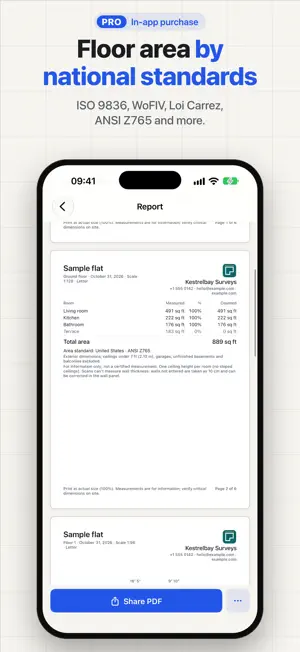
Turn real spaces into professional, accurate floor plans in minutes. Whether you are listing a home, drafting a renovation, or estimating materials, Truewall delivers client-ready blueprints straight from your iPhone or iPad. Simply scan with LiDAR or mark corners with your camera to capture complete room dimensions. Seamlessly connect rooms level by level, adjust walls with precision input, and generate square footage following recognized property measurement standards. Key Capabilities: • Instant LiDAR capture creates precise, editable floor plans in seconds • Camera corner marking and manual drawing support all non-LiDAR devices • Square footage calculations following ANSI Z765, RICS GIA, WoFlV, and Loi Carrez • Branded PDF reports featuring true-scale diagrams, room dimensions, photos, and your logo • Professional CAD and 3D export options including DXF, SVG, PNG, and USDZ • Built-in material calculator for rapid flooring, paint, and baseboard estimates • AI-assisted property listing descriptions generated on-device with Apple Intelligence • No accounts, no tracking, and your plans and photos stay on your device Built for Professionals and Homeowners: Real estate agents, appraisers, interior designers, contractors, architects, and DIY renovators can use Truewall for fast, reliable site documentation without expensive hardware or complex software. Your first project is completely free. Download Truewall now to create your first professional floor plan today. PRICING Your first project is free: scan, edit and see the net area, with a watermarked PDF and PNG. Truewall Pro unlocks unlimited projects, area by national standard, the branded PDF report without a watermark and with room photo pages, DXF, SVG and USDZ export, View in AR, and on-device listing text. Try it free for 3 days, then yearly; a monthly plan is also available. A single report unlocks one project's report and its files without a subscription. Subscriptions renew automatically unless cancelled at least 24 hours before the end of the current period. Manage or cancel them in your Apple Account settings. LiDAR scanning needs an iPhone Pro or iPad Pro with LiDAR. Listing text is written with Apple Intelligence where available; other devices get a template text from the same measurements. Scans have a margin of error like any measurement; check a critical wall with a tape. Terms of Use: https://truewall.zyntec.app/terms Privacy Policy: https://truewall.zyntec.app/privacy
What’s new
Version 1.0.2 · Updated November 18, 2026
Starting a scan no longer shows a blank screen: a “Preparing the camera…” card appears while the camera gets ready.
App privacy
The developer, Zytnec LLC, reported these privacy practices to Apple.
Data Linked to You
The following data, which may be collected and linked to your identity, may be used for the following purposes:
- Contact Info: Email Address
- User Content: Customer Support
Used for: App Functionality
Data Not Linked to You
The following data, which may be collected but is not linked to your identity, may be used for the following purposes:
- Purchases: Purchase History
- Diagnostics: Crash Data
Used for: App Functionality
Alternatives to Floor Plan Scanner - Truewall
Looking for apps like Floor Plan Scanner - Truewall? Here are 6 similar apps on the App Store.
-
 Plania: LiDAR Floor Plans
-
 Password Generator - Secure Pw
-
 WeekPeek: Calendar Widget
-
 MeasurePlan: Floor Plan Ruler
-
 FreeBeam: CAD PDF Plan Measure
-
 LAYR Scan
| App | Rating | Price | Last updated | Compare |
|---|---|---|---|---|
| Floor Plan Scanner - Truewall | – | Free | November 18, 2026 | |
| Plania: LiDAR Floor Plans | – | Free | Nov 8, 2026 | Compare |
| Password Generator - Secure Pw | – | 0.99 USD | Dec 9, 2025 | Compare |
| WeekPeek: Calendar Widget | – | Free | Nov 13, 2026 | Compare |
| MeasurePlan: Floor Plan Ruler | – | Free | Nov 7, 2026 | Compare |
| FreeBeam: CAD PDF Plan Measure | – | Free | Nov 24, 2026 | Compare |
| LAYR Scan | – | Free | Nov 25, 2026 | Compare |