

Onglow · To-Do List & Planner
浩伟 徐 Productivity iPhoneiPadiPod touchApple Watch
Onglow · To-Do List & Planner is a free Productivity app for iPhone and iPad by 浩伟 徐. Requires iOS 18.0. Updated November 21, 2026.
- Price
- Free
- on the App Store
- Size
- 24 MB
- Age 4+
- Updated
- Nov 21
- 2026 · v1.0.3
Screenshots
Save to Pinterest

About Onglow · To-Do List & Planner
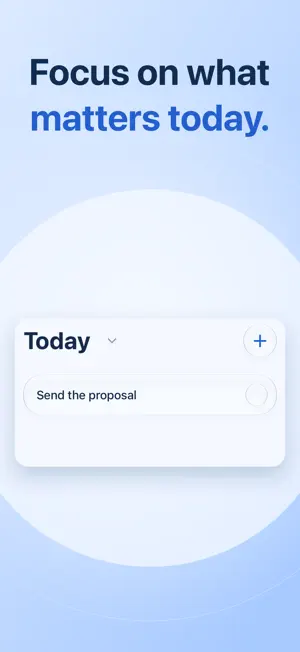
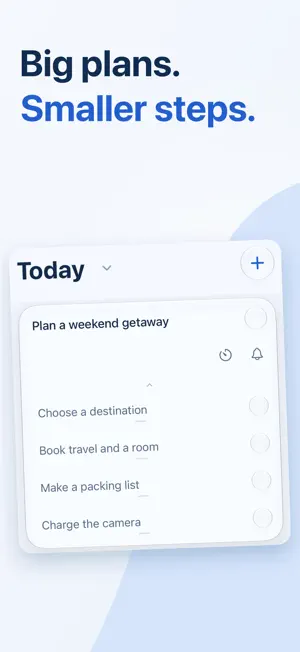
Work plans, everyday errands, unexpected ideas. Write them down. Get things done, naturally. Onglow brings to-do lists, reminders, and focus timers together. Keep track of what needs doing, move your plans forward, and give more attention to the task at hand. From a task to a project A trip involves tickets, a place to stay, and packing. A work project has different stages. Onglow lets you organize related tasks into projects, break larger tasks into manageable steps, and keep notes alongside them. Capture small to-dos as they come up and work through bigger plans at your own pace. Focus on a single project or see all your tasks together, depending on what you need. Plans and reminders Meetings, deadlines, and weekly workouts each have their place in your schedule. Set dates and reminders to help you remember what matters when it matters. For daily practice or weekly routines, recurring tasks carry your plans forward without creating the same to-do again and again. A Today widget puts your day's tasks on the Home Screen for a quick glance. Make time to focus Read a few pages, write an article, or work through an exercise. Start a timer from a task and give that time a purpose. Use a countdown for a set focus session, or count up to track the time you spend. You can also time individual steps in a larger task, moving on to the next as each step finishes. Timing records stay with the work they belong to, so you can look back and see where your time went. See your progress Completed tasks move into history, leaving your active list for what's next. Search and revisit past plans and notes, or restore a completed task when you want to return to it. Weekly, monthly, and yearly trends bring your completed work and time spent into view. Looking back helps you understand your rhythm and plan what comes next. Make it your own From bright blue and white to deep navy and original illustrated themes, choose a look you enjoy coming back to. Fonts and text colors are yours to choose, too. Whether you prefer a simple solid color or seasonal artwork, Onglow keeps the layout clean and easy to read, with your tasks at the center. No app account required. No ads. Add and view tasks offline, with your data stored locally. Turn on optional iCloud sync and create file backups to keep a copy of your records. Terms of Use (Apple Standard EULA): https://www.apple.com/legal/internet-services/itunes/dev/stdeula/
What’s new
Version 1.0.3 · Updated November 21, 2026
- Sync scheduled tasks to Apple Calendar. - Touch and hold a project name in grouped or overview mode to add a task. - Improved scrolling in the Today list.
App privacy
The developer, 浩伟 徐, reported these privacy practices to Apple.
Data Not Collected
The developer does not collect any data from this app.
Alternatives to Onglow · To-Do List & Planner
Looking for apps like Onglow · To-Do List & Planner? Here are 6 similar apps on the App Store.
-
 Tasks by Foways
-
 PureCodex: Notes by Life Area
-
 ADHD Todo: Voice Alarm
-
 Ambrio: Private AI Keeper
-
 ReadKeeps
-
 Sassy Parrot - Stop Scrolling
| App | Rating | Price | Last updated | Compare |
|---|---|---|---|---|
| Onglow · To-Do List & Planner | – | Free | November 21, 2026 | |
| Tasks by Foways | – | Free | Jul 14, 2026 | Compare |
| PureCodex: Notes by Life Area | – | Free | Nov 15, 2026 | Compare |
| ADHD Todo: Voice Alarm | – | Free | Nov 20, 2026 | Compare |
| Ambrio: Private AI Keeper | – | Free | Nov 18, 2026 | Compare |
| ReadKeeps | – | Free | Nov 4, 2026 | Compare |
| Sassy Parrot - Stop Scrolling | – | Free | Nov 19, 2026 | Compare |